
97 lines
2.6 KiB
Markdown
97 lines
2.6 KiB
Markdown
# Coldcard Wallet
|
|
|
|
|
|
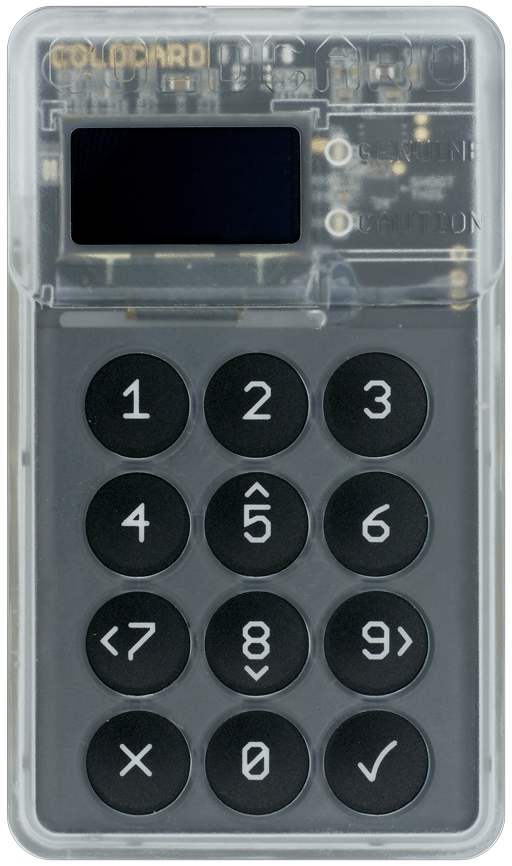
Coldcard is a Cheap, Ultra-secure & Opensource Hardware Wallet for Bitcoin and other crypto-currencies. Get yours at [ColdcardWallet.com](http://coldcardwallet.com)
|
|
|
|
[Follow @COLDCARDwallet on Twitter](https://twitter.com/coldcardwallet) to keep up with the latest updates and security alerts.
|
|
|
|

|
|
|
|
|
|

|
|
|
|
## Check-out and Setup
|
|
|
|
Do a checkout, recursively to get all the submodules:
|
|
|
|
git clone --recursive https://github.com/Coldcard/firmware.git
|
|
|
|
Then:
|
|
|
|
- `cd firmware`
|
|
- `git submodule update --init` _(if needed?)_
|
|
- `brew install autogen`
|
|
- `virtualenv -p python3 ENV` (Python > 3.5 is required)
|
|
- `source ENV/bin/activate` (or `source ENV/bin/activate.csh` based on shell preference)
|
|
- `pip install -r requirements.txt`
|
|
|
|
Setup and Run the Desktop-based Coldcard simulator:
|
|
|
|
- `cd unix; make setup && make; ./simulator.py`
|
|
|
|
Building the firmware:
|
|
|
|
- `cd ../cli; pip install --editable .`
|
|
- `cd ../stm32; make setup && make; make firmware-signed.dfu`
|
|
- The resulting file, `firmware-signed.dfu` can be loaded directly onto a Coldcard, using this
|
|
command (already installed based on above)
|
|
- `ckcc upgrade firmware-signed.dfu`
|
|
|
|
Which looks like this:
|
|
|
|
[ENV] [firmware/stm32 42] ckcc upgrade firmware-signed.dfu
|
|
675328 bytes (start @ 293) to send from 'firmware-signed.dfu'
|
|
Uploading [##########--------------------------] 29% 0d 00:01:04
|
|
|
|
|
|
### MacOS
|
|
|
|
You'll probably need to install at least these packages:
|
|
|
|
brew install sdl2
|
|
brew tap PX4/px4
|
|
brew search px4
|
|
brew cask install gcc-arm-embedded
|
|
brew install px4/px4/gcc-arm-none-eabi-80 (latest gcc-arm-none-eabi-XX, currently 80)
|
|
|
|
### Linux
|
|
|
|
You'll probably need to install these (Ubuntu 16):
|
|
|
|
apt install libudev-dev python-sdl2 gcc-arm-none-eabi
|
|
|
|
|
|
|
|
## Code Organization
|
|
|
|
Top-level dirs:
|
|
|
|
`shared`
|
|
|
|
- shared code between desktop test version and real-deal
|
|
- expected to be largely in python, and higher-level
|
|
|
|
`unix`
|
|
|
|
- unix (MacOS) version for testing/rapid dev
|
|
- this is a simulator for the product
|
|
|
|
`testing`
|
|
|
|
- test cases and associated data
|
|
|
|
|
|
`stm32`
|
|
|
|
- embedded micro version, for actual product
|
|
- final target is a binary file for loading onto hardware
|
|
|
|
`external`
|
|
|
|
- code from other projects, ie. the dreaded submodules
|
|
|
|
`stm32/bootloader`
|
|
|
|
- 32k of factory-set code that you cannot change
|
|
- however, you can inspect what code is on your coldcard and compare to this.
|