Compare commits
6 Commits
| Author | SHA1 | Date | |
|---|---|---|---|

|
57f3ae86f8 | ||
|
|
24ce083aae | ||
|
|
f4a03d0fd9 | ||
|
|
e128161ada | ||
|
|
324e2d29c3 | ||
|
|
07d31cc68d |
2
.gitignore
vendored
@ -24,5 +24,3 @@ __pycache__/
|
||||
|
||||
.tags
|
||||
pp
|
||||
|
||||
.idea/
|
||||
|
||||
8
.gitmodules
vendored
@ -1,7 +1,7 @@
|
||||
[submodule "external/micropython"]
|
||||
path = external/micropython
|
||||
url = https://github.com/Coldcard/micropython.git
|
||||
branch = mk4-base
|
||||
branch = master
|
||||
[submodule "external/ckcc-protocol"]
|
||||
path = external/ckcc-protocol
|
||||
url = https://github.com/Coldcard/ckcc-protocol.git
|
||||
@ -14,9 +14,3 @@
|
||||
[submodule "stm32/mk4-bootloader/hal"]
|
||||
path = stm32/mk4-bootloader/hal
|
||||
url = https://github.com/STMicroelectronics/STM32CubeL4.git
|
||||
[submodule "misc/gpu/external/stm32c0xx_hal_driver"]
|
||||
path = misc/gpu/external/stm32c0xx_hal_driver
|
||||
url = https://github.com/STMicroelectronics/stm32c0xx_hal_driver.git
|
||||
[submodule "misc/gpu/external/cmsis_device_c0"]
|
||||
path = misc/gpu/external/cmsis_device_c0
|
||||
url = https://github.com/STMicroelectronics/cmsis_device_c0.git
|
||||
|
||||
67
README.md
@ -1,6 +1,6 @@
|
||||
# COLDCARD Hardware Wallet
|
||||
# Coldcard Wallet
|
||||
|
||||
Coldcard is an Affordable, Ultra-secure & Verifiable Hardware Wallet for Bitcoin.
|
||||
Coldcard is a Cheap, Ultra-secure & Verifiable Hardware Wallet for Bitcoin.
|
||||
Get yours at [Coldcard.com](http://coldcard.com)
|
||||
|
||||
[Follow @COLDCARDwallet on Twitter](https://twitter.com/coldcardwallet) to keep up
|
||||
@ -8,13 +8,7 @@ with the latest updates and security alerts.
|
||||
|
||||

|
||||
|
||||

|
||||
|
||||
## Quick Links
|
||||
|
||||
- [Latest firmware changes and updates](releases/ChangeLog.md)
|
||||
- [PGP signature file](releases/signatures.txt)
|
||||
- [Firmware binaries](https://coldcard.com/downloads)
|
||||
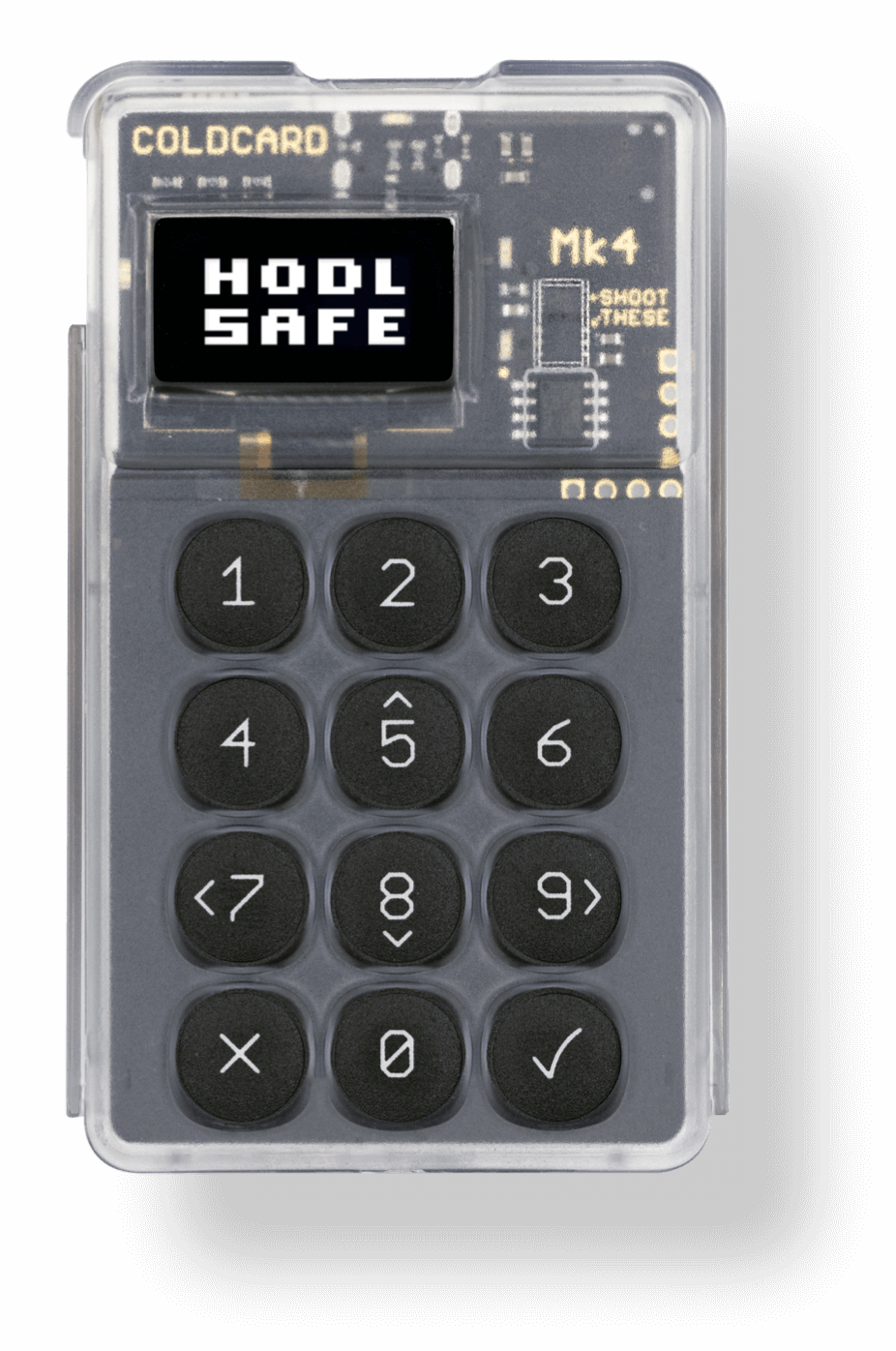
|
||||
|
||||
## Reproducible Builds
|
||||
|
||||
@ -24,45 +18,23 @@ has been automated using Docker. Steps are as follows:
|
||||
|
||||
1. Install [Docker](https://www.docker.com) and start it.
|
||||
2. Install [make (GNUMake)](https://www.gnu.org/software/make/) if you don't already have it.
|
||||
3. Checkout a specific version of the code, and start the process.
|
||||
3. Checkout the code, and start the process.
|
||||
|
||||
```shell
|
||||
git clone https://github.com/Coldcard/firmware.git
|
||||
cd firmware
|
||||
# DOWNLOAD https://coldcard.com/downloads
|
||||
# get a copy of binary into ./releases/2026-03-05T2052-v5.5.0-mk-coldcard.dfu
|
||||
git checkout 2026-03-05T2052-v5.5.0
|
||||
cd stm32
|
||||
make -f MK4-Makefile repro
|
||||
cd firmware/stm32
|
||||
make repro
|
||||
```
|
||||
|
||||
4. At the end of the process a clear confirmation message is shown, or the differences.
|
||||
5. Build products can be found `firmware/stm32/built`.
|
||||
6. If you do not trust the results of `make repro` refer to `docs/notes-on-repro.md`
|
||||
which breaks down the process.
|
||||
7. Process for Q firmware is the same, but change `MK4-Makefile` in last step to `Q1-Makefile`
|
||||
|
||||
## Long-Lived Branches
|
||||
|
||||
We are now maintaining two branches: `master` and `edge`.
|
||||
|
||||
"Edge" will contain features that may not be ready for prime time,
|
||||
such as Taproot or Miniscript. Our standards for releasing new Edge
|
||||
versions are lower, so we can iterate faster and get these advancements
|
||||
out to other developers.
|
||||
|
||||
Q and Mk series share the same code base. Individual files that are added,
|
||||
or removed, can be see in differences between `shared/manifest_mk4.py`
|
||||
and `shared/manifest_q1.py`. Common files are in `shared/manifest.py`.
|
||||
Firmware built for Mk5, supports the Mk4 without any functional differences.
|
||||
|
||||
|
||||
## Check-out and Setup
|
||||
|
||||
**NOTE** This is the `master` branch and covers the latest hardware (Mk and Q).
|
||||
**NOTE** This is the `master` branch and covers the latest hardware (Mk4).
|
||||
See branch `v4-legacy` for firmware which supports only Mk3/Mk2 and earlier.
|
||||
|
||||
Do a checkout, recursively, to get all the submodules:
|
||||
Do a checkout, recursively to get all the submodules:
|
||||
|
||||
```shell
|
||||
git clone --recursive https://github.com/Coldcard/firmware.git
|
||||
@ -85,7 +57,7 @@ git submodule update --init --recursive
|
||||
```
|
||||
|
||||
Do not use a path with any spaces in it. The Makefiles do not handle
|
||||
that well and we're not planning to fix it.
|
||||
that well, and we're not planning to fix it.
|
||||
|
||||
Keep in mind that python requirements may change between versions,
|
||||
so at the top level, do this command:
|
||||
@ -186,16 +158,7 @@ git clone --recursive https://github.com/Coldcard/firmware.git
|
||||
cd firmware
|
||||
|
||||
# Apply address patch
|
||||
# if unix/linux_addr.patch exists use below command
|
||||
# not needed in current revision
|
||||
# git apply unix/linux_addr.patch
|
||||
|
||||
# * below is needed for ubuntu 24.04
|
||||
pushd external/micropython
|
||||
git apply ../../ubuntu24_mpy.patch
|
||||
popd
|
||||
# *
|
||||
|
||||
git apply unix/linux_addr.patch
|
||||
|
||||
# Create Python virtual environment and activate it
|
||||
python3 -m venv ENV # or virtualenv -p python3 ENV
|
||||
@ -235,8 +198,8 @@ Top-level dirs:
|
||||
|
||||
- shared code between desktop test version and real-deal
|
||||
- expected to be largely in python, and higher-level
|
||||
- code exclusive to the Mk4 or Mk5 will be listed in `manifest_mk4.py`, and
|
||||
to the Q will be listed in `manifest_q1.py`
|
||||
- new code found only on the Mk4 will be listed in `manifest_mk4.py` code exclusive
|
||||
to earlier hardware is in `manifest_mk3.py`
|
||||
|
||||
`unix`
|
||||
|
||||
@ -266,14 +229,13 @@ Top-level dirs:
|
||||
- however, you can inspect what code is on your coldcard and compare to this.
|
||||
|
||||
`stm32/mk4-bootloader`
|
||||
`stm32/q1-bootloader`
|
||||
|
||||
- 128k of factory-set code that you cannot change
|
||||
- 128k of factory-set code that you cannot change for Mk4
|
||||
- however, you can inspect what code is on your coldcard and compare to this.
|
||||
|
||||
`hardware`
|
||||
|
||||
- schematic and bill of materials for the Coldcard, all versions.
|
||||
- schematic and bill of materials for the Coldcard
|
||||
|
||||
`unix/work/...`
|
||||
|
||||
@ -286,4 +248,3 @@ Top-level dirs:
|
||||
## Support
|
||||
|
||||
Found a bug? Email: support@coinkite.com
|
||||
|
||||
|
||||
@ -11,7 +11,7 @@ from setuptools import setup
|
||||
setup(
|
||||
name='signit',
|
||||
version='1.0',
|
||||
py_modules=['signit', 'sigheader'],
|
||||
py_modules=['signit'],
|
||||
install_requires=[
|
||||
'Click',
|
||||
],
|
||||
|
||||
@ -1 +1 @@
|
||||
../stm32/sigheader.py
|
||||
../stm32/bootloader/sigheader.py
|
||||
@ -208,9 +208,7 @@ def readback(fname):
|
||||
if v & MK_2_OK: d.append('Mk2')
|
||||
if v & MK_3_OK: d.append('Mk3')
|
||||
if v & MK_4_OK: d.append('Mk4')
|
||||
if v & MK_5_OK: d.append('Mk5')
|
||||
if v & MK_Q1_OK: d.append('Q1')
|
||||
if v & ~(MK_1_OK | MK_2_OK | MK_3_OK | MK_4_OK | MK_5_OK | MK_Q1_OK):
|
||||
if v & ~(MK_1_OK | MK_2_OK | MK_3_OK | MK_4_OK):
|
||||
d.append('?other?')
|
||||
v = nv + '+'.join(d)
|
||||
elif fld == 'timestamp':
|
||||
@ -246,7 +244,7 @@ def readback(fname):
|
||||
@click.option('--pubkey-num', '-k', type=int, help='Which key # to use for signing', default=0)
|
||||
@click.option('--high_water', '-h', is_flag=True, help='Mark version as new highwater mark (no downgrades below this version)')
|
||||
@click.option('--verbose', '-v', default=False, is_flag=True, help='Show numbers related to signature')
|
||||
@click.option('--hw-compat', '-m', type=str, metavar='mk', help="Set HW compat field (hw_label value)")
|
||||
@click.option('--hw-compat', '-m', type=int, metavar='BITMASK', help="Set HW compat field (mk number)")
|
||||
@click.option('--backdate', type=int, metavar='DAYS',
|
||||
help='Make downgrade attack test version', default=0)
|
||||
@click.option('--build_dir', '-b', default='l-port/build-COLDCARD')
|
||||
@ -279,12 +277,9 @@ def doit(keydir, outfn=None, build_dir=None, high_water=False,
|
||||
vectors = open(build_dir + '/firmware0.bin', 'rb').read()
|
||||
body = open(build_dir + '/firmware1.bin', 'rb').read()
|
||||
|
||||
if hw_compat in { 'mk4', '4', 'mk5', '5', 'mk' }:
|
||||
# Mk4 and 5 can run the same firmware, once Mk5 support was added
|
||||
hw_compat = MK_4_OK | MK_5_OK
|
||||
elif hw_compat == 'q1':
|
||||
hw_compat = MK_Q1_OK
|
||||
elif hw_compat in { 'mk3', '3'}:
|
||||
if hw_compat == 4:
|
||||
hw_compat = MK_4_OK
|
||||
elif hw_compat in {3, None}:
|
||||
hw_compat = MK_2_OK | MK_3_OK
|
||||
else:
|
||||
assert not "known"
|
||||
@ -298,12 +293,8 @@ def doit(keydir, outfn=None, build_dir=None, high_water=False,
|
||||
# bugfix: size must be non-page aligned, so extra bytes are erased past end
|
||||
if (body_len % 4096) == 0:
|
||||
body_len += 512
|
||||
assert body_len % 512 == 0, body_len
|
||||
else:
|
||||
# bugfix: PSRAM-based products (Mk4, Q1) need to erase 4k blocks, so
|
||||
# trouble happens if final binary isn't aligned to that size.
|
||||
body_len = align_to(body_len, 4096)
|
||||
assert body_len % 4096 == 0, body_len
|
||||
|
||||
assert body_len % 512 == 0, body_len
|
||||
|
||||
# pad out
|
||||
vectors = pad_to(vectors, FW_HEADER_OFFSET)
|
||||
@ -321,15 +312,14 @@ def doit(keydir, outfn=None, build_dir=None, high_water=False,
|
||||
pubkey_num=pubkey_num,
|
||||
timestamp=timestamp(backdate) )
|
||||
|
||||
assert FW_MIN_LENGTH <= hdr.firmware_length <= FW_MAX_LENGTH, hdr.firmware_length
|
||||
|
||||
if hw_compat & MK_3_OK:
|
||||
# actual file length limited by size of SPI flash area reserved to txn data/uploads
|
||||
assert FW_MIN_LENGTH <= hdr.firmware_length <= FW_MAX_LENGTH, hdr.firmware_length
|
||||
USB_MAX_LEN = (786432-128)
|
||||
else:
|
||||
# new value for Mk4 and later: limited only by final binary size, not SPI flash
|
||||
assert FW_MIN_LENGTH <= hdr.firmware_length <= FW_MAX_LENGTH_MK4, hdr.firmware_length
|
||||
if hw_compat & MK_4_OK:
|
||||
# new value for Mk4: limited only by final binary size, not SPI flash
|
||||
USB_MAX_LEN = 1472 * 1024
|
||||
else:
|
||||
# actual file length limited by size of SPI flash area reserved to txn data/uploads
|
||||
USB_MAX_LEN = (786432-128)
|
||||
|
||||
assert hdr.firmware_length <= USB_MAX_LEN, \
|
||||
"too big for our USB upgrades: %d = %d bytes too big" % (
|
||||
|
||||
@ -3,32 +3,14 @@
|
||||
These docs are meant for you hackers out there... but also for anyone who
|
||||
wants to understand why it's safe to put your moneys into Coldcard.
|
||||
|
||||
- [`security-model.md`](security-model.md) The COLDCARD Mk4/Mk5/Q security model.
|
||||
- [`pin-entry.md`](pin-entry.md) Huge and detailed discussion of PIN codes and the security element that holds the secrets.
|
||||
- [`secure-elements.md`](secure-elements.md) How the dual secure elements work together.
|
||||
- [`dev-access.md`](dev-access.md) How developers can modify Coldcard to extend it.
|
||||
- [`memory-map.md`](memory-map.md) Memory map highlights
|
||||
- [`notes-on-repro.md`](notes-on-repro.md) Detailed breakdown of the reproducible build process.
|
||||
- [`upgrade-recovery.md`](upgrade-recovery.md) Firmware upgrade and recovery process.
|
||||
- [`backup-files.md`](backup-files.md) Some details of our encrypted backup files.
|
||||
- [`temporary-seeds.md`](temporary-seeds.md) Temporary (ephemeral) seeds and the Seed Vault.
|
||||
- [`seed-xor.md`](seed-xor.md) More about _Seed XOR_ feature, including fully worked Seed XOR example, and useful XOR lookup chart.
|
||||
- [`key-teleport.md`](key-teleport.md) Key Teleport: encrypted transfer of seeds and secrets between Q devices.
|
||||
- [`spending-policy.md`](spending-policy.md) Spending policy: autonomous signing with configurable limits.
|
||||
- [`microsd-2fa.md`](microsd-2fa.md) Using a MicroSD card as a second factor for login.
|
||||
- [`web2fa.md`](web2fa.md) Web 2FA authentication.
|
||||
- [`bip85-passwords.md`](bip85-passwords.md) Deriving deterministic passwords via BIP-85.
|
||||
- [`msg-signing.md`](msg-signing.md) COLDCARD message signing.
|
||||
- [`proof-of-reserves-bip-322.md`](proof-of-reserves-bip-322.md) BIP-322 generic signed message format and proof of reserves.
|
||||
- [`generic-wallet-export.md`](generic-wallet-export.md) Generic JSON wallet export file format.
|
||||
- [`bip-21-extensions.md`](bip-21-extensions.md) Coldcard's BIP-21 URI extensions, including multisig ownership address check.
|
||||
- [`nfc-coldcard.md`](nfc-coldcard.md) NFC support on Coldcard Mk4 and Q.
|
||||
- [`nfc-pushtx.md`](nfc-pushtx.md) NFC Push Transaction: broadcast a signed transaction via your phone.
|
||||
- [`usb-batteries.md`](usb-batteries.md) Using USB battery packs with Coldcard.
|
||||
- [`electrum-usage.md`](electrum-usage.md) Importing seed words into Electrum for funds usage (and other tips).
|
||||
- [`bitcoin-core-usage.md`](bitcoin-core-usage.md) How to use with Bitcoin Core.
|
||||
- [`bitcoin-core2of2desc.md`](bitcoin-core2of2desc.md) Airgapped 2-of-2 multisig with Bitcoin Core using descriptors.
|
||||
- [`limitations.md`](limitations.md) Documented limitations, policy choices, and TODO items.
|
||||
- [`paperwallet.pdf`](paperwallet.pdf) Example paper wallet template file.
|
||||
- [`seed-xor.md`](seed-xor.md) More about _Seed XOR_ feature, including fully worked Seed XOR example, and useful XOR lookup chart.
|
||||
- [`menu-tree.txt`](menu-tree.txt) Dump of the menu system. Incomplete, may be out of date.
|
||||
|
||||
|
||||
@ -38,17 +38,6 @@ a single file, which is a simple text file and
|
||||
easy to read. Before version 4.0.0, this text file was always
|
||||
called `ckcc-backup.txt`, but the filename is now picked randomly.
|
||||
|
||||
## BIP39 Passphrase
|
||||
|
||||
If BIP39 passphrase is active the default behavior is to back-up
|
||||
main wallet - not BIP39 passphrase wallet. From version `5.2.0`
|
||||
users can choose to back-up also BIP39 passphrase wallet.
|
||||
|
||||
## Ephemeral Seeds
|
||||
|
||||
If ephemeral seed is active the default behavior is to always
|
||||
back-up ephemeral wallet instead of the main wallet.
|
||||
|
||||
## Limitations
|
||||
|
||||
- The archive file names are not encrypted. You can see there is a single
|
||||
|
||||
@ -1,15 +0,0 @@
|
||||
## Multisig Ownership address check: "wallet"
|
||||
|
||||
If the name of the multisig wallet related to an address is provided, address search
|
||||
can be greatly accelerated. Just provide `wallet=name` parameter in a standard
|
||||
[BIP-21](https://github.com/bitcoin/bips/blob/master/bip-0021.mediawiki) URL
|
||||
shown in QR code or NFC record. If omitted, search will continue across
|
||||
all multisig wallets known by COLDCARD.
|
||||
|
||||
### Examples
|
||||
|
||||
```
|
||||
tb1q4d67p7stxml3kdudrgkg5mgaxsrgzcqzjrrj4gg62nxtvnsnvqjsxjkej0?wallet=goldmine
|
||||
|
||||
bitcoin:mtHSVByP9EYZmB26jASDdPVm19gvpecb5R?label=coldcard_purchase&amount=50&wallet=Haystack%20Four
|
||||
```
|
||||
@ -1,17 +1,19 @@
|
||||
# BIP-85 Passwords
|
||||
|
||||
This feature derives a deterministic password from your seed,
|
||||
according to [BIP-85 PWD BASE64](https://github.com/bitcoin/bips/blob/master/bip-0085.mediawiki#pwd-base64).
|
||||
This feature derives a deterministic password according from your seed,
|
||||
according to [BIP-85](https://github.com/bitcoin/bips/blob/master/bip-0085.mediawiki)
|
||||
(with the recent changes
|
||||
[proposed here](https://github.com/scgbckbone/bips/blob/passwords/bip-0085.mediawiki)).
|
||||
Generated passwords can be sent as keystrokes via USB to the host computer,
|
||||
effectively using Coldcard as specialized password manager.
|
||||
|
||||
In addition to deriving up to 10,000 distinct secure passwords, the Coldcard
|
||||
In addition to deriving up to 10,000 distinct secure passwords, the Coldcard Mk4
|
||||
can also type them into a computer by emulating a USB keyboard, and simulating the
|
||||
keystrokes needed to type the password.
|
||||
|
||||
#### Requirements
|
||||
|
||||
* Coldcard Mk4 or Mk5 (firmware 5.0.5 or newer), or any Q
|
||||
* Coldcard Mk4 with version 5.0.5 or newer
|
||||
* USB-C with data link (won't work with power only cable from Coinkite)
|
||||
|
||||
## Type Passwords over USB
|
||||
@ -32,13 +34,11 @@ to exit. Exiting from "Type Passwords" will cause Coldcard to turn off keyboard
|
||||
1. Go to Advanced/Tools -> Derive Seed B85 -> Passwords
|
||||
2. Choose "Password/Index number" (BIP-85 index) and press OK to generate password.
|
||||
3. Screen shows generated password, path, and entropy from which password was derived
|
||||
4. A few different options are available at this point (on Mk; on Q the NFC and
|
||||
QR buttons are used instead of (3)/(4)):
|
||||
1. press (1) to save password backup file on MicroSD card (cleartext!)
|
||||
2. press (2) to save to Virtual Disk (only when available)
|
||||
3. press (3) to send over NFC (only appears when NFC is enabled)
|
||||
4. press (4) to view password as QR code
|
||||
5. press (6) to send keystrokes over USB (this enables keyboard emulation, sends keystrokes + enter, then disables keyboard emulation)
|
||||
4. A few different options are available at this point:
|
||||
1. press 1 to save password backup file on MicroSD card (cleartext!)
|
||||
2. press 2 to send keystrokes (this will first of all enable keyboard emulation, then send keystrokes + enter, and finally disables keyboard emulation)
|
||||
3. press 3 to view password as QR code
|
||||
4. press 4 to send over NFC (only appears when NFC is enabled)
|
||||
|
||||
## Keyboard language settings
|
||||
|
||||
|
||||
@ -29,7 +29,6 @@ Step 2: Export descriptor from Coldcard to Core
|
||||
- in Bitcoin Core, go to Windows -> Console
|
||||
- select your newly created descriptor wallet in the wallet pulldown (top left)
|
||||
- paste the `importdescriptor` command. It should respond with a success message
|
||||
- in Bitcoin Core v24.1, the console response will include `"message": "Ranged descriptors should not have a label"` and Bitcoin Core won't allow address generation. Removing the entry `"label": "Coldcard x0x0x0x0"` from the .txt file fixes this issue.
|
||||
|
||||
NOTE: If you are importing an existing wallet this way, with UTXO on the blockchain,
|
||||
you may need to rescan and/or delete "timestamp=now" from the command. If the
|
||||
|
||||
39
docs/ephemeral.md
Normal file
@ -0,0 +1,39 @@
|
||||
# Ephemeral Seeds
|
||||
|
||||
Ephemeral seed is temporary secret stored only in Coldcard volatile
|
||||
memory (RAM). It only survives single boot, meaning after Coldcard
|
||||
restart it is gone. Ephemeral seeds *completely* defeats the design
|
||||
of Coldcard's security model, based on secure elements.
|
||||
|
||||
Make sure you know what you're doing!
|
||||
|
||||
|
||||
## Usage
|
||||
|
||||
- go to `Advanced/Tools -> Ephemeral Seed`
|
||||
- if ephemeral seed is already in use, the menu option `CLEAR [<xfp>]` is visible
|
||||
with fingerprint of ephemeral master secret
|
||||
- an ephemeral seed can be Imported or Generated at random
|
||||
- `Generate`:
|
||||
- `Advanced/Tools -> Ephemeral Seed -> Generate`
|
||||
- same options as generating new seeds, dice rolls included
|
||||
- `Import`:
|
||||
- `Advanced/Tools -> Ephemeral Seed -> Import`
|
||||
- same options as importing seeds
|
||||
- an ephemeral seed can also be a BIP-85 derived value
|
||||
|
||||
## Trick PIN Notes
|
||||
|
||||
If you intend to use the ephemeral seed feature frequently, you can
|
||||
define a "Trick PIN" which takes you to a "look blank" trick wallet
|
||||
(ie. no seed set appears to be set). Then you may then safely
|
||||
unlock your Coldcard, without revealing the true PIN, and perform
|
||||
all your ephemeral seed work in that state.
|
||||
|
||||
## Purpose
|
||||
|
||||
This feature is intended for those one-off signings, like recovering
|
||||
a lost seed from some other system or importing some seed as an
|
||||
balance check. We do not recommend handing unencrypted seed material
|
||||
on a regular basis!
|
||||
|
||||
@ -5,12 +5,9 @@ wallet systems, but we also have a file format for general purpose
|
||||
exports, which we hope future wallet makers will leverage.
|
||||
|
||||
It contains master XPUB, XFP for that, and derived values for the top hardened
|
||||
position of the single-signature schemes BIP44, BIP49 and BIP84, plus the
|
||||
multisig schemes BIP48 (`bip48_1` = `.../1h` P2SH-P2WSH and `bip48_2` = `.../2h` P2WSH).
|
||||
When the account number is zero, a BIP45 (`m/45h`) multisig section is also included
|
||||
(it is omitted for non-zero accounts, as in the example below).
|
||||
position of BIP44, BIP84 and BIP49.
|
||||
|
||||
The feature can be found here: _Advanced/Tools > Export Wallet > Generic JSON_
|
||||
The feature can be found here: _Advanced > MicroSD > Export Wallet > Generic JSON_
|
||||
|
||||
Please contact us (or better yet, make a pull request), if you need something
|
||||
more in this file.
|
||||
@ -21,51 +18,32 @@ Here is an example, produced by the Simulator for account number 123.
|
||||
|
||||
```javascript
|
||||
{
|
||||
"chain": "BTC",
|
||||
"chain": "XTN",
|
||||
"xfp": "0F056943",
|
||||
"xpub": "tpubD6NzVbkrYhZ4XzL5Dhayo67Gorv1YMS7j8pRUvVMd5odC2LBPLAygka9p7748JtSq82FNGPppFEz5xxZUdasBRCqJqXvUHq6xpnsMcYJzeh",
|
||||
"account": 123,
|
||||
"xpub": "xpub661MyMwAqRbcGC9DmWbtbAmuUjpMYxw4BWE88NSDHB3jSjfUK7KtYJuKa52GbowD3DVLkgsxH9QwPnTx5mjdHykYFEncnmAsNsCTbWzBhA7",
|
||||
"bip44": {
|
||||
"deriv": "m/44'/1'/123'",
|
||||
"first": "n44vs1Rv7T8SANrg2PFGQhzVkhr5Q6jMMD",
|
||||
"name": "p2pkh",
|
||||
"xfp": "5F898064",
|
||||
"deriv": "m/44h/0h/123h",
|
||||
"xpub": "xpub6DStQXfAgHuLbMpCf86ruVkF4yT9pSLyWsFiqQTWY9osuinq8Dyee4W5jCjMfyku5LNkRB9oFinrY5ufn9XXEn8Vvzc2jnifKMaQCNV7RBZ",
|
||||
"desc": "pkh([0f056943/44h/0h/123h]xpub6DStQXfAgHuLbMpCf86ruVkF4yT9pSLyWsFiqQTWY9osuinq8Dyee4W5jCjMfyku5LNkRB9oFinrY5ufn9XXEn8Vvzc2jnifKMaQCNV7RBZ/<0;1>/*)#4tl8jryn",
|
||||
"first": "1GTNtzG5xX2UhdD5e3Nu7i1WPxFdjxQMJt"
|
||||
"xfp": "B7908B26",
|
||||
"xpub": "tpubDCiHGUNYdRRGoSH22j8YnruUKgguCK1CC2NFQUf9PApeZh8ewAJJWGMUrhggDNK73iCTanWXv1RN5FYemUH8UrVUBjqDb8WF2VoKmDh9UTo"
|
||||
},
|
||||
"bip49": {
|
||||
"name": "p2sh-p2wpkh",
|
||||
"xfp": "A748B1FC",
|
||||
"deriv": "m/49h/0h/123h",
|
||||
"xpub": "xpub6DDm8WzH5a9qjKkttzqSB3uGofNohU9D3n3UG8WMxkUZzJEMPTYiQRf1dvTFCQR82MjGW4LUMVuTtnW4hF17RpzCqVwhf6Z2fnJPWtjG164",
|
||||
"desc": "sh(wpkh([0f056943/49h/0h/123h]xpub6DDm8WzH5a9qjKkttzqSB3uGofNohU9D3n3UG8WMxkUZzJEMPTYiQRf1dvTFCQR82MjGW4LUMVuTtnW4hF17RpzCqVwhf6Z2fnJPWtjG164/<0;1>/*))#5j7t2n2u",
|
||||
"_pub": "ypub6Y42SBfCEFhKacx1jMd4P8zmydXFe68hxtZh3XQFLkrT3Q3ae7iH2VK9f8QqCK53Rzr5FXw2pAG1n57dQwR8E4fohqe8F1NWwWN2uVRfBry",
|
||||
"first": "3CeBRbJKCpg7BpJME2vM8ZxhCjBnhG4toy"
|
||||
"_pub": "upub5DMRSsh6mNak9KbcVjJ7xAgHJvbE3Nx22CBTier5C35kv8j7g2q58ywxskBe6JCcAE2VH86CE2aL4MifJyKbRw8Gj9ay7SWvUBkp2DJ7y52",
|
||||
"deriv": "m/49'/1'/123'",
|
||||
"first": "2N87V39riUUCd4vmXfDjMWAu9gUCiBji5jB",
|
||||
"name": "p2wpkh-p2sh",
|
||||
"xfp": "CEE1D809",
|
||||
"xpub": "tpubDCDqt7XXvhAdy1MpSze5nMJA9x8DrdRaKALRRPasfxyHpiqWWEAr9cbDBQ9BcX7cB3up98Pk97U2QQ3xrvQsi5dNPmRYYhdcsKY9wwEY87T"
|
||||
},
|
||||
"bip84": {
|
||||
"_pub": "vpub5Y5a91QvDT45EnXQaKeuvJupVvX8f9BiywDcadSTtaeJ1VgJPPXMitnYsqd9k7GnEqh44FKJ5McJfu6KrihFXhAmvSWgm7BAVVK8Gupu4fL",
|
||||
"deriv": "m/84'/1'/123'",
|
||||
"first": "tb1qc58ys2dphtphg6yuugdf3d0kufmk0tye044g3l",
|
||||
"name": "p2wpkh",
|
||||
"xfp": "2C5207AA",
|
||||
"deriv": "m/84h/0h/123h",
|
||||
"xpub": "xpub6CaWStGvcXqSW9BzU2vpCoP7aWjz9VfR5DS2nuYWVvKV2nug2dESg3HdFsaWHeoZaxuAhNcPB3TH2gq8MugS3JX1yGuhB4QbC2BneaYqB16",
|
||||
"desc": "wpkh([0f056943/84h/0h/123h]xpub6CaWStGvcXqSW9BzU2vpCoP7aWjz9VfR5DS2nuYWVvKV2nug2dESg3HdFsaWHeoZaxuAhNcPB3TH2gq8MugS3JX1yGuhB4QbC2BneaYqB16/<0;1>/*)#yk84tprf",
|
||||
"_pub": "zpub6rF34DckutvQCjaE8kW4cya7vT2t2jeQuSUUMhLHFw5F8zY8XwZZvAbuJHVgHU7QQF8nCKoW6NANoG4FoJWTdmtDhxJYLt3ZjUK5RqUSMdF",
|
||||
"first": "bc1qhj6avwmp5lhpgqwm6dgxrf3v5lf67rjm99a8an"
|
||||
},
|
||||
"bip48_1": {
|
||||
"name": "p2sh-p2wsh",
|
||||
"xfp": "845A3542",
|
||||
"deriv": "m/48h/0h/123h/1h",
|
||||
"xpub": "xpub6EkcQSTygvxVnBP2X2fM6HY5D7wv46tWbBc54ADaypuCr47vQh1GPdPAZFdx81ou5Rp4vBnzeJT5MDWDZstzijxkHfrofXRycpt1ASfg1La",
|
||||
"desc": "sh(wsh(sortedmulti(M,[0f056943/48h/0h/123h/1h]xpub6EkcQSTygvxVnBP2X2fM6HY5D7wv46tWbBc54ADaypuCr47vQh1GPdPAZFdx81ou5Rp4vBnzeJT5MDWDZstzijxkHfrofXRycpt1ASfg1La/0/*,...)))",
|
||||
"_pub": "Ypub6kUxqLsLQa4M43jXJ3ux8SyP6t8dD5ZbpZmxkpP1jc7VXLW4RkZ76ouEPAZ1gMgiiXzrYFPfzBC8MfjYaoTxfTm1zUfdeqiTnHDX8raCfeg"
|
||||
},
|
||||
"bip48_2": {
|
||||
"name": "p2wsh",
|
||||
"xfp": "2A01C6B0",
|
||||
"deriv": "m/48h/0h/123h/2h",
|
||||
"xpub": "xpub6EkcQSTygvxVneXmk3ywiS2PFhBdiPxeMxYf6RFxHCHH36NxdcN7DjUpudCppAAxs58CG6DQLjtqZNmyC3MpgVob6wpdeATjpZZ1woX92EF",
|
||||
"desc": "wsh(sortedmulti(M,[0f056943/48h/0h/123h/2h]xpub6EkcQSTygvxVneXmk3ywiS2PFhBdiPxeMxYf6RFxHCHH36NxdcN7DjUpudCppAAxs58CG6DQLjtqZNmyC3MpgVob6wpdeATjpZZ1woX92EF/0/*,...))",
|
||||
"_pub": "Zpub75KE91YFZFbpup5PMS2AxgZCKRWnozdEWTEmaUKGQysSmUaKuL5WYyf2kk5UNQhhupRnddQe9GzST7crvfLoRTHTg6KtDPZiFjxBJobzcUz"
|
||||
"xfp": "78CF94E5",
|
||||
"xpub": "tpubDC7jGaaSE66VDB6VhEDFYQSCAyugXmfnMnrMVyHNzW9wryyTxvha7TmfAHd7GRXrr2TaAn2HXn9T8ep4gyNX1bzGiieqcTUNcu2poyntrET"
|
||||
}
|
||||
}
|
||||
```
|
||||
@ -73,23 +51,16 @@ Here is an example, produced by the Simulator for account number 123.
|
||||
## Notes
|
||||
|
||||
1. The `first` address is formed by added `/0/0` onto the given derivation, and is assumed
|
||||
to be the first (non-change) receive address for the wallet. It is only present on the
|
||||
single-signature sections (`bip44`, `bip49`, `bip84`); multisig sections omit it.
|
||||
|
||||
1a. Each section includes a `desc` field: a ready-to-import Bitcoin output descriptor
|
||||
(with `#checksum`). Single-sig descriptors use the `<0;1>/*` multipath form. Multisig
|
||||
sections (`bip48_1`, `bip48_2`, and `bip45` when present) emit a `sortedmulti(...)`
|
||||
template with `M` and a trailing `...` as placeholders, to be completed with your
|
||||
threshold and the other co-signers' keys.
|
||||
to be the first (non-change) receive address for the wallet.
|
||||
|
||||
2. The user may specify any value (up to 9999) for the account number, and it's meant to
|
||||
segregate funds into sub-wallets. Don't assume it's zero.
|
||||
|
||||
3. When making your PSBT files to spend these amounts, remember that the XFP of the master
|
||||
(`0F056943` in this example) is the root of the subkey paths found in the file, and
|
||||
(`0F056943` in this example) is is the root of the subkey paths found in the file, and
|
||||
you must include the full derivation path from master. So based on this example,
|
||||
to spend a UTXO on `bc1qhj6avwmp5lhpgqwm6dgxrf3v5lf67rjm99a8an`, the input section
|
||||
of your PSBT would need to specify `(m=0F056943)/84'/0'/123'/0/0`.
|
||||
to spend a UTXO on `tb1qc58ys2dphtphg6yuugdf3d0kufmk0tye044g3l`, the input section
|
||||
of your PSBT would need to specify `(m=0F056943)/84'/1'/123'/0/0`.
|
||||
|
||||
4. The `_pub` value is the [SLIP-132](https://github.com/satoshilabs/slips/blob/master/slip-0132.md) style "ypub/zpub/etc" which some systems might want. It implies
|
||||
a specific address format.
|
||||
|
||||
@ -1,224 +0,0 @@
|
||||
|
||||
# Key Teleport
|
||||
|
||||
Purpose: Send a small quantity of very secret data between two COLDCARD Q systems, with
|
||||
no risk of anything in the middle learning the secret.
|
||||
|
||||
Method: ECDH and AES-256-CTR plus an extra wrapping layer, transmitted over a mixture of
|
||||
NFC, passive websites, and QR/BBQr codes.
|
||||
|
||||
# Protocol Overview
|
||||
|
||||
## Steps
|
||||
|
||||
- Receiver picks an EC keypair, stores it in settings, and publishes the pubkey via a QR/NFC
|
||||
- The pubkey is encrypted by a short 8-digit numeric code, which should be
|
||||
sent by a different channel.
|
||||
- Sender gets QR and numeric code, picks own keypair, and does ECDH to arrive at a
|
||||
shared session key
|
||||
- Sender picks a human-readable secret which is independent of anything else (P key)
|
||||
- The secret data (perhaps a seed phrase, XPRV, secure note, full backup, etc) is
|
||||
AES-256-CTR encrypted with P key, then encrypted + MAC added with session key
|
||||
- Data packet is sent to receiver (via BBQr), who can reconstruct the session key via ECDH
|
||||
- Prompt user for the P key to finish decoding
|
||||
- Decoded secret value is saved to Seed Vault or secure notes as appropriate
|
||||
- Receiver destroys EC keypair used in transfer
|
||||
|
||||
### When used for PSBT Multisig
|
||||
|
||||
- No action required on receiver
|
||||
- Sender uses the pubkey derived from pre-shared XPUB involved in the multisig wallet.
|
||||
- Same steps, but drops immediately into signing process when decoded correctly
|
||||
|
||||
## Notes and Limitations
|
||||
|
||||
- max 4k (after encoding) of data is possible due to HTTP limitations
|
||||
- all transfers are "data typed" and decode only on COLDCARD
|
||||
- Q model is required due to the use of QR codes to ultimately get data into the COLDCARD
|
||||
|
||||
|
||||
# Details
|
||||
|
||||
## Data Type Codes
|
||||
|
||||
The first byte encodes what the package contents (under all the encryption).
|
||||
|
||||
- `s` - 12/18/24 words/raw master/xprv - 17-72 bytes follow, encoded in an internal format
|
||||
- `x` - XPRV mode, full details - 4 bytes (XPRV) + base58 *decoded* binary-XPRV follows
|
||||
- `n` - one or many notes export (JSON array)
|
||||
- `v` - seed vault export (JSON: one secret key but includes name, source of key)
|
||||
- `p` - binary PSBT to be signed, perhaps multisig but not required.
|
||||
- `b` - complete system backup file (text lines, internal format)
|
||||
|
||||
## QR details
|
||||
|
||||
BBQr is always used for the QR's involved in this process, even if
|
||||
they are short enough for a normal QR code. Because the BBQr is
|
||||
being generated by the COLDCARD embedded firmware, it will not be
|
||||
compressed and will always be Base32 encoded.
|
||||
|
||||
New type codes for BBQr are defined for the purposes of this application:
|
||||
|
||||
- `R` contains `(pubkey)` ... begins the process from receiver; compressed pubkey is 33 bytes
|
||||
- `S` contains `(pubkey)(data)` ... data from sender; first 33 bytes are sender's pubkey
|
||||
- `E` for Multisig PSBT: `(randint)(data)` ... randint (4 byte nonce) indicates which
|
||||
derived subkey from pre-shared xpub associated with receiver
|
||||
|
||||
All the data is encrypted with the exception randint. Keep in mind
|
||||
this is a nonce value picked uniquely for each transfer. The
|
||||
receiver's pubkey is only weakly encrypted by the 8-digit numeric
|
||||
password, but is also a nonce effectively.
|
||||
|
||||
### PSBT Key Selection
|
||||
|
||||
When sending PSBT data, a nonce is picked at random by the sender
|
||||
in range: `0..(2^28)`
|
||||
|
||||
This nonce is called `randint`. The receiver's pubkey will be
|
||||
|
||||
.../20250317/(randint)
|
||||
|
||||
where `...` is the derivation used in the multisig wallet for the co-signer who will
|
||||
receive the package. The sender's keypair has the same sub key path assuming all
|
||||
co-signers have same derivation path from root (not required).
|
||||
|
||||
Because both the sender and receiver already have each other's XPUB they can derive
|
||||
the appropriate pubkeys (and privkey for their side) without communicating
|
||||
more than `randint`. The sending COLDCARD will pick a new random value each time.
|
||||
|
||||
When receiving a multisig PSBT encrypted this way, the receiver does not need
|
||||
to do any setup (nor numeric password) and can receive a QR code at any time.
|
||||
This works because the shared multisig wallet is already setup. Receiver will
|
||||
take the nonce value (randint) and seach all pre-defined multisig wallets for
|
||||
any pubkey that can decrypt the package successfully (based on checksum inside
|
||||
first layer of ECDH encryption).
|
||||
|
||||
The next layer of encryption (paranoid password) is unchanged.
|
||||
|
||||
## Encryption Details
|
||||
|
||||
AES-256-CTR is used exclusively. Session key is picked via ECDH with final
|
||||
key value being the SHA256 over 64 bytes of coordinate X (concat) Y.
|
||||
|
||||
While ECDH is enough to assure privacy from men in the middle, we
|
||||
add an additional layer of encryption. We call this the "paranoid key" internally
|
||||
and in the UX it is called "Teleport Password".
|
||||
|
||||
The user sees a random 8-character password, generated as a random 40-bit value, but
|
||||
shown in Base32 (8 chars) for the human to enter. We apply PBKDF2-SHA512 with
|
||||
an iteration count of 5000 to stretch that to 512 bits, of which we use half.
|
||||
The session key is used as the key for the KDF, and the entered value as salt.
|
||||
|
||||
- ECDH arrives at session key
|
||||
- decrypt (AES-256-CTR) the binary body of message
|
||||
- verify checksum:
|
||||
- final 2 bytes should be `== SHA256(decrypted body[0:-2])[-2:]`
|
||||
- if not, corruption, truncation, or wrong keys
|
||||
- if that decryption is correct, then prompt user for the paranoid key (8 chars)
|
||||
- stretch that value using session key and 5000 iterations of PBKDF2-SHA512
|
||||
- use upper 256 bits and run AES-256-CTR again
|
||||
- same checksum of 2 bytes of SHA256 are found inside after decryption
|
||||
|
||||
Encryption adds 4 bytes of overhead because of these MAC values,
|
||||
but should catch truncation and bitrot. There are no other
|
||||
protections against truncation as length data is not transmitted.
|
||||
|
||||
# Receiver Password
|
||||
|
||||
When the teleport process is started, the receiver shares his pubkey
|
||||
as QR. However, we also show an 8-digit numeric password. The
|
||||
purpose of this is force the receiver to share this separately from
|
||||
the pubkey QR on another channel. The code is randomly picked, but
|
||||
only represents about 26 bits of entropy and is stretched with
|
||||
a single round of SHA256 before being used as a AES-256-CTR key
|
||||
to decrypt the pubkey. No checksum verifies correct
|
||||
decryption, so any code is accepted, and will with near-50% odds,
|
||||
decrypt to a valid pubkey.
|
||||
|
||||
When the sender is given the receiver's pubkey via QR code, it
|
||||
prompts for the numeric code and uses it to decrypt the pubkey.
|
||||
Thus a MiTM who injects their pubkey will be detected and blocked.
|
||||
|
||||
The "paranoid key" serves the same role in the other direction but
|
||||
it is Base32 character set, so it will not look similar or be
|
||||
confusing as to its purpose.
|
||||
|
||||
# Web Component
|
||||
|
||||
In order to "teleport" the contents of a QR code over NFC, we will
|
||||
publish a static website directly from an open Github repository.
|
||||
The single-page website contains javascript code which looks at the
|
||||
"hash" part of the incoming URL (`window.location.hash`) and if it
|
||||
meets the requirements, renders a large QR. The QR data must look like
|
||||
a correctly-encoded BBQr with one of the 3 type-codes above (`R` `S` or `E`).
|
||||
Otherwise the website could render any QR, which we don't want to
|
||||
support.
|
||||
|
||||
The page will offer "copy to clipboard" features for the data inside
|
||||
the QR as a URL (ie. same URL as shown) and as an image and of course,
|
||||
the COLDCARD Q can scan from the web browser screen itself.
|
||||
|
||||
When the BBQr data is larger than comfortable for a single QR, the
|
||||
website can split into a multi-frame BBQr. The website can
|
||||
do this without understanding the contents of the BBQr data (all
|
||||
of which is encrypted). Download options will be provided for
|
||||
single-frame QR, animated PNG, and "stacked BBQr" (a single tall
|
||||
PNG with each QR frame stacked).
|
||||
|
||||
On the COLDCARD side, when NFC is tapped, it will offer a long URL
|
||||
to this site with the data to be transferred "after the hash". This
|
||||
is optional since the QR can be shown on the Q itself, and would
|
||||
pass the same data.
|
||||
|
||||
Since the website is running on Github, Coinkite does not have
|
||||
access to IP addresses or other access log details. Because the data for
|
||||
teleport is "after the hash" it is never sent to Github's servers
|
||||
but remains in the browser only. All JS resources referenced by the
|
||||
webpage will have content hashes applied to prevent interference,
|
||||
and the site will be served over SSL.
|
||||
|
||||
Visit [keyteleport.com](https://keyteleport.com/), or an
|
||||
[example small QR](https://keyteleport.com/#B$2R0100VHT2AGUUH7KUZUUSTOWOIWHJX3XM7GA2N4BHQOXDFHXLVHVA7K6ZO)
|
||||
and [view source code](https://github.com/coinkite/keyteleport.com).
|
||||
|
||||
# UX Details
|
||||
|
||||
- When the receive process is started by the user, a pubkey is picked
|
||||
and stored, so that they can come back later (after a power cycle)
|
||||
and make use of the data encoded by the sender. However once a package
|
||||
is decoded successfully, that key is deleted.
|
||||
|
||||
- Sender must start by scanning the QR from a receiver. Then can pick what
|
||||
to send, from secure notes to seeds and so on.
|
||||
|
||||
- For PSBT multisig, user must pick a single co-signer (who hasn't already
|
||||
signed) and the QR is prepared for that receiver. Because we
|
||||
cannot do arbitary combining, it's best if the next signer continues
|
||||
to teleport the updated PSBT to further signers. In other words,
|
||||
a daisy-chain pattern is prefered to a star pattern. The signer
|
||||
who completes the Mth (of N) signature will be able to finalize
|
||||
the transaction, and ideally with PushTx feature, broadcast it.
|
||||
|
||||
# Security Comments
|
||||
|
||||
## Such short passwords?
|
||||
|
||||
We are using 8-character passwords because we want them to be
|
||||
practical to share over non-digital channels such as a voice phone
|
||||
call, or hand-written note.
|
||||
|
||||
It is very important to remind users that the passwords should be sent
|
||||
by a different channel from the QR itself. Best is to call up your
|
||||
other party and say the letters to them directly.
|
||||
|
||||
## Is it safe to save image of QR to cloud?
|
||||
|
||||
Yes, this seems safe. Of course, if you can control it, perhaps not
|
||||
a risk to accept... but the QR is encrypted via ECDH using a key
|
||||
that is forgotten after the transfer, so forward privacy is protected.
|
||||
Also your cloud service (or photo roll, chat app log, etc) will not
|
||||
have the 8-character password which is also required unpack the secrets.
|
||||
|
||||
The QR codes themselves are fully random and do not reveal the
|
||||
identity of your COLDCARD, your on chain funds or anything linked
|
||||
to you.
|
||||
@ -1,12 +1,12 @@
|
||||
# BIP-39 Import
|
||||
# BIP39 Import
|
||||
|
||||
- there must be 12, 18 or 24 words in your mnemonic
|
||||
- we have only the English word list
|
||||
- we support BIP-39 passwords during import
|
||||
- we support BIP39 passwords during import
|
||||
|
||||
# XPRV Import
|
||||
|
||||
- we can import a BIP-32 HD-wallet root private key in XPRV format
|
||||
- we can import a BIP32 HD-wallet root private key in XPRV format
|
||||
- it's assumed to be top-level, and we don't store the parent fingerprint or depth value
|
||||
- SLIP-132 format HD-wallet keys are also supported (xprv/yprv/zprv), but we strip
|
||||
the implied address format
|
||||
@ -14,12 +14,11 @@
|
||||
# PIN Codes
|
||||
|
||||
- 2-2 through 6-6 in size, numeric digits only
|
||||
- pin code 999999-999999 was reserved (meaning 'clear pin'), but now available again
|
||||
- pin code 999999-999999 is reserved (means 'clear pin')
|
||||
|
||||
# Backup Files
|
||||
|
||||
- we don't know what day it is, so meta data on files will not have correct date/time
|
||||
- release date of the firmware version that made the file is used instead of true date
|
||||
- encrypted files produced cannot be changed, and we don't support other tools making them
|
||||
|
||||
# Micro SD
|
||||
@ -33,7 +32,7 @@
|
||||
- with Electrum, we support classic payment addresses (p2pkh), Bech32 Segwit and P2SH/Segwit
|
||||
- however, each wallet must be of a single address type; cannot be mixed (their limitation)
|
||||
- the same Coldcard could be used in each of the three modes (we don't care about address format)
|
||||
- with Bitcoin Core (version 0.17+), we can do PSBT transactions, which support all address types
|
||||
- with Bitcoin Core (version 0.17?), we can do PSBT transactions, which support all address types
|
||||
- we don't support signing coinbase transactions, so don't mine directly into a Coldcard wallet
|
||||
|
||||
# Max Transaction Size
|
||||
@ -42,62 +41,40 @@
|
||||
- we support transactions up to 384k-bytes in size when serialized into PSBT format
|
||||
- we can handle transactions with up to 20 inputs to be signed at one time.
|
||||
- a maximum of 250 outputs per transaction is supported (will attempt more if memory allows)
|
||||
- mk4/Q:
|
||||
- mk4:
|
||||
- we support PSBT files up to 2M bytes in size.
|
||||
- any number of inputs and outputs are supported, limited only by final transaction size (100k)
|
||||
- tested with: 250 inputs, 2000 outputs
|
||||
- bitcoin limits transactions to 100k, but there could be large input transactions
|
||||
inside the PSBT. Reduce this by using segwit signatures and provide only the
|
||||
individual UTXO ("out points").
|
||||
- every transaction needs to have at least one output, or we reject it
|
||||
|
||||
|
||||
# P2SH / Multisig
|
||||
|
||||
- only one signature will be added per input. However, if needed the partly-signed
|
||||
PSBT can be given again, and the "next" leg will be signed.
|
||||
- finalizing of multisig transactions involving P2SH signatures:
|
||||
* SD/Vdisk signing exports both signed PSBT and finalized txn ready for broadcast (if txn is complete)
|
||||
* QR/NFC outputs finalized txn ready for broadcast if txn is complete otherwise signed PSBT only
|
||||
* USB signing requires `--finalize` parameter (as for standard single signature wallets)
|
||||
|
||||
- we do not support PSBT combining or finalizing of transactions involving
|
||||
P2SH signatures (so the combine step must be off-device)
|
||||
- we can sign for P2SH and P2WSH addresses that represent multisig (M of N) but
|
||||
we cannot sign for non-standard scripts because we don't know how to present
|
||||
that to the user for approval.
|
||||
- during USB "show address" for multisig, we limit subkey paths to
|
||||
16 levels deep (including master fingerprint)
|
||||
- max of 15 co-signers due to 1650 byte `scriptSig` limitation in policy with classic P2SH (same limit applies to segwit even though consensus allows up to 20 co-signers).
|
||||
note: the consensus layer sets an upper bound of 520 bytes for the length of each stack element
|
||||
- max of 15 co-signers due to 520 byte script limitation in consensus layer with classic P2SH
|
||||
- (mk3) we have space for up to 8 M-of-3 wallets, or a single M-of-15 wallet. YMMV
|
||||
- only a single multisig wallet can be involved in a PSBT; can't sign inputs from two different
|
||||
multisig wallets at the same time.
|
||||
- we always store xpubs in BIP-32 format, although we can read SLIP132 format (Ypub/Zpub/etc)
|
||||
- we always store xpubs in BIP32 format, although we can read SLIP132 format (Ypub/Zpub/etc)
|
||||
- change outputs (indicated with paths, scripts in output section) must correspond to
|
||||
the active multisig wallet, and cannot be used to describe an unrelated (multisig) wallet.
|
||||
- derivation path for each cosigner must be known and consistent with PSBT
|
||||
- XFP values (fingerprints) MUST be unique for each of the co-signers
|
||||
- multisig wallet `name` can only contain printable ASCII characters `range(32, 127)`
|
||||
|
||||
### BIP-67
|
||||
|
||||
- importing multisig from PSBT can ONLY create `sortedmulti(...)` multisig according to BIP-67, DO NOT use with `multi(...)`
|
||||
- creating airgapped multisig using COLDCARD as coordinator always produces `sortedmulti(...)` multisig according to BIP-67
|
||||
- COLDCARD import/export [format](https://coldcard.com/docs/multisig/#configuration-text-file-for-multisig) only supports `sortedmulti(...)` multisig according to BIP-67. To import multisig wallet with `multi(...)` use descriptor import [format](https://github.com/bitcoin/bips/blob/master/bip-0383.mediawiki)
|
||||
- encrypted COLDCARD backups that contains multisig wallets with `multi(...)` MUST only be restored on firmware versions with `multi(...)` support
|
||||
- all imported `multi(...)` must differ in keys (same as `sortedmulti(...)`). If `wsh(multi(2,A,B))` is already registered, `wsh(multi(2,B,A))` will be rejected upon import as duplicate, even thought they are actually different script/wallet.
|
||||
- just BIP67 difference is also treated as duplicate. If `wsh(multi(2,A,B)` is registered, `wsh(sortedmulti(2,A,B))` will be rejected as duplicate and vice-versa.
|
||||
- fixed: XFP values (fingerprints) for each of the co-signers must be unique (limitation removed)
|
||||
|
||||
# SIGHASH types
|
||||
|
||||
- all sighash flags are supported:
|
||||
- `ALL`
|
||||
- `NONE`
|
||||
- `SINGLE`
|
||||
- `ALL|ANYONECANPAY`
|
||||
- `NONE|ANYONECANPAY`
|
||||
- `SINGLE|ANYONECANPAY`
|
||||
- any value other than ALL will cause a warning to be shown to user
|
||||
- by default, we reject `NONE` and `NONE|ANYONECANPAY` but there is a setting to allow
|
||||
- only `SIGHASH_ALL` is supported at this time
|
||||
- in time, we will add support for others, especially to support Coinjoin usage
|
||||
|
||||
# U2F Protocol / Web Access to USB / WebUSB
|
||||
|
||||
@ -119,7 +96,7 @@
|
||||
|
||||
We will summarize transaction outputs as "change" back into same wallet, however:
|
||||
|
||||
- PSBT must specify BIP-32 path in corresponding output section for us to treat as change
|
||||
- PSBT must specify BIP32 path in corresponding output section for us to treat as change
|
||||
- for p2sh-wrapped segwit outputs, redeem script must be provided when needed
|
||||
- any incorrect values here are assumed to be fraud attempts, and are highlighted to user
|
||||
- the _redeemScript_ for `p2wsh-p2sh` is optional, but if provided must be
|
||||
@ -140,25 +117,21 @@ We will summarize transaction outputs as "change" back into same wallet, however
|
||||
|
||||
- key derivatation paths must be 12 or less in depth (`MAX_PATH_DEPTH`)
|
||||
|
||||
# Pay-to-Pubkey
|
||||
|
||||
- although we have some code for "pay to pubkey" (P2PK not P2PKH), it is untested
|
||||
and unused since this style of payment address is obsolete and largely unused today
|
||||
|
||||
# NFC Feature
|
||||
# NFC Feature (Mk4)
|
||||
|
||||
- can share up to 8000 bytes of PSBT or signed transaction data.
|
||||
- NFC-V (ISO-15693) radio/modulation is common on mobile phones but very rare on desktops
|
||||
|
||||
# Fast Wipe
|
||||
# Fast Wipe (Mk4)
|
||||
|
||||
- each use of "fast wipe" feature consumes a MCU key slot, of which there are 256.
|
||||
- use _Advanced > Danger Zone > MCU Key Slots_ to view usage
|
||||
|
||||
# Trick Pins
|
||||
# Trick Pins (Mk4)
|
||||
|
||||
- "deltamode" PIN must be same length as true pin, and differ only in final 4 positions.
|
||||
- there are 14 trick "slots", but on mk4, we avoid slot 10, so 13 available. (Q: 14)
|
||||
- there are 14 trick "slots", but we avoid slot 10, so 13 available.
|
||||
- duress wallets consume 2 slots (or 3 slots for legacy duress wallet) which must be contiguous
|
||||
- when restoring trick pins from backup files, "forgotten" pins are not restored,
|
||||
and any trick pin which matches the true PIN of the restored system will be dropped
|
||||
@ -166,58 +139,9 @@ We will summarize transaction outputs as "change" back into same wallet, however
|
||||
is not compatible, the deltamode trick PIN is dropped and not restored
|
||||
- duress wallets are supported when derived from 24- or 12-word seed phrases
|
||||
|
||||
# Debug Serial Port
|
||||
# Debug Serial Port (Mk4)
|
||||
|
||||
- virtual USB serial port disabled completely by default, and even if enabled
|
||||
in Danger Zone, only echos output, and does not accept any input
|
||||
- use hardware serial port for interactive REPL access (3.3v TTL levels)
|
||||
|
||||
# BBQr Scanning (Q)
|
||||
|
||||
- files up to 2MiB in size can be accepted
|
||||
- when 14 or less parts, we display status of each part, if more, just percent complete
|
||||
|
||||
# QR Scanning (Q)
|
||||
|
||||
- if not BBQr (or sent as unicode inside BBQr) we auto detect these data types:
|
||||
- PSBT in Base64 or hex
|
||||
- Wire Transaction in Base64 or hex
|
||||
- XPRV, XPUB, bare payment addresses, BIP-21 invoices
|
||||
- seed words (truncated, or full)
|
||||
- SeedQR (but not Compact SeedQR)
|
||||
- for Base58, Bech32 encoded values, if checksum is wrong then it is shown as text
|
||||
- binary QR codes are not supported
|
||||
- when pasting into a secure note, if the QR's data is > 60 chars long, we assume done
|
||||
|
||||
# Secure Notes & Passwords (Q)
|
||||
|
||||
- when Q picks a password for you (using F1 thru F5), the entropy is 126 bits or more,
|
||||
except F3 which makes an easier to type password of around 48 bits entropy.
|
||||
- Title, Sitename and Username fields are limited to 32 characters in length.
|
||||
- Passwords are limited to 128 characters.
|
||||
- Note text is unlimited, but storing very large notes may affect performance system-wide.
|
||||
- Q Backup files restored onto Mk4 will lose their notes, since notes feature is not supported.
|
||||
|
||||
# Address Ownership
|
||||
|
||||
- only the first 1528 addresses (764 each from internal and external (change/not) paths)
|
||||
are considered
|
||||
- if you have used an sub-account, without ever exploring it in the Address Explorer, nor
|
||||
signing a PSBT with those account numbers, we do not search it.
|
||||
- does not search Seed Vault, you'll need to load each of those and re-search
|
||||
- if you have an XFP collision between multiple wallets in SeedVault (ie. two wallets
|
||||
with same descriptors, but different seeds) you will get false negatives
|
||||
|
||||
# Spending Policy
|
||||
|
||||
- (Cosign mode) only 12 or 24 word seeds (not XPRV) are accepted for "key C"
|
||||
- velocity limit:
|
||||
- based on a max magnitude per txn, and a required minimum block height
|
||||
gap, based on previous `nLockTime` value in last-signed PSBT.
|
||||
- if you sign a transaction, but never broadcast it, you will still have to wait out
|
||||
the velocity policy.
|
||||
- PSBT creator must put in `nLockTime` block heights (most already do to avoid fee sniping)
|
||||
- maximum of 25 whitelisted addresses can be stored
|
||||
- Web2FA: any number of mobile devices can be enrolled, but all will have the same shared secret
|
||||
- any warning from the PSBT, such as huge fees, will cause the transaction to be rejected
|
||||
|
||||
|
||||
@ -38,7 +38,7 @@ directly from python programs.
|
||||
|
||||
| Start | Size | Notes
|
||||
|---------------|-----------|--------------------------
|
||||
| 0x0800 0000 | 112k | Bootloader code, including reset vector. See `stm32/mk4-bootloader`
|
||||
| 0x0800 0000 | 128k | Bootloader code, including reset vector. See `stm32/mk4-bootloader`
|
||||
| 0x0801 c000 | 8k | Sensitive "pairing secrets" for SE1 and SE2
|
||||
| 0x0801 e000 | 8k | MCU keys, consumable; 256 32-bit write-once slots.
|
||||
| 0x0802 0000 | 16k | Interrupt handlers, file header (Micropython and Coldcard code)
|
||||
|
||||
@ -2,6 +2,11 @@
|
||||
Choose PIN Code
|
||||
Advanced/Tools
|
||||
View Identity
|
||||
Upgrade Firmware
|
||||
Show Version
|
||||
From MicroSD
|
||||
From VirtDisk [IF VIRTDISK ENABLED]
|
||||
Bless Firmware
|
||||
Paper Wallets
|
||||
Perform Selftest
|
||||
Secure Logout
|
||||
@ -11,460 +16,71 @@
|
||||
|
||||
[IF BLANK WALLET]
|
||||
New Seed Words
|
||||
12 Words
|
||||
24 Words
|
||||
Advanced
|
||||
12 Word Dice Roll
|
||||
24 Word Dice Roll
|
||||
24 Word (default)
|
||||
12 Word
|
||||
24 Word Dice Roll
|
||||
12 Word Dice Roll
|
||||
Import Existing
|
||||
12 Words
|
||||
[SEED WORD ENTRY]
|
||||
18 Words
|
||||
[SEED WORD ENTRY]
|
||||
24 Words
|
||||
[SEED WORD ENTRY]
|
||||
Scan QR Code [IF QR SCANNER]
|
||||
[SEED WORD MENUS]
|
||||
18 Words
|
||||
[SEED WORD MENUS]
|
||||
12 Words
|
||||
[SEED WORD MENUS]
|
||||
Restore Backup
|
||||
Clone Coldcard
|
||||
Import XPRV
|
||||
Tapsigner Backup
|
||||
Seed XOR
|
||||
Migrate Coldcard
|
||||
Key Teleport (start)
|
||||
Help
|
||||
Advanced/Tools
|
||||
View Identity
|
||||
Temporary Seed
|
||||
Generate Words
|
||||
12 Words
|
||||
24 Words
|
||||
12 Word Dice Roll
|
||||
24 Word Dice Roll
|
||||
Import from QR Scan [IF QR SCANNER]
|
||||
Import Words
|
||||
12 Words
|
||||
18 Words
|
||||
24 Words
|
||||
Import via NFC [IF NFC ENABLED]
|
||||
Import XPRV
|
||||
Tapsigner Backup
|
||||
Coldcard Backup
|
||||
Restore Seed XOR
|
||||
Upgrade Firmware [IF NOT TMP SEED]
|
||||
Upgrade Firmware
|
||||
Show Version
|
||||
From MicroSD
|
||||
From VirtDisk [IF VIRTDISK ENABLED]
|
||||
Bless Firmware
|
||||
File Management
|
||||
Verify Backup
|
||||
List Files
|
||||
Verify Sig File
|
||||
NFC File Share [IF NFC ENABLED]
|
||||
BBQr File Share [IF QR SCANNER]
|
||||
QR File Share [IF QR SCANNER]
|
||||
Format SD Card
|
||||
Format RAM Disk [IF VIRTDISK ENABLED]
|
||||
Key Teleport (start)
|
||||
Paper Wallets
|
||||
Perform Selftest
|
||||
I Am Developer.
|
||||
Serial REPL
|
||||
Wipe LFS
|
||||
Warm Reset
|
||||
Restore Bkup
|
||||
Reflash GPU [IF QWERTY KEYBOARD]
|
||||
Restore Txt Bkup
|
||||
Secure Logout
|
||||
Settings
|
||||
Login Settings
|
||||
Change Main PIN
|
||||
Set Nickname
|
||||
Scramble Keys
|
||||
Kill Key
|
||||
Login Countdown
|
||||
Disabled
|
||||
5 minutes
|
||||
15 minutes
|
||||
30 minutes
|
||||
1 hour
|
||||
2 hours
|
||||
4 hours
|
||||
8 hours
|
||||
12 hours
|
||||
24 hours
|
||||
48 hours
|
||||
3 days
|
||||
1 week
|
||||
28 days later
|
||||
MicroSD 2FA [IF SECRET AND NOT TMP SEED]
|
||||
Add Card
|
||||
Check Card
|
||||
Remove Card #1
|
||||
Calculator Login [IF QWERTY KEYBOARD]
|
||||
Default Off
|
||||
Calculator Login
|
||||
Test Login Now
|
||||
Hardware On/Off
|
||||
USB Port
|
||||
Default On
|
||||
Disable USB
|
||||
Virtual Disk
|
||||
Default Off
|
||||
Enable
|
||||
Enable & Auto
|
||||
NFC Sharing
|
||||
Default Off
|
||||
Enable NFC
|
||||
NFC Push Tx
|
||||
coldcard.com
|
||||
mempool.space
|
||||
Custom URL...
|
||||
Disable
|
||||
Display Units
|
||||
BTC
|
||||
mBTC
|
||||
bits
|
||||
sats
|
||||
Max Network Fee
|
||||
10% (default)
|
||||
25%
|
||||
50%
|
||||
no limit
|
||||
Idle Timeout
|
||||
2 minutes
|
||||
5 minutes
|
||||
15 minutes
|
||||
1 hour
|
||||
4 hours
|
||||
8 hours
|
||||
Never
|
||||
Idle Timeout (on battery) [IF BATTERIES]
|
||||
30 seconds
|
||||
60 seconds
|
||||
2 minutes
|
||||
5 minutes
|
||||
10 minutes
|
||||
15 minutes
|
||||
30 minutes
|
||||
1 hour
|
||||
4 hours
|
||||
Never
|
||||
LCD Brightness (on battery) [IF BATTERIES]
|
||||
25%
|
||||
50%
|
||||
60%
|
||||
70%
|
||||
80%
|
||||
90%
|
||||
95% (default)
|
||||
100%
|
||||
Delete PSBTs
|
||||
Default Keep
|
||||
Delete PSBTs
|
||||
Buried Settings
|
||||
Home Menu XFP [IF SECRET AND NOT TMP SEED]
|
||||
Only Tmp
|
||||
Always Show
|
||||
Menu Wrapping
|
||||
Default
|
||||
Always Wrap
|
||||
[QR key shortcut] [IF QR SCANNER]
|
||||
---
|
||||
|
||||
[NORMAL OPERATION]
|
||||
Ready To Sign
|
||||
Passphrase [IF WORD BASED SEED]
|
||||
Restore Saved
|
||||
c*******
|
||||
[3A14F788]
|
||||
Restore
|
||||
Delete
|
||||
Edit Phrase
|
||||
Scan Any QR Code [IF QR SCANNER]
|
||||
Start HSM Mode [IF HSM POLICY]
|
||||
Address Explorer
|
||||
Classic P2PKH
|
||||
↳ mtHSVByP9EYZ⋯Vm19gvpecb5R
|
||||
P2SH-Segwit
|
||||
↳ 2NCAJ5wD4Gvm⋯NphNU8UYoEJv
|
||||
Segwit P2WPKH
|
||||
↳ tb1qupyd58nd⋯vu9jtdyws9n9
|
||||
Applications
|
||||
Samourai
|
||||
Post-mix
|
||||
Pre-mix
|
||||
Wasabi
|
||||
Account Number
|
||||
Custom Path
|
||||
CC-2-of-4
|
||||
Secure Notes & Passwords [IF ENBALED] [MAYBE]
|
||||
1: note0
|
||||
"note0"
|
||||
View Note
|
||||
Edit
|
||||
Delete
|
||||
Export
|
||||
Sign Note Text
|
||||
2: secret-PWD
|
||||
"secret-PWD"
|
||||
↳ satoshi
|
||||
↳ abc.org
|
||||
View Password
|
||||
Send Password [MAYBE]
|
||||
Export
|
||||
Edit Metadata
|
||||
Delete
|
||||
Change Password
|
||||
Sign Note Text
|
||||
New Note
|
||||
New Password
|
||||
Export All
|
||||
Sort By Title
|
||||
Import
|
||||
Type Passwords [MAYBE]
|
||||
Seed Vault [MAYBE]
|
||||
1: [7126EB3C]
|
||||
[7126EB3C]
|
||||
Use This Seed
|
||||
Rename
|
||||
Delete
|
||||
2: [CCEE13B9]
|
||||
[CCEE13B9]
|
||||
Use This Seed
|
||||
Rename
|
||||
Delete
|
||||
3: [03EE9989]
|
||||
[03EE9989]
|
||||
Use This Seed
|
||||
Rename
|
||||
Delete
|
||||
Advanced/Tools
|
||||
Backup
|
||||
Backup System
|
||||
Verify Backup
|
||||
Restore Backup
|
||||
Clone Coldcard
|
||||
Export Wallet
|
||||
Sparrow
|
||||
Cove
|
||||
Bitcoin Core
|
||||
Nunchuk
|
||||
Bull Bitcoin
|
||||
Blue Wallet
|
||||
Electrum Wallet
|
||||
Wasabi Wallet
|
||||
Fully Noded
|
||||
Unchained
|
||||
Theya
|
||||
Bitcoin Safe
|
||||
Zeus
|
||||
Samourai Postmix
|
||||
Samourai Premix
|
||||
Descriptor
|
||||
Generic JSON
|
||||
Export XPUB
|
||||
Segwit (BIP-84)
|
||||
Classic (BIP-44)
|
||||
P2WPKH/P2SH (BIP-49)
|
||||
Master XPUB
|
||||
Current XFP
|
||||
Key Expression
|
||||
Dump Summary
|
||||
Upgrade Firmware [IF NOT TMP SEED]
|
||||
Show Version
|
||||
From MicroSD
|
||||
From VirtDisk [IF VIRTDISK ENABLED]
|
||||
File Management
|
||||
Verify Backup
|
||||
Backup System
|
||||
Export Wallet
|
||||
Sparrow
|
||||
Cove
|
||||
Bitcoin Core
|
||||
Nunchuk
|
||||
Bull Bitcoin
|
||||
Blue Wallet
|
||||
Electrum Wallet
|
||||
Wasabi Wallet
|
||||
Fully Noded
|
||||
Unchained
|
||||
Theya
|
||||
Bitcoin Safe
|
||||
Zeus
|
||||
Samourai Postmix
|
||||
Samourai Premix
|
||||
Descriptor
|
||||
Generic JSON
|
||||
Export XPUB
|
||||
Segwit (BIP-84)
|
||||
Classic (BIP-44)
|
||||
P2WPKH/P2SH (BIP-49)
|
||||
Master XPUB
|
||||
Current XFP
|
||||
Key Expression
|
||||
Dump Summary
|
||||
Sign Text File
|
||||
Batch Sign PSBT
|
||||
Teleport Multisig PSBT
|
||||
List Files
|
||||
Verify Sig File
|
||||
NFC File Share [IF NFC ENABLED]
|
||||
BBQr File Share [IF QR SCANNER]
|
||||
QR File Share [IF QR SCANNER]
|
||||
Clone Coldcard
|
||||
Format SD Card
|
||||
Format RAM Disk [IF VIRTDISK ENABLED]
|
||||
Secure Notes & Passwords [IF QWERTY KEYBOARD]
|
||||
1: note0
|
||||
"note0"
|
||||
View Note
|
||||
Edit
|
||||
Delete
|
||||
Export
|
||||
Sign Note Text
|
||||
2: secret-PWD
|
||||
"secret-PWD"
|
||||
↳ satoshi
|
||||
↳ abc.org
|
||||
View Password
|
||||
Send Password [MAYBE]
|
||||
Export
|
||||
Edit Metadata
|
||||
Delete
|
||||
Change Password
|
||||
Sign Note Text
|
||||
New Note
|
||||
New Password
|
||||
Export All
|
||||
Sort By Title
|
||||
Import
|
||||
Derive Seeds (BIP-85)
|
||||
View Identity
|
||||
Temporary Seed
|
||||
Generate Words
|
||||
12 Words
|
||||
24 Words
|
||||
12 Word Dice Roll
|
||||
24 Word Dice Roll
|
||||
Import from QR Scan [IF QR SCANNER]
|
||||
Import Words
|
||||
12 Words
|
||||
18 Words
|
||||
24 Words
|
||||
Import via NFC [IF NFC ENABLED]
|
||||
Import XPRV
|
||||
Tapsigner Backup
|
||||
Coldcard Backup
|
||||
Restore Seed XOR
|
||||
Key Teleport (start)
|
||||
Spending Policy [IF SECRET AND NOT TMP SEED]
|
||||
Single-Signer [IF SECRET AND NOT TMP SEED]
|
||||
Co-Sign Multisig (CCC) [IF NOT TMP SEED]
|
||||
HSM Mode [IF HSM AND SECRET]
|
||||
Default Off
|
||||
Enable
|
||||
User Management [MAYBE]
|
||||
Paper Wallets
|
||||
WIF Store
|
||||
NFC Tools [IF NFC ENABLED]
|
||||
Sign PSBT
|
||||
Show Address
|
||||
Sign Message
|
||||
Verify Sig File
|
||||
Verify Address
|
||||
File Share
|
||||
Import Multisig
|
||||
Push Transaction [IF PUSHTX ENABLED]
|
||||
Danger Zone
|
||||
Debug Functions
|
||||
Seed Functions
|
||||
View Seed Words
|
||||
Seed XOR
|
||||
Split Existing [IF WORD BASED SEED]
|
||||
Restore Seed XOR
|
||||
Destroy Seed [IF SECRET AND NOT TMP SEED]
|
||||
Lock Down Seed [MAYBE]
|
||||
Export SeedQR [IF WORD BASED SEED]
|
||||
I Am Developer.
|
||||
Serial REPL
|
||||
Warm Reset
|
||||
Restore Bkup
|
||||
BKPW Override
|
||||
Reflash GPU [IF QWERTY KEYBOARD]
|
||||
Seed Vault [IF SECRET AND NOT TMP SEED]
|
||||
Default Off
|
||||
Enable
|
||||
Perform Selftest
|
||||
Set High-Water
|
||||
Wipe HSM Policy [IF HSM POLICY]
|
||||
Clear OV cache
|
||||
Clear Address cache
|
||||
Sighash Checks
|
||||
Default: Block
|
||||
Warn
|
||||
Testnet Mode
|
||||
Bitcoin
|
||||
Testnet4
|
||||
Regtest
|
||||
AE Start Index
|
||||
Default Off
|
||||
Enable
|
||||
B85 Idx Values
|
||||
Default Off
|
||||
Unlimited
|
||||
Settings Space
|
||||
MCU Key Slots
|
||||
Bless Firmware
|
||||
Wipe LFS
|
||||
Nuke Device
|
||||
Settings
|
||||
Login Settings
|
||||
Change Main PIN
|
||||
Trick PINs [IF SECRET AND NOT TMP SEED]
|
||||
PIN Options
|
||||
Trick PINs
|
||||
Trick PINs:
|
||||
↳11-11
|
||||
PIN 11-11
|
||||
↳Bricks CC
|
||||
Hide Trick
|
||||
Delete Trick
|
||||
Change PIN
|
||||
↳333-3334
|
||||
PIN 333-3334
|
||||
↳Duress Wallet
|
||||
Activate Wallet
|
||||
Hide Trick
|
||||
Delete Trick
|
||||
Change PIN
|
||||
↳WRONG PIN
|
||||
After 3 wrong:
|
||||
↳Wipes seed
|
||||
↳Reboots
|
||||
Hide Trick
|
||||
Delete Trick
|
||||
↳22-22
|
||||
Add New Trick
|
||||
Add If Wrong
|
||||
Delete All
|
||||
Set Nickname
|
||||
Scramble Keys
|
||||
Scramble Keypad
|
||||
Kill Key
|
||||
Login Countdown
|
||||
Disabled
|
||||
5 minutes
|
||||
15 minutes
|
||||
30 minutes
|
||||
1 hour
|
||||
2 hours
|
||||
4 hours
|
||||
1 hour
|
||||
5 minutes
|
||||
8 hours
|
||||
12 hours
|
||||
24 hours
|
||||
48 hours
|
||||
2 hours
|
||||
3 days
|
||||
48 hours
|
||||
1 week
|
||||
24 hours
|
||||
28 days later
|
||||
MicroSD 2FA [IF SECRET AND NOT TMP SEED]
|
||||
Add Card
|
||||
Check Card
|
||||
Remove Card #1
|
||||
Calculator Login [IF QWERTY KEYBOARD]
|
||||
Default Off
|
||||
Calculator Login
|
||||
Test Login Now
|
||||
Hardware On/Off
|
||||
USB Port
|
||||
@ -478,30 +94,12 @@
|
||||
Default Off
|
||||
Enable NFC
|
||||
Multisig Wallets
|
||||
2/4: CC-2-of-4
|
||||
"CC-2-of-4"
|
||||
View Details
|
||||
Delete
|
||||
Coldcard Export
|
||||
Electrum Wallet
|
||||
Descriptors
|
||||
View Descriptor
|
||||
Export
|
||||
Bitcoin Core
|
||||
Import
|
||||
(none setup yet)
|
||||
Import from SD
|
||||
Export XPUB
|
||||
Create Airgapped
|
||||
Trust PSBT?
|
||||
Skip Checks?
|
||||
Full Address View?
|
||||
Partly Censor
|
||||
Show Full
|
||||
Unsorted Multisig?
|
||||
NFC Push Tx
|
||||
coldcard.com
|
||||
mempool.space
|
||||
Custom URL...
|
||||
Disable
|
||||
Display Units
|
||||
BTC
|
||||
mBTC
|
||||
@ -520,205 +118,167 @@
|
||||
4 hours
|
||||
8 hours
|
||||
Never
|
||||
Idle Timeout (on battery) [IF BATTERIES]
|
||||
30 seconds
|
||||
60 seconds
|
||||
2 minutes
|
||||
5 minutes
|
||||
10 minutes
|
||||
15 minutes
|
||||
30 minutes
|
||||
1 hour
|
||||
4 hours
|
||||
Never
|
||||
LCD Brightness (on battery) [IF BATTERIES]
|
||||
25%
|
||||
50%
|
||||
60%
|
||||
70%
|
||||
80%
|
||||
90%
|
||||
95% (default)
|
||||
100%
|
||||
Delete PSBTs
|
||||
Default Keep
|
||||
Delete PSBTs
|
||||
Keyboard EMU
|
||||
Default Off
|
||||
Enable
|
||||
Buried Settings
|
||||
Home Menu XFP [IF SECRET AND NOT TMP SEED]
|
||||
Only Tmp
|
||||
Always Show
|
||||
Menu Wrapping
|
||||
Default
|
||||
Always Wrap
|
||||
---
|
||||
|
||||
[NORMAL OPERATION]
|
||||
Ready To Sign
|
||||
Passphrase
|
||||
Start HSM Mode [IF HSM POLICY]
|
||||
Address Explorer
|
||||
Secure Logout
|
||||
[NFC key shortcut] [IF NFC ENABLED]
|
||||
Sign PSBT
|
||||
Show Address
|
||||
Sign Message
|
||||
Verify Sig File
|
||||
Verify Address
|
||||
File Share
|
||||
Import Multisig
|
||||
Push Transaction [IF PUSHTX ENABLED]
|
||||
Advanced/Tools
|
||||
Backup
|
||||
Backup System
|
||||
Verify Backup
|
||||
Restore Backup
|
||||
Clone Coldcard
|
||||
Export Wallet
|
||||
Bitcoin Core
|
||||
Electrum Wallet
|
||||
Wasabi Wallet
|
||||
Unchained Capital
|
||||
Generic JSON
|
||||
Export XPUB
|
||||
Segwit (BIP-84)
|
||||
Classic (BIP-44)
|
||||
P2WPKH/P2SH (49)
|
||||
Master XPUB
|
||||
Current XFP
|
||||
Dump Summary
|
||||
Upgrade Firmware
|
||||
Show Version
|
||||
From MicroSD
|
||||
From VirtDisk [IF VIRTDISK ENABLED]
|
||||
Bless Firmware
|
||||
File Management
|
||||
Verify Backup
|
||||
Backup System
|
||||
Export Wallet
|
||||
Bitcoin Core
|
||||
Electrum Wallet
|
||||
Wasabi Wallet
|
||||
Unchained Capital
|
||||
Generic JSON
|
||||
Export XPUB
|
||||
Segwit (BIP-84)
|
||||
Classic (BIP-44)
|
||||
P2WPKH/P2SH (49)
|
||||
Master XPUB
|
||||
Current XFP
|
||||
Dump Summary
|
||||
Sign Text File
|
||||
Clone Coldcard
|
||||
List Files
|
||||
NFC File Share [IF NFC ENABLED]
|
||||
Format SD Card
|
||||
Format RAM Disk [IF VIRTDISK ENABLED]
|
||||
Derive Seed B85
|
||||
View Identity
|
||||
Paper Wallets
|
||||
User Management
|
||||
(no users yet)
|
||||
Danger Zone
|
||||
Debug Functions
|
||||
Seed Functions
|
||||
View Seed Words
|
||||
Seed XOR
|
||||
Split Existing
|
||||
Restore Seed XOR
|
||||
Destroy Seed
|
||||
Lock Down Seed
|
||||
I Am Developer.
|
||||
Serial REPL
|
||||
Wipe LFS
|
||||
Warm Reset
|
||||
Restore Txt Bkup
|
||||
Perform Selftest
|
||||
Set High-Water
|
||||
Wipe HSM Policy [IF HSM POLICY]
|
||||
Clear OV cache
|
||||
Testnet Mode
|
||||
Bitcoin
|
||||
Testnet3
|
||||
Settings Space
|
||||
MCU Key Slots
|
||||
Settings
|
||||
Login Settings
|
||||
Change Main PIN
|
||||
PIN Options
|
||||
Trick PINs
|
||||
Trick PINs:
|
||||
↳22-22
|
||||
Add New Trick
|
||||
Add If Wrong
|
||||
Delete All
|
||||
Set Nickname
|
||||
Scramble Keypad
|
||||
Kill Key
|
||||
Login Countdown
|
||||
Disabled
|
||||
15 minutes
|
||||
30 minutes
|
||||
4 hours
|
||||
1 hour
|
||||
5 minutes
|
||||
8 hours
|
||||
12 hours
|
||||
2 hours
|
||||
3 days
|
||||
48 hours
|
||||
1 week
|
||||
24 hours
|
||||
28 days later
|
||||
Test Login Now
|
||||
Hardware On/Off
|
||||
USB Port
|
||||
Default On
|
||||
Disable USB
|
||||
Virtual Disk
|
||||
Default Off
|
||||
Enable
|
||||
Enable & Auto
|
||||
NFC Sharing
|
||||
Default Off
|
||||
Enable NFC
|
||||
Multisig Wallets
|
||||
(none setup yet)
|
||||
Import from SD
|
||||
Export XPUB
|
||||
Create Airgapped
|
||||
Trust PSBT?
|
||||
Skip Checks?
|
||||
Display Units
|
||||
BTC
|
||||
mBTC
|
||||
bits
|
||||
sats
|
||||
Max Network Fee
|
||||
10% (default)
|
||||
25%
|
||||
50%
|
||||
no limit
|
||||
Idle Timeout
|
||||
2 minutes
|
||||
5 minutes
|
||||
15 minutes
|
||||
1 hour
|
||||
4 hours
|
||||
8 hours
|
||||
Never
|
||||
Delete PSBTs
|
||||
Default Keep
|
||||
Delete PSBTs
|
||||
---
|
||||
|
||||
[FACTORY MODE]
|
||||
Bag Me Now
|
||||
Version: 5.x.x
|
||||
DFU Upgrade
|
||||
Show Version
|
||||
Ship W/O Bag
|
||||
Debug Functions
|
||||
Perform Selftest
|
||||
---
|
||||
|
||||
[SSSP]
|
||||
Ready To Sign
|
||||
Passphrase [IF WORD BASED SEED & SSSP RELATED KEYS ENABLED]
|
||||
Restore Saved
|
||||
c*******
|
||||
[3A14F788]
|
||||
Restore
|
||||
Delete
|
||||
Edit Phrase
|
||||
Scan Any QR Code [IF QR SCANNER]
|
||||
Address Explorer
|
||||
Classic P2PKH
|
||||
↳ mtHSVByP9EYZ⋯Vm19gvpecb5R
|
||||
P2SH-Segwit
|
||||
↳ 2NCAJ5wD4Gvm⋯NphNU8UYoEJv
|
||||
Segwit P2WPKH
|
||||
↳ tb1qupyd58nd⋯vu9jtdyws9n9
|
||||
Applications
|
||||
Samourai
|
||||
Post-mix
|
||||
Pre-mix
|
||||
Wasabi
|
||||
Account Number
|
||||
Custom Path
|
||||
CC-2-of-4
|
||||
Secure Notes & Passwords[IF ENABLED & SSSP ALLOW NOTES]
|
||||
1: note0
|
||||
"note0"
|
||||
View Note
|
||||
Sign Note Text
|
||||
2: secret-PWD
|
||||
"secret-PWD"
|
||||
↳ satoshi
|
||||
↳ abc.org
|
||||
View Password
|
||||
Send Password [MAYBE]
|
||||
Sign Note Text
|
||||
Type Passwords [MAYBE]
|
||||
Seed Vault[IF ENABLED & SSSP RELATED KEYS ENABLED]
|
||||
1: [7126EB3C]
|
||||
[7126EB3C]
|
||||
Use This Seed
|
||||
2: [CCEE13B9]
|
||||
[CCEE13B9]
|
||||
Use This Seed
|
||||
3: [03EE9989]
|
||||
[03EE9989]
|
||||
Use This Seed
|
||||
Advanced/Tools
|
||||
File Management
|
||||
Sign Text File
|
||||
Batch Sign PSBT
|
||||
List Files
|
||||
Export Wallet
|
||||
Sparrow
|
||||
Cove
|
||||
Bitcoin Core
|
||||
Nunchuk
|
||||
Bull Bitcoin
|
||||
Blue Wallet
|
||||
Electrum Wallet
|
||||
Wasabi Wallet
|
||||
Fully Noded
|
||||
Unchained
|
||||
Theya
|
||||
Bitcoin Safe
|
||||
Zeus
|
||||
Samourai Postmix
|
||||
Samourai Premix
|
||||
Descriptor
|
||||
Generic JSON
|
||||
Export XPUB
|
||||
Segwit (BIP-84)
|
||||
Classic (BIP-44)
|
||||
P2WPKH/P2SH (BIP-49)
|
||||
Master XPUB
|
||||
Current XFP
|
||||
Key Expression
|
||||
Dump Summary
|
||||
Verify Sig File
|
||||
NFC File Share [IF NFC ENABLED]
|
||||
BBQr File Share [IF QR SCANNER]
|
||||
QR File Share [IF QR SCANNER]
|
||||
Format SD Card
|
||||
Format RAM Disk [IF VIRTDISK ENABLED]
|
||||
Export Wallet
|
||||
Sparrow
|
||||
Cove
|
||||
Bitcoin Core
|
||||
Nunchuk
|
||||
Bull Bitcoin
|
||||
Blue Wallet
|
||||
Electrum Wallet
|
||||
Wasabi Wallet
|
||||
Fully Noded
|
||||
Unchained
|
||||
Theya
|
||||
Bitcoin Safe
|
||||
Zeus
|
||||
Samourai Postmix
|
||||
Samourai Premix
|
||||
Descriptor
|
||||
Generic JSON
|
||||
Export XPUB
|
||||
Segwit (BIP-84)
|
||||
Classic (BIP-44)
|
||||
P2WPKH/P2SH (BIP-49)
|
||||
Master XPUB
|
||||
Current XFP
|
||||
Key Expression
|
||||
Dump Summary
|
||||
Teleport Multisig PSBT [MAYBE]
|
||||
View Identity
|
||||
Temporary Seed [IF SSSP RELATED KEYS ENABLED]
|
||||
Import from QR Scan [IF QR SCANNER]
|
||||
Import Words
|
||||
12 Words
|
||||
18 Words
|
||||
24 Words
|
||||
Import via NFC [IF NFC ENABLED]
|
||||
Import XPRV
|
||||
Tapsigner Backup
|
||||
Coldcard Backup
|
||||
Restore Seed XOR
|
||||
Paper Wallets
|
||||
WIF Store
|
||||
NFC Tools [IF NFC ENABLED]
|
||||
Sign PSBT
|
||||
Show Address
|
||||
Sign Message
|
||||
Verify Sig File
|
||||
Verify Address
|
||||
File Share
|
||||
Push Transaction [IF PUSHTX ENABLED]
|
||||
Show Firmware Version
|
||||
Destroy Seed [IF SECRET AND NOT TMP SEED]
|
||||
Secure Logout
|
||||
EXIT TEST DRIVE [MAYBE]
|
||||
[NFC key shortcut] [IF NFC ENABLED]
|
||||
Sign PSBT
|
||||
Show Address
|
||||
Sign Message
|
||||
Verify Sig File
|
||||
Verify Address
|
||||
File Share
|
||||
Push Transaction [IF PUSHTX ENABLED]
|
||||
---
|
||||
|
||||
|
||||
@ -29,9 +29,6 @@ tools may or may not hide it from you based on Unix filename
|
||||
conventions. Reformating the card will certainly remove this file,
|
||||
so keep that in mind when managing your "special" cards.
|
||||
|
||||
If using COLDCARD Q and both card slot are populated during login
|
||||
make sure that enrolled card is in top slot (slot A).
|
||||
|
||||
## Menu Settings
|
||||
|
||||
See menu in: `Settings -> Login Settings -> MicroSD 2FA`
|
||||
@ -41,17 +38,16 @@ be used with ephemeral seeds, as that secret will not be in effect
|
||||
during boot time.
|
||||
|
||||
The menu initially contains only "Add Card". Once one or more
|
||||
cards are enabled (and the feature is activated), additional
|
||||
options appear: "Check Card" and "Remove Card #N" (for each
|
||||
enrolled card).
|
||||
cards are enabled (and the feature is activated), addition
|
||||
options appear: "Check Card" and "Remove Card #N" for each
|
||||
enrolled card.
|
||||
|
||||
"Check Card" validates the card inserted and indicates if it would
|
||||
be accepted or not.
|
||||
|
||||
Use "Remove Card #N" is remove cards from the approved list. When
|
||||
the last card is removed, the feature is disabled and no card will
|
||||
be required for login. Access to the card in question is not required
|
||||
to remove it.
|
||||
Use "Remove Card #N" is remove cards from the system. When the last
|
||||
card is removed, the feature is disabled and no card will be required
|
||||
for login.
|
||||
|
||||
## During Login
|
||||
|
||||
|
||||
@ -2,9 +2,9 @@
|
||||
|
||||
## Background
|
||||
|
||||
The **COLDCARD<sup>®</sup>** Mk4 and Q have two secure elements:
|
||||
The Mk4 **COLDCARD<sup>®</sup>** has two secure elements:
|
||||
|
||||
- SE1 (Secure Element 1): Microchip ATECC608
|
||||
- SE1 (Secure Element 1): Microchip ATECC608B
|
||||
- SE2 (Secure Element 2): Maxim DS28C36B
|
||||
|
||||
Because different vendors make them, they do not share bugs and weaknesses.
|
||||
@ -20,13 +20,15 @@ HMAC-SHA256.
|
||||
|
||||
Assume attackers have physical access to a COLDCARD, have opened
|
||||
the case, and can probe the bus connections between the MCU and SE1
|
||||
or SE2. They may even de-solder SE1 and SE2 from the board, and put
|
||||
active circuits between them and the MCU — an active MiTM attack.
|
||||
or SE2. They may even desolder SE1 and SE2 from the board, and put
|
||||
active circuits between them and the MCU — an active MiTM
|
||||
attack. (The Mk4 has improved goop on all three parts and all these
|
||||
critical signals run on internal layers of the PCBA.)
|
||||
|
||||
|
||||
### The Solutions
|
||||
|
||||
Three parties hold secrets in the COLDCARD: the main MCU (microcontroller)
|
||||
Three parties hold secrets in the Mk4: the main MCU (microcontroller)
|
||||
and the two secure elements. Our goal is that **all three** must
|
||||
be fully compromised to access the seed words. Thus, if one part
|
||||
has a vulnerability, the COLDCARD as a whole is still secure.
|
||||
@ -35,7 +37,7 @@ if all three devices are cracked wide open. (This is a last line
|
||||
of defence, a brute-force attack on all PIN combinations will breach
|
||||
it.)
|
||||
|
||||
COLDCARD also supports new Trick PIN codes with side effects such
|
||||
The Mk4 also supports new Trick PIN codes with side effects such
|
||||
as wiping or bricking the COLDCARD, or providing access to a decoy
|
||||
or duress wallet. Ideally, attackers will not detect using a false
|
||||
PIN, even while probing the signals on the board.
|
||||
@ -51,7 +53,7 @@ and the MicroPython code cannot read this area of the chip. Using
|
||||
an internal firewall feature and PCROP (proprietary code readout
|
||||
protection) achieves this result.
|
||||
|
||||
COLDCARD also shares a secret between SE2 and the MCU. Just like SE1,
|
||||
Mk4 also shares a secret between SE2 and the MCU. Just like SE1,
|
||||
this authenticates SE2 to the MCU and encrypts their mutual
|
||||
communications. The Pairing Secret for SE2 is not stored in SE1 and
|
||||
is unique from the other Pairing Secret used for SE1.
|
||||
@ -92,8 +94,8 @@ increases flexibility and resistance to known plain text attacks.
|
||||
| `pin stretch` | slot 2 | HMAC | SE1 | Key stretching for PIN entry and anti-phish words
|
||||
| `firmware` | slot 14 | SHA256d | SE1 | Firmware checksum, controls green/red LEDs
|
||||
| `nonce/chksum` | slot 10 | data | SE1 | AES nonce and GMAC tag, protected by PIN
|
||||
| `SE2 easy key` | page 14 | AES via HMAC | SE2 | Another SE2 part of AES seed key
|
||||
| `SE2 hard key` | page 15 | AES via ECC | SE2 | SE2's part of AES seed key; ECC used to unlock
|
||||
| `SE2 easy key` | page 15 | AES via HMAC | SE2 | Another SE2 part of AES seed key
|
||||
| `SE2 hard key` | page 14 | AES via ECC | SE2 | SE2's part of AES seed key; ECC used to unlock
|
||||
| `tpin key` | `tpin_key` | HMAC(key) | MCU | Key for HMAC used to encrypt trick PINs
|
||||
| `trick PIN slots` | pages 0-12 | HMAC | SE2 | Protect duress wallet seeds and pins (6 spots)
|
||||
| `SE2 trash` | secret B | HMAC | SE2 | Used to destroy values (only SE2 knows the value)
|
||||
@ -193,7 +195,7 @@ user enters against all the slots and works silently to support the
|
||||
Trick features.
|
||||
|
||||
The type of support depends on the type of Trick. Duress wallets
|
||||
require storing 32 or 64 bytes of seed words (generated from the true
|
||||
require storing 32 bytes of seed words (generated from the true
|
||||
seed via BIP-85). Other cases dictate encoding a short numeric code
|
||||
provided to higher layers for implementation. For example, a flag
|
||||
in that code can trigger the boot ROM to wipe the `mcu seed key`.
|
||||
@ -204,8 +206,7 @@ key` being zero makes the seed permanently inaccessible.
|
||||
|
||||
The MCU code may continue speaking to SE1 to complete the fraud,
|
||||
but in general, SE1 will no longer store the duress wallet or Brick
|
||||
Me PINs as in previous generations (Mk1-3). Mk4 and Q implement
|
||||
those feature in SE2.
|
||||
Me PINs. Mk4 implements those feature in SE2.
|
||||
|
||||
|
||||
### Trick PIN Operation
|
||||
@ -267,7 +268,7 @@ inside SE1. This storage is called Spare Secrets. Spare Secrets has
|
||||
3 × 72 bytes of space, protected by the same measures as the
|
||||
seed words.
|
||||
|
||||
Mk4/Q still supports the Long Secret (416 bytes), but its API is
|
||||
Mk4 still supports the Long Secret (416 bytes), but its API is
|
||||
changed. The slow speed of fetching the Long Secret in 32-byte
|
||||
blocks due to the reconstructing the primary AES Seed Key for each
|
||||
call necessitated the change.
|
||||
@ -291,7 +292,7 @@ PINs that continue operation (duress PINs), unlike the average thug.
|
||||
|
||||
## Fast Brick
|
||||
|
||||
Quickly bricking the system is done by rotating the SE1
|
||||
On the Mk4, quickly bricking the system is done by rotating the SE1
|
||||
pairing secret by mixing in a random nonce via the chip's key
|
||||
rotation process. Only a knowledge of the old pairing secret is
|
||||
needed for this change. This is similar the to `brick_me` PIN
|
||||
@ -1,4 +1,4 @@
|
||||
# COLDCARD Mk4/Mk5/Q Security Model
|
||||
# COLDCARD Mk4 Security Model
|
||||
|
||||
## Abstract
|
||||
|
||||
@ -8,14 +8,11 @@ seed words used to generate a deterministic wallet. This secure
|
||||
element is in a limited and read-only state until authorized by PIN entry.
|
||||
|
||||
Clearing the secure element is impossible without first entering
|
||||
the correct PIN. The Mk4 COLDCARD introduced several new security
|
||||
features, including a second secure element and Trick PINs which
|
||||
can render stored data unrecoverable, or brick the COLDCARD entirely
|
||||
if necessary, without entering the true authorization PIN (True
|
||||
PIN).
|
||||
|
||||
The COLDCARD Q continues with the same security model introduced
|
||||
in Mk4.
|
||||
the correct PIN. The Mark 4 COLDCARD (Mk4) introduces several new
|
||||
security features, including a second secure element and Trick PINs
|
||||
which can render stored data unrecoverable, or brick the COLDCARD
|
||||
entirely if necessary, without entering the true authorization PIN
|
||||
(True PIN).
|
||||
|
||||
|
||||
## Introduction
|
||||
@ -25,7 +22,7 @@ the Microchip ATECC508A and later the ATECC608B, to store its
|
||||
secrets. This secure element has 72 bytes of storage protected by
|
||||
a 4- to 12-digit PIN code.
|
||||
|
||||
Mk4 adds a second secure element to the COLDCARD. The ATECC608 is
|
||||
Mk4 adds a second secure element to the COLDCARD. The ATECC608B is
|
||||
still used, now called SE1 (Secure Element 1), along with a new
|
||||
chip, the Maxim DS28C36B, called SE2 (Secure Element 2). The
|
||||
DS28C36B (SE2) has more memory with fifteen 32-byte slots of secure
|
||||
@ -96,10 +93,9 @@ user entered the True PIN. An attacker will only have access to the
|
||||
duress wallet. They won't have access to steal the main stash.
|
||||
|
||||
The private key can be automatically derived using BIP-85 methods,
|
||||
based on account numbers 1001, 1002, or 1003 for a 24-word duress wallet
|
||||
(or 2001, 2002, 2003 for a 12-word one). Because this is BIP-85
|
||||
based, it behaves exactly like a normal wallet. Defining a passphrase
|
||||
for the wallet is also possible.
|
||||
based on account numbers 1001, 1002, or 1003. Because this is BIP-85
|
||||
based and uses a 24-word seed, it behaves exactly like a normal
|
||||
wallet. Defining a passphrase for the wallet is also possible.
|
||||
|
||||
The Mk4 also supports older COLDCARD duress wallets and their UTXOs
|
||||
on the blockchain. There is an option to create compatible wallets
|
||||
@ -191,9 +187,9 @@ customers suggested.
|
||||
|
||||
### Kill Key Feature
|
||||
|
||||
On the Mk4, this feature allows the user to execute a Fast Wipe
|
||||
when the anti-phishing words are displayed on the screen. This
|
||||
feature is turned off by default.
|
||||
This feature allows the user to execute a Fast Wipe when the
|
||||
anti-phishing words are displayed on the screen. This feature is
|
||||
turned off by default.
|
||||
|
||||
The user sets a particular key number to trigger Fast Wipe. If that
|
||||
key is pressed while viewing the anti-phishing words, the seed is
|
||||
@ -204,19 +200,13 @@ It is strongly recommended that the first digit for the second half
|
||||
of the True PIN is **not** used as the Kill Key. Missing a step
|
||||
would unintentionally wipe the seed.
|
||||
|
||||
For the COLDCARD Q, the same feature exists: any letter may be
|
||||
specified but numbers are not supported. This change allows the
|
||||
"kill button" to be active through-out the entire login process.
|
||||
It can be even be pressed while the nickname is shown, and at any
|
||||
point during the PIN entry.
|
||||
|
||||
|
||||
### SPI Serial Flash Removed
|
||||
|
||||
The Mk3 and earlier had a dedicated, external chip to hold settings
|
||||
and the PSBT during operation. Mk4 and later, do not have that
|
||||
chip. The settings now reside inside the main MCU, increasing
|
||||
security. Settings are still AES-encrypted as before.
|
||||
and the PSBT during operation. Mk4 does not have that chip. The
|
||||
settings now reside inside the main MCU, increasing security.
|
||||
Settings are still AES-encrypted as before.
|
||||
|
||||
The separate settings chip could be blanked externally or even
|
||||
removed/replaced. This possibility might enable getting around
|
||||
@ -244,11 +234,11 @@ COLDCARD's case to do so, but the option is there if needed.
|
||||
|
||||
## SD Card Recovery Mode
|
||||
|
||||
Mk4/Mk5/Q bootloader is smart enough to be able to read an SD card. You
|
||||
Mk4 bootloader is smart enough to be able to read an SD card. You
|
||||
will only be able to trigger the SD card loading code, if the
|
||||
COLDCARD was powered down during the upgrade process. At that point,
|
||||
the intended firmware image has been lost because it it held in
|
||||
PSRAM only, during the flash writing process. The bootloader knows
|
||||
PSRAM only during the flash writing process. The bootloader knows
|
||||
main flash (ie. Micropython code) is corrupt because it fails the
|
||||
checksum check (and/or signature check).
|
||||
|
||||
@ -266,9 +256,6 @@ If any other parts of flash---beyond the normal upgradable firmware
|
||||
area---have also been corrupted, this process will not work and the
|
||||
unit will be a brick.
|
||||
|
||||
On the COLDCARD Q, only the top slot (A) is supported for this
|
||||
operation.
|
||||
|
||||
|
||||
## Flash ECC (Error Detection/Correction Codes)
|
||||
|
||||
@ -287,7 +274,7 @@ that it's an attack, such as exposing the bare die to targeted UV-C
|
||||
radiation. If the attacker is able to flip 2 or more bits, then
|
||||
this will effectively brick the COLDCARD once the ECC error is detected.
|
||||
|
||||
Critical flash cells, such as those that prevent JTAG access, are
|
||||
not a single bit (it's a special bit pattern), and regardless are
|
||||
protected via ECC the same as other flash cells.
|
||||
Critical flash cells, such as those that prevent both JTAG access,
|
||||
are not a single bit (it's a special bit pattern), and regardless
|
||||
are protected via ECC the same as other flash cells.
|
||||
|
||||
@ -1,62 +0,0 @@
|
||||
# COLDCARD Message Signing
|
||||
|
||||
COLDCARD can sign messages send to it via USB with the help of `ckcc` utility,
|
||||
sign messages provided via specially crafted file on SD card or Vdisk,
|
||||
and NFC-equipped models (Mk4, Mk5, and Q) can also sign messages sent to COLDCARD via NFC.
|
||||
The resulting signature can be returned over SD card/Vdisk, NFC, or — on Q — as a QR code.
|
||||
|
||||
Signature format follows [BIP-0137](https://github.com/bitcoin/bips/blob/master/bip-0137.mediawiki) specification.
|
||||
COLDCARD Mk3 and COLDCARD Mk4 up to version `5.1.0` used compressed P2PKH header byte for all script types.
|
||||
From version `5.1.0` correct header byte is used for corresponding script type.
|
||||
|
||||
### Verification
|
||||
|
||||
From version `5.1.0` users can verify signed messages directly on the device.
|
||||
If signature file is on SD card or Virtual disk `Advanced/Tools -> File Management -> Verify Sig File`. In case
|
||||
signature file is detached signature of signed export (or any other file), COLDCARD can check if digest of file
|
||||
specified in the message matches contents of file. This requires file signed to be available on SD card or Vdisk.
|
||||
File size limit for signature files is approximately 10KB.
|
||||
If signature file is imported via NFC `Advance/Tools -> NFC Tools -> Verify Sig File`.
|
||||
To cross-verify COLDCARD verification use https://www.verifybitcoinmessage.com/ as it supports multiple script types.
|
||||
Bitcoin core can only verify P2PKH.
|
||||
|
||||
## Signed Exports
|
||||
|
||||
From version `5.1.0` most of SD card and Virtual disk exports are accompanied by detached signature file.
|
||||
If exported file name is `addresses.csv` signature file name will be `addresses.sig`.
|
||||
|
||||
### Message construction and signature file format
|
||||
|
||||
1. contents of the exported file are hashed with single SHA256 hash
|
||||
2. `msg = hash from step 1. + two spaces + exported filename (basename)`
|
||||
3. msg from step 2. is hashed again with Bitcoin msg hash `"Bitcoin Signed Message:" + ser_compact_size(len(msg)) + msg`
|
||||
4. detached signature file format:
|
||||
```text
|
||||
-----BEGIN BITCOIN SIGNED MESSAGE-----
|
||||
f1591bfb04a89f723e1f14eb01a6b2f6f507eb0967d0a5d7822b329b98018ae4 coldcard-export.json
|
||||
-----BEGIN BITCOIN SIGNATURE-----
|
||||
mtHSVByP9EYZmB26jASDdPVm19gvpecb5R
|
||||
IFOvGVJrm31S0j+F4dVfQ5kbRKWKcmhmXIn/Lw8iIgaCG5QNZswjrN4X673R7jTZo1kvLmiD4hlIrbuLh/HqDuk=
|
||||
-----END BITCOIN SIGNATURE-----
|
||||
```
|
||||
|
||||
### What Is Signed
|
||||
|
||||
1. **Single sig address explorer exports:** Signed by the key corresponding to the first (0th) address on the exported list.
|
||||
2. **Specific single sig exports:** Signed by the key corresponding to the external address at index zero of chosen application specific derivation `m/<app_deriv>h/<coin_type>'h/<account>h/0/0`.
|
||||
* Bitcoin Core
|
||||
* Electrum Wallet
|
||||
* Wasabi Wallet
|
||||
* Samourai Postmix
|
||||
* Samourai Premix
|
||||
* Descriptor
|
||||
3. **Generic single sig exports:** Signed by key that corresponds to first (0th) external address at derivation `m/44h/<coin_type>h/<account>h/0/0`.
|
||||
* Lily Wallet
|
||||
* Generic JSON
|
||||
* Dump Summary
|
||||
4. **BIP85 derived entropy exports:** Signed by path that corresponds to specific BIP85 application.
|
||||
5. **Paper wallet exports:** Signed by key and address exported as paper wallet itself.
|
||||
6. **Multisig exports:** public keys are encoded as P2PKH address for all multisg signature exports
|
||||
* Multisig wallet descriptor: signed by the key corresponding to the first external address of own enrolled extended key `my_key/0/0`
|
||||
* Generic XPUBs export: signed by the key corresponding to the first external address of own standard P2WSH derivation `m/48h/<coin_type>h/<account>h/2h/0/0`
|
||||
* Multisig address explorer export: Signed by own key at the same derivation as first (0th) row on exported list. `my_key/<change>/<start_index>`
|
||||
@ -1,20 +1,10 @@
|
||||
# NFC and Coldcard
|
||||
# NFC and Coldcard Mk4
|
||||
|
||||
(Applies to NFC-equipped models: Mk4, Mk5, and Q)
|
||||
(Applies to Coldcard Mk4 only)
|
||||
|
||||
## Usage
|
||||
|
||||
The NFC antenna location depends on the hardware:
|
||||
|
||||
- **Mk4**: a PCB trace loop, centered under number `8` on the keypad.
|
||||
- **Mk5**: a discrete coil (`L6`) in the **top-right corner** of the device
|
||||
- **Q1**: a flexible "sticker" antenna behind the display. The green LED below the
|
||||
bottom-right of the display (`D12`) lights up while an NFC transfer is active —
|
||||
it is the activity indicator, not the antenna.
|
||||
|
||||

|
||||
|
||||
Before using NFC,
|
||||
Mk4 NFC antenna is centered under number `8` on the keypad. Before using NFC,
|
||||
it is important to locate the position of NFC antenna on your device and point it
|
||||
correctly towards the Coldcard NFC antenna. Picture below shows an example with iPhone
|
||||
that has NFC antenna located at the top right edge. The NFC smartphone antenna
|
||||
@ -46,7 +36,7 @@ in general. Good interoperability is critical with radio standards.
|
||||
|
||||
## Lower Layers
|
||||
|
||||
The Coldcard has a chip that acts as a Type 5 NFC tag. The
|
||||
The Coldcard Mk4 has an chip that acts as a Type 5 NFC tag. The
|
||||
radio standard is called "NFC-V" or ISO-15693, and operates on a
|
||||
13.56 Mhz carrier wave.
|
||||
|
||||
@ -68,13 +58,9 @@ unless we are actively sharing something. We disable the "energy
|
||||
harvesting" features of the chip, so it will not do anything when
|
||||
the Coldcard is powered-down, regardless of the NFC setting.
|
||||
|
||||
If the above is not enough for you, the antenna can be destroyed:
|
||||
|
||||
- **Mk4**: cut the trace labeled "NFC" inside the hole for the MicroSD card,
|
||||
using the point of a sharp knife to cut and peel up the trace.
|
||||
- **Mk5**: has no such trace — its antenna is the discrete coil `L6` in the
|
||||
top-right corner, which would have to be physically removed instead.
|
||||
- **Q1**: cut the trace labeled "NFC DATA" under the batteries.
|
||||
If the above is not enough for you, the antenna can be destroyed
|
||||
by cutting the trace labeled "NFC" inside the hole for the MicroSD
|
||||
card. Use the point of a sharp knife to cut and peel up the trace.
|
||||
|
||||
The NFC traffic is not encrypted and is subject to eavesdropping.
|
||||
While the NFC feature is active, your Coldcard can be uniquely
|
||||
|
||||
@ -1,103 +0,0 @@
|
||||
# NFC Push Tx
|
||||
|
||||
This feature allows single-tap broadcast of the freshly-signed transaction.
|
||||
|
||||
`PSBT ==[SD|QR|NFC]==> COLDCARD signed TXN ==[NFC tap]==> Phone Browser ==> Server TXN Broadcast`
|
||||
|
||||
Once enabled with a URL, the COLDCARD will show the NFC animation
|
||||
after signing the transaction. When the user taps their phone, the
|
||||
phone will see an NFC tag with URL inside. That URL contains the
|
||||
signed transaction ready to go, and once opening in the mobile
|
||||
browser, that URL will load. The landing page will connect to a
|
||||
Bitcoin node (or similar) and send the transaction on the public
|
||||
Bitcoin network.
|
||||
|
||||
This feature is available on Q and Mk4 and requires NFC to be enabled.
|
||||
See `Settings > NFC Push Tx`.
|
||||
|
||||
See the latest on our feature minisite: [PushTx.org](https://pushtx.org)
|
||||
|
||||
## Protocol Spec
|
||||
|
||||
The COLDCARD needs a URL prefix. To that it appends some values:
|
||||
|
||||
- `t=...`
|
||||
- this is the transaction, in binary encoded with
|
||||
[base64url](https://datatracker.ietf.org/doc/html/rfc4648#section-5)
|
||||
|
||||
- `&c=...`
|
||||
- the rightmost 8 bytes of SHA256 over the transaction. Also `base64url` encoded.
|
||||
|
||||
- `&n=XTN`
|
||||
- if, and only if, the COLDCARD is set for Testnet, this value is appended to
|
||||
indicate that the transaction is for Testnet3 and not MainNet.
|
||||
- when RegTest is enabled, the value will be `XRT`
|
||||
|
||||
We provide a few default URL values to our customers, including one backend we
|
||||
will operate on `coldcard.com`. The URL can also be directly entered by the
|
||||
customer. On the Q, it can be scanned from a QR code.
|
||||
|
||||
For COLDCARD backend, the url used is:
|
||||
|
||||
https://coldcard.com/pushtx#
|
||||
|
||||
The complete URL with a typical transaction might look like this (but longer):
|
||||
|
||||
https://coldcard.com/pushtx#t=AgAAAAMNCxXtp2GVYVhkRXHLMmdZFs4p3kbFK ⋯ ABf&c=uiSVRda-1tw
|
||||
|
||||
We are using hash symbol here so that our server logs do not get
|
||||
contaminated with the arguments. The landing page uses javascript
|
||||
to read the hash part of the URL and decodes from there. If you
|
||||
prefer, your URL can end with `?` and then the arguments will be
|
||||
sent by the phone's browser to your server. Your processing can be
|
||||
entirely done in the backend in this case.
|
||||
|
||||
## Expectations for the Backend
|
||||
|
||||
Your code should decode the transaction and check the SHA-256 hash
|
||||
matches. If it does not match, or if `c` value is missing, assume
|
||||
the URL has been truncated and report that to the user.
|
||||
|
||||
Once decoded, your code should immediately broadcast the transaction.
|
||||
A confirmation step is not required in our opinion. Once it is
|
||||
submitted to Bitcoin Core (or other API), any status response should
|
||||
be decoded and shown to the user so they know it is on it's way.
|
||||
If it was not accepted, please report the error to the user as
|
||||
clearly as possible.
|
||||
|
||||
Next, it would make sense to either link to the TXID on a block
|
||||
explorer to provide further proof that it has been sent and that
|
||||
it is now waiting in the mempool.
|
||||
|
||||
## Backend Implementations
|
||||
|
||||
- Mempool.space's [implementation of this feature](https://github.com/mempool/mempool/pull/5132).
|
||||
|
||||
- A single-file (html and javascript) file is available
|
||||
at [coldcard.com/static/coldcard-pushtx.html](https://coldcard.com/static/coldcard-pushtx.html).
|
||||
You can host this file anywhere your phone can reach, and then use that URL in your
|
||||
COLDCARD settings. It uses your phone's browser to submit directly
|
||||
to `mempool.space` and `blockstream.info` sites (both at same time). It is equivalent
|
||||
to the page hosted at `https://coldcard.com/pushtx#`. Full source code is published here:
|
||||
[github.com/Coldcard/push-tx](https://github.com/Coldcard/push-tx)
|
||||
|
||||
### Notes
|
||||
|
||||
- Complete URL might be as large as 8,000 bytes. Some web servers will not support beyond
|
||||
4k bytes and the NFC implementation of the phone may also have limits.
|
||||
- The service URL provided must end in `?` or `#` or `&`.
|
||||
- `base64url` values from COLDCARD will not have padding (`=` bytes) at end.
|
||||
- POST cannot be used directly because the expect the phone to do a GET on the URL provided.
|
||||
- Honest backends will not log the IP address of incoming transactions, but there is
|
||||
no way to enforce that, and CloudFlare sees all.
|
||||
|
||||
## Example URL
|
||||
|
||||
```
|
||||
https://mempool.space/pushtx#t=AgAAAAOHqK3w3hC6PSC0buthnJA5R9Y88WAlEvm9cifNVUPhIwAAAABqRzBEAiB-M9YprNYoohqHdQHg4wY_qcEMwDmyIQH8prykk8-0KwIgARxcojKrtixicouiUxhk4jQq_MAl11ptIgHDlRjgk5ABIQM4bgMAVDbDSr_9CvLjbg5nxrWnDGI-kVmkfL81GXZtCf____8OaH0RxW7DjZKdIF6rvbHvvyFGCBQ0PTgpx20nA_wbLgAAAABqRzBEAiBwUFigORJDPK8ptnYPAntjV-RUn1jAuzphicQstwVv-QIgEbMC8FWXQ5Jve5DaAqKJsqoj3peK83iub_oOkmbiYg4BIQO5Ehn2t0oUG3hnK4cBnwCwMc33DcdJ8aSMWzRQ_wjZL_____-UG6M-eBeAun-EZp6EbVypvVJ3mXCQrN_fUDn-kwoEnQAAAABqRzBEAiAgFAtVTpQYTKplc9NuV7Ws7ZFYeNO8BCS4ozgWrgd2ogIgGTTcw98xQdcGWeWQhVfVm_vZorBIOYovQPQeK0Lg9t8BIQLPWPioVWvj1z4NMHBCkeirYOUalCa83wbSH0CREnGZvv____8CjM_wCAAAAAAZdqkUIJA8_yqzaj0NzhvYVEIBno5gETGIrIzP8AgAAAAAGXapFEaV7xTyleuEX9OejdlUlsz7RTr0iKwAAAAA&c=hre47vyMC78&n=XTN
|
||||
```
|
||||
|
||||
- this transaction doesn't have valid inputs, and will cause an error
|
||||
- mempool.space will redirect this to a testnet endpoint (because ends with `n=XTN`)
|
||||
|
||||
|
||||

|
Before Width: | Height: | Size: 258 KiB |
@ -1,196 +0,0 @@
|
||||
# Notes on Reproducible Builds
|
||||
|
||||
The following document aims to breakdown how reproducibility is verified in the `make repro` build step.
|
||||
|
||||
## stm32/shared.mk
|
||||
|
||||
The entrypoint makefile for repro builds.
|
||||
|
||||
### repro
|
||||
|
||||
The `repro` command in `shared.mk` is the first step in the repro build process, which triggers a docker build and run process.
|
||||
|
||||
```makefile
|
||||
repro: submods-match code-committed
|
||||
repro:
|
||||
docker build -t coldcard-build - < dockerfile.build
|
||||
(cd ..; docker run $(DOCK_RUN_ARGS) sh src/stm32/repro-build.sh $(VERSION_STRING) $(HW_MODEL) $(PARENT_MKFILE))
|
||||
```
|
||||
|
||||
`$(HW_MODEL)` is the model string (e.g. `mk4`, `q1`) and `$(PARENT_MKFILE)` is the
|
||||
top-level makefile being used (`MK-Makefile` or `Q1-Makefile`). The `submods-match`
|
||||
and `code-committed` prerequisites ensure the submodules and working tree are clean
|
||||
before a repro build.
|
||||
|
||||
Below are interesting sections from the docker logs that give an idea as to what is going on in build process:
|
||||
|
||||
```stdout
|
||||
+ mkdir /tmp/checkout
|
||||
+ mount -t tmpfs tmpfs /tmp/checkout
|
||||
|
||||
...
|
||||
```
|
||||
We will pull the release from coldcard.com into the `/tmp/checkout` directory.
|
||||
|
||||
```
|
||||
+ git clone /work/src/.git firmware
|
||||
|
||||
...
|
||||
|
||||
+ cd firmware/external
|
||||
+ git submodule update --init
|
||||
|
||||
...
|
||||
|
||||
Successfully installed signit-1.0
|
||||
|
||||
...
|
||||
|
||||
+ cd ../stm32
|
||||
+ cd ../releases
|
||||
+ '[' -f '*-v5.0.7-mk4-coldcard.dfu' ]
|
||||
+ dd 'bs=66' 'skip=1'
|
||||
+ grep -F v5.0.7-mk4-coldcard.dfu signatures.txt
|
||||
0+1 records in
|
||||
0+1 records out
|
||||
+ PUBLISHED_BIN=2022-10-05T1724-v5.0.7-mk4-coldcard.dfu
|
||||
+ '[' -z 2022-10-05T1724-v5.0.7-mk4-coldcard.dfu ]
|
||||
+ wget -S https://coldcard.com/downloads/2022-10-05T1724-v5.0.7-mk4-coldcard.dfu
|
||||
|
||||
...
|
||||
|
||||
'2022-10-05T1724-v5.0.7-mk4-coldcard.dfu' saved
|
||||
|
||||
...
|
||||
|
||||
+ PUBLISHED_BIN=/tmp/checkout/firmware/releases/2022-10-05T1724-v5.0.7-mk4-coldcard.dfu
|
||||
|
||||
...
|
||||
|
||||
+ make -f MK-Makefile setup
|
||||
|
||||
...
|
||||
|
||||
+ make -f MK-Makefile firmware-signed.bin firmware-signed.dfu production.bin dev.dfu firmware.lss firmware.elf
|
||||
|
||||
...
|
||||
|
||||
signit sign -b l-port/build-COLDCARD_MK4 -m mk4 5.0.7 -o firmware-signed.bin
|
||||
|
||||
...
|
||||
|
||||
signit sign -m mk4 5.0.7 -r firmware-signed.bin -k 1 -o production.bin
|
||||
You don't have that key (1), so using key zero instead!
|
||||
...
|
||||
|
||||
cd ../external/micropython/ports/stm32 && make BOARD=COLDCARD_MK4 -j 4 EXCLUDE_NGU_TESTS=1 DEBUG_BUILD=0
|
||||
|
||||
...
|
||||
|
||||
../external/micropython/tools/dfu.py -b 0x08020000:dev.bin dev.dfu
|
||||
arm-none-eabi-objdump -h -S l-port/build-COLDCARD_MK4/firmware.elf > firmware.lss
|
||||
cp l-port/build-COLDCARD_MK4/firmware.elf .
|
||||
+ '[' /tmp/checkout/firmware/stm32 '!=' /work/src/stm32 ]
|
||||
+ rsync -av --ignore-missing-args firmware-signed.bin firmware-signed.dfu production.bin dev.dfu firmware.lss firmware.elf /work/built
|
||||
sending incremental file list
|
||||
dev.dfu
|
||||
firmware-signed.bin
|
||||
firmware-signed.dfu
|
||||
firmware.elf
|
||||
firmware.lss
|
||||
production.bin
|
||||
|
||||
...
|
||||
|
||||
+ make -f MK-Makefile 'PUBLISHED_BIN=/tmp/checkout/firmware/releases/2022-10-05T1724-v5.0.7-mk4-coldcard.dfu' check-repro
|
||||
|
||||
...
|
||||
|
||||
Comparing against: /tmp/checkout/firmware/releases/2022-10-05T1724-v5.0.7-mk4-coldcard.dfu
|
||||
test -n "/tmp/checkout/firmware/releases/2022-10-05T1724-v5.0.7-mk4-coldcard.dfu" -a -f /tmp/checkout/firmware/releases/2022-10-05T1724-v5.0.7-mk4-coldcard.dfu
|
||||
rm -f -f check-fw.bin check-bootrom.bin
|
||||
signit split /tmp/checkout/firmware/releases/2022-10-05T1724-v5.0.7-mk4-coldcard.dfu check-fw.bin check-bootrom.bin
|
||||
start 293 for 870400 bytes: Firmware => check-fw.bin
|
||||
start 870701 for 114688 bytes: Bootrom => check-bootrom.bin
|
||||
signit check check-fw.bin
|
||||
magic_value: 0xcc001234
|
||||
timestamp: 2022-10-05 17:24:55 UTC
|
||||
version_string: 5.0.7
|
||||
pubkey_num: 1
|
||||
firmware_length: 870400
|
||||
install_flags: 0x0 =>
|
||||
hw_compat: 0x8 => Mk4
|
||||
best_ts: b'\x00\x00\x00\x00\x00\x00\x00\x00'
|
||||
future: 0000000000000000 ... 0000000000000000
|
||||
signature: 293948e7ce4a3555 ... 766437aa65d3e88a
|
||||
sha256^2: 7f3a7c5f794ce72f68280447cddc837fa62245fdf4b795822127624f8775dca2
|
||||
ECDSA Signature: CORRECT
|
||||
signit check firmware-signed.bin
|
||||
magic_value: 0xcc001234
|
||||
timestamp: 2022-10-24 13:33:16 UTC
|
||||
version_string: 5.0.7
|
||||
pubkey_num: 0
|
||||
firmware_length: 870400
|
||||
install_flags: 0x0 =>
|
||||
hw_compat: 0x8 => Mk4
|
||||
best_ts: b'\x00\x00\x00\x00\x00\x00\x00\x00'
|
||||
future: 0000000000000000 ... 0000000000000000
|
||||
signature: deb643d0a140d89e ... c544f09cd80fa65c
|
||||
sha256^2: a46ddd6e599a49a573bf76054f438c9efe1ee031bfae74a00b0e7bbe76f516c3
|
||||
ECDSA Signature: CORRECT
|
||||
hexdump -C firmware-signed.bin | sed -e 's/^00003f[89abcdef]0 .*/(firmware signature here)/' > repro-got.txt
|
||||
hexdump -C check-fw.bin | sed -e 's/^00003f[89abcdef]0 .*/(firmware signature here)/' > repro-want.txt
|
||||
diff repro-got.txt repro-want.txt
|
||||
|
||||
SUCCESS.
|
||||
|
||||
You have built a bit-for-bit identical copy of Coldcard firmware for v5.0.7
|
||||
```
|
||||
|
||||
## check-repro
|
||||
|
||||
The `check-repro` section of the makefile contains the steps required to verify that the build artifacts are infact a bit-for-bit match to the release candidates.
|
||||
|
||||
```makefile
|
||||
check-repro: TRIM_SIG = sed -e 's/^00003f[89abcdef]0 .*/(firmware signature here)/'
|
||||
check-repro: firmware-signed.bin
|
||||
ifeq ($(PUBLISHED_BIN),)
|
||||
@echo ""
|
||||
@echo "Need published binary for: $(VERSION_STRING)"
|
||||
@echo ""
|
||||
@echo "Copy it into ../releases"
|
||||
@echo ""
|
||||
else
|
||||
@echo Comparing against: $(PUBLISHED_BIN)
|
||||
test -n "$(PUBLISHED_BIN)" -a -f $(PUBLISHED_BIN)
|
||||
$(RM) -f check-fw.bin check-bootrom.bin
|
||||
$(SIGNIT) split $(PUBLISHED_BIN) check-fw.bin check-bootrom.bin
|
||||
$(SIGNIT) check check-fw.bin
|
||||
$(SIGNIT) check firmware-signed.bin
|
||||
hexdump -C firmware-signed.bin | $(TRIM_SIG) > repro-got.txt
|
||||
hexdump -C check-fw.bin | $(TRIM_SIG) > repro-want.txt
|
||||
diff repro-got.txt repro-want.txt
|
||||
@echo ""
|
||||
@echo "SUCCESS. "
|
||||
@echo ""
|
||||
@echo "You have built a bit-for-bit identical copy of Coldcard firmware for v$(VERSION_STRING)"
|
||||
endif
|
||||
```
|
||||
|
||||
To summarize `check-repro`:
|
||||
|
||||
- At the final `check-repro` step, we have a locally built `firmware-signed.bin` and we want to check that it matches the binary release provided by Coinkite.
|
||||
|
||||
- This step verifies the signature of the binary is valid, using either the Coinkite key factory key or the "debug" key zero which is public.
|
||||
|
||||
- An identical checksum match will not be possible as is, since there is signature data embedded into into the binary, which must be removed.
|
||||
|
||||
- The specific release of the version that is being built is fetched, and placed it under /tmp/checkout/firmware/releases/*.dfu
|
||||
|
||||
- `split` (cli/signit.py: Line 153-175) is run against the release `*.dfu` resulting in a `check-fw.bin` and `check-bootrom.bin`. "This splits the DFU file into the two parts it contains: the main firmware (COLDCARD application) and the boot loader code."
|
||||
|
||||
- `check` (cli/signit.py: Line 176-243) is run against each the release `check-fw.bin` and our built `firmware-signed.bin`.
|
||||
|
||||
- a hexdump is taken of each the release `check-fw.bin` and our built `firmware-signed.bin` piped through $TRIM_SIG which removes 64 bytes of signature data and subsitutes it with a common string.
|
||||
|
||||
- Finally the diff of the two hexdumps are compared to prove reproducibility.
|
||||
@ -81,7 +81,7 @@ of your duress PIN.
|
||||
The attackers could tell when the brick-me PIN has worked, but when
|
||||
the brick-me PIN works, the Coldcard will immediately use it to
|
||||
destroy the main pairing secret. This renders the security element
|
||||
useless. This happens in about 50 milliseconds and is done long
|
||||
useless. This happens in about 50 milliseconds and is done long before
|
||||
before anyone gets an on-screen confirmation that it worked.
|
||||
|
||||
There is little time to interrupt this or jam the bus to stop it.
|
||||
@ -183,12 +183,12 @@ This double-hashed value is what's stored inside the secure element
|
||||
as it travels on the bus. Because of the inclusion of the pairing
|
||||
secret, the hashes generated by each Coldcard will be different.
|
||||
|
||||
With Mark3 hardware, we've added a key-stretching step, which starts
|
||||
With Mark3 hardware, we've added a key-streching step, which starts
|
||||
with the above value, and does HMAC-SHA256 using a secret key known
|
||||
only to the 608a (repeatedly). That value is used directly to check the
|
||||
duress PIN, and if that doesn't match, it is HMAC-SHA256'ed again,
|
||||
using a key that is usage limited. This limits actual PIN login attempts
|
||||
to a set value and is enforced by the 608a internally.
|
||||
to a set value and is enfoced by the 608a internally.
|
||||
|
||||
## Genuine vs. Caution Lights
|
||||
|
||||
@ -281,7 +281,7 @@ Here's what the warning screen looks like:
|
||||
|
||||
### Benefits
|
||||
|
||||
- no warnings, but still trustable thanks to ATECC608
|
||||
- no warnings, but still trustable thanks to ATECC608A
|
||||
- random devs can replace 99% of firmware at Micropython layer (everything but bootloader)
|
||||
- but they need to retain our code for talking to bootloader and secure element,
|
||||
so that PIN can be entered and verified.
|
||||
|
||||
@ -1,112 +0,0 @@
|
||||
# BIP-322 Generic Signed Message Format
|
||||
|
||||
BIP-322 specification: <https://github.com/bitcoin/bips/blob/master/bip-0322.mediawiki>
|
||||
|
||||
## Proof of Reserves (POR)
|
||||
|
||||
### PoR PSBT
|
||||
|
||||
COLDCARD accepts a specially crafted PSBT file to sign as BIP-322 Proof of Reserves. The PSBT
|
||||
must meet all these requirements:
|
||||
|
||||
* COLDCARD acts as a BIP-322 PSBT signer. It validates the BIP-322 `to_sign`
|
||||
transaction, shows the message from `PSBT_GLOBAL_GENERIC_SIGNED_MESSAGE`, and
|
||||
adds signatures to the PSBT. Finalizing and encoding the final BIP-322
|
||||
signature string is the responsibility of the finalizer.
|
||||
* PSBT MUST include `PSBT_GLOBAL_GENERIC_SIGNED_MESSAGE = 0x09`; the value is
|
||||
the exact message shown to the user and signed by BIP-322.
|
||||
* PSBT requires `PSBT_IN_BIP32_DERIVATION` for each input
|
||||
* P2SH wrapped segwit addresses MUST have proper redeem script in PSBT: `PSBT_IN_REDEEM_SCRIPT`
|
||||
* P2WSH segwit addresses MUST have proper witness script in PSBT: `PSBT_IN_WITNESS_SCRIPT`
|
||||
* PSBT (`to_sign`) MUST have at least one input.
|
||||
* First (0th) input of `to_sign` MUST spend the BIP-322 `to_spend` output.
|
||||
* Input 0 MUST include one of `PSBT_IN_NON_WITNESS_UTXO` or `PSBT_IN_WITNESS_UTXO`.
|
||||
* When input 0 provides `PSBT_IN_WITNESS_UTXO`, COLDCARD reconstructs the
|
||||
expected `to_spend` txid from `PSBT_GLOBAL_GENERIC_SIGNED_MESSAGE` and the
|
||||
witness UTXO scriptPubKey.
|
||||
* When input 0 provides `PSBT_IN_NON_WITNESS_UTXO`, it MUST be the BIP-322
|
||||
`to_spend` transaction as defined in
|
||||
[BIP-322](https://github.com/bitcoin/bips/blob/master/bip-0322.mediawiki#full):
|
||||
* 1 input, 1 output
|
||||
* output nValue is 0
|
||||
* input prevout hash is 0
|
||||
* input prevout n is 0xffffffff
|
||||
* input scriptSig is `OP_0 PUSH32 message_hash`
|
||||
* PSBT (`to_sign`) MUST only have one output with null-data `OP_RETURN`
|
||||
* `to_sign` transaction version MUST be 0 or 2.
|
||||
* Optionally inputs can be added to `to_sign` for Proof of Reserve signing.
|
||||
* PSBT MUST be version 0 or 2.
|
||||
* Foreign inputs not allowed in POR PSBT.
|
||||
|
||||
The signatures created by the BIP-322 process will never be suitable
|
||||
for a on-chain Bitcoin transaction that could move funds, because
|
||||
of these restrictions imposed by BIP-322.
|
||||
|
||||
### Output
|
||||
|
||||
COLDCARD always returns a signed PSBT for BIP-322 message signing and Proof of
|
||||
Reserves. It never returns an extracted/finalized transaction for these PSBTs.
|
||||
This is true even when finalization is requested over USB, such as with
|
||||
`ckcc unsigned.psbt --finalize`.
|
||||
|
||||
The signed PSBT is the handoff artifact for the external finalizer/verifier. It
|
||||
keeps the PSBT metadata needed to verify or finalize the BIP-322 signature,
|
||||
including public keys, scripts, partial signatures, and UTXO data. This matters
|
||||
because the address being proven normally commits only to a hash of the public
|
||||
key or script, not the public key or script itself.
|
||||
|
||||
### Proof of Reserves Signing Experience
|
||||
|
||||
After Coldcard recognizes a BIP-322 PSBT it reads the message from
|
||||
`PSBT_GLOBAL_GENERIC_SIGNED_MESSAGE` and shows it to the user for approval.
|
||||
COLDCARD verifies that the message hash matches the input 0 `to_spend`
|
||||
commitment before offering to sign.
|
||||
|
||||
When the PSBT contains only input 0, COLDCARD labels the request as
|
||||
`BIP-322 Message`, because it is message signing and does not prove ownership
|
||||
of any additional reserve UTXOs. In that case it does not show transaction
|
||||
input/output counts. When the PSBT contains additional inputs, COLDCARD labels
|
||||
the request as `Proof of Reserves` and shows the reserve amount.
|
||||
|
||||
If the message contains non-ASCII characters, COLDCARD warns that some
|
||||
characters may not be readable on screen.
|
||||
|
||||
Legacy PoR PSBTs without `PSBT_GLOBAL_GENERIC_SIGNED_MESSAGE` are rejected by
|
||||
this flow.
|
||||
|
||||
Read more [here.](https://gist.github.com/orangesurf/0c1d0a31d3ebe7e48335a34d56788d4c)
|
||||
|
||||
Example screen text for a one-input BIP-322 message signing PSBT:
|
||||
|
||||
```text
|
||||
BIP-322 Message
|
||||
|
||||
Message:
|
||||
This is the signed message
|
||||
|
||||
Challenge Address:
|
||||
bc1qzvjnhf7k70uxv6xvneaqxql7k09dd6nsr5wheq
|
||||
|
||||
Press ENTER to approve and sign message. Press (2) to explore transaction.
|
||||
CANCEL to abort.
|
||||
```
|
||||
|
||||
Example screen text for a Proof of Reserves PSBT:
|
||||
|
||||
```text
|
||||
Proof of Reserves
|
||||
|
||||
Message:
|
||||
POR
|
||||
|
||||
Amount 0.20000000 BTC
|
||||
|
||||
Challenge Address:
|
||||
bc1qzvjnhf7k70uxv6xvneaqxql7k09dd6nsr5wheq
|
||||
|
||||
21 inputs
|
||||
1 output
|
||||
|
||||
Press ENTER to approve and sign proof of reserves. Press (2) to explore transaction.
|
||||
CANCEL to abort.
|
||||
```
|
||||
@ -12,32 +12,31 @@ are not discrete and you could be compelled to produce the passphrase.
|
||||
|
||||
Enter [_Seed XOR_](https://seedxor.com), a plausibly deniable means
|
||||
of storing secrets in two or more parts that look and behave just
|
||||
like the original secret. One 12-, 18-, or 24-word seed phrase becomes two or more parts
|
||||
like the original secret. One 24-word seed phrase becomes two or more parts
|
||||
that are also BIP-39 compatible seeds phrases. These should be backed up in your
|
||||
preferred method, metal or otherwise. These parts can be individually loaded
|
||||
with honeypot funds as each one has same word length, with the last being
|
||||
with honeypot funds as each one is 24 words, with the 24th being
|
||||
the checksum and will work as such in any normal BIP-39 compatible wallet.
|
||||
|
||||
This one more solution for your game-theory arsenal.
|
||||
|
||||
- *Q*: I'm lazy, can I do this to my Existing Seed?
|
||||
- *A*: Yes. You can split the words you have already in your Coldcard, making
|
||||
2, 3 or 4 new SEEDPLATES. You could also use any number of existing SEEDPLATES
|
||||
2, 3 or 4 new SEEDPLATES. You could also any number of existing SEEDPLATES
|
||||
you have, and combine them to make a new random wallet that is the XOR of
|
||||
their values. Effectively that makes a new random wallet.
|
||||
|
||||
## Background
|
||||
|
||||
[_Seed XOR_](https://seedxor.com) works by taking any number of
|
||||
[_Seed XOR_](https://seedxor.com) works by taking any number of 24-word
|
||||
seed phrases in BIP-39 style, and simply XOR-ing them together,
|
||||
bit-by-bit into a new phrase. All seed phrases have to be of the same length.
|
||||
bit-by-bit into a new phrase.
|
||||
|
||||
The last word contains checksum.
|
||||
For the "parts" (sometimes called "shares") this checksum
|
||||
is calculated as normal for BIP-39, but those final bits are not used in
|
||||
The last word (in 24-word case, which is the only width we support) has
|
||||
8 bits of checksum. For the "parts" (sometimes called "shares") this checksum
|
||||
is calculated as normal for BIP-39, but those final 8-bits are not used in
|
||||
the XOR process. But the checksums still protects the integrity of the
|
||||
individual parts. In 24-words XOR last 8 bits are checksum and in 12-words
|
||||
XOR last 4 bits are checksum.
|
||||
individual parts.
|
||||
|
||||
Useful properties of this approach:
|
||||
|
||||
@ -51,7 +50,7 @@ Useful properties of this approach:
|
||||
- You can store funds on the seeds of any part, and any subset of parts, which
|
||||
opens even more duress options.
|
||||
|
||||
We recommend storing the checksum word of the original
|
||||
We recommend storing the checksum word (24-th) of the original
|
||||
wallet along with your N parts. This allows you to be sure you've
|
||||
gotten all the parts and assembled them correctly. This does reveal
|
||||
3 bits of your real wallet however, and also reveals that a
|
||||
@ -73,17 +72,15 @@ Advanced > Danger Zone > Seed Functions > Seed XOR > Split Existing
|
||||
You can choose between 2, 3 or 4 parts. You can also choose (next
|
||||
screen) to generate them deterministically or using the TRNG. The
|
||||
advantage of the deterministic approach is you'll always get the
|
||||
same answers, so you can check that you've recorded the correct
|
||||
words right the next day.
|
||||
same answers, so you can check that you've recorded the correct
|
||||
48 to 96 words right the next day.
|
||||
|
||||
When the parts are made deterministically, we take a double-SHA256 over
|
||||
a fixed string (`Batshitoshi`), your master secret, and the text
|
||||
`0 of 4 parts` which changes for each part (the index is 0-based).
|
||||
`1 of 4 parts` which changes for each part.
|
||||
|
||||
In random mode, we simply pick random bytes (and then double-SHA256
|
||||
them) from the Coldcard's True Random Number Generator (TRNG). The number
|
||||
of bytes matches your secret length: 16, 24, or 32 bytes for a 12-, 18-,
|
||||
or 24-word seed respectively.
|
||||
In random mode, we simply pick 32 random bytes (and then double-SHA256
|
||||
them) from the Coldcard's True Random Number Generator (TRNG)..
|
||||
|
||||
This is done to make all but the one part. The final part is the
|
||||
value needed to get back to your secret, so it's the XOR of the
|
||||
@ -112,7 +109,7 @@ of all the parts.
|
||||
|
||||
- You can pick your XOR parts randomly, and the result when XOR'ed
|
||||
together, is a random wallet. However, it would be best to get the
|
||||
last word checksum recorded correctly, so please use a tool such
|
||||
24-th word checksum recorded correctly, so please use a tool such
|
||||
as the Coldcard to lookup the 24th word and save that (for each
|
||||
part). For example, you might take a fresh Coldcard (no secret)
|
||||
and draw 23 words from a hat. After providing the 23rd word, the
|
||||
@ -159,15 +156,9 @@ with the others on a SEEDPLATE.
|
||||
- right to A, down to B ... take that number, and go to that column
|
||||
- down to C, that is answer: a ⊕ b ⊕ c
|
||||
|
||||
## Open Standard
|
||||
Seed XOR is an open standard. Other software and hardware wallets are encouraged to
|
||||
implement support. No license or permission is required, including usage of the term
|
||||
"Seed XOR" when referring to implementations of this feature. Such implementations
|
||||
should match the process described in this documentation and be fully interoperable.
|
||||
|
||||
---
|
||||
|
||||
# 24 Words XOR Seed Example Using 3 Parts
|
||||
# XOR Seed Example Using 3 Parts
|
||||
|
||||
## Seed A (1 of 3)
|
||||
|
||||
@ -218,56 +209,10 @@ should match the process described in this documentation and be fully interopera
|
||||
final word between: gas [300] - lend [3FF]
|
||||
correct final word: indoor [398]
|
||||
|
||||
|
||||
|
||||
# 12 Words XOR Seed Example Using 3 Parts
|
||||
|
||||
## Seed A (1 of 3)
|
||||
|
||||
1=romance [5DC], 2=wink [7DE], 3=lottery [420], 4=autumn [07D], 5=shop [635], 6=bring [0E1],
|
||||
7=dawn [1BF], 8=tongue [723], 9=range [58E], 10=crater [194], 11=truth [74E], 12=ability [001]
|
||||
|
||||
A = 5DC 7DE 420 07D 635 0E1 1BF 723 58E 194 74E 001
|
||||
|
||||
|
||||
## Seed B (2 of 3)
|
||||
|
||||
1=boat [0C6], 2=unfair [768], 3=shell [62B], 4=violin [7A2], 5=tree [73F], 6=robust [5DA], 7=open [4D9],
|
||||
8=ride [5CB], 9=visual [7A7], 10=forest [2D9], 11=vintage [7A1], 12=approve [056]
|
||||
|
||||
B = 0C6 768 62B 7A2 73F 5DA 4D9 5CB 7A7 2D9 7A1 056
|
||||
|
||||
|
||||
## Seed C (3 of 3)
|
||||
|
||||
1=lion [411], 2=misery [46D], 3=divide [1FF], 4=hurry [37D], 5=latin [3EB], 6=fluid [2CD], 7=camp [106],
|
||||
8=advance [01F], 9=illegal [388], 10=lab [3E0], 11=pyramid [578], 12=unhappy [76A]
|
||||
|
||||
C = 411 46D 1FF 37D 3EB 2CD 106 01F 388 3E0 578 76A
|
||||
|
||||
|
||||
## Calculation (XOR each hex digit)
|
||||
|
||||
A = 5DC 7DE 420 07D 635 0E1 1BF 723 58E 194 74E 001
|
||||
B = 0C6 768 62B 7A2 73F 5DA 4D9 5CB 7A7 2D9 7A1 056
|
||||
C = 411 46D 1FF 37D 3EB 2CD 106 01F 388 3E0 578 76A
|
||||
| | |
|
||||
XOR = 10B 4DB 3F4 4A2 2E1 7F6 460 2F7 1A1 0AD 597 73x
|
||||
|
||||
|
||||
## Resulting Seed Phrase
|
||||
|
||||
1=cannon [10B], 2=opinion [4DB], 3=leader [3F4], 4=nephew [4A2], 5=found [2E1], 6=yard [7F6],
|
||||
7=metal [460], 8=galaxy [2F7], 9=crouch [1A1], 10=between [0AD], 11=real [597]
|
||||
|
||||
final word between: toward [730] - tree [73F]
|
||||
correct final word: trade [735]
|
||||
|
||||
|
||||
|
||||
- It's not possible to calculate the checksum of the final seed phrase on paper (needs SHA256).
|
||||
- But it must start with the indicated digit(s). If using 24 words XOR, there will be only one
|
||||
- But it must start with the indicated digit, and there will be only one
|
||||
suitable choice offered by the Coldcard in that range (x00 to xFF),
|
||||
once you have entered the other 23 words.
|
||||
- The checksum of each of the XOR-parts protects the final result, assuming your XOR
|
||||
math is correct.
|
||||
math is correct.
|
||||
|
||||
|
||||
@ -1,209 +0,0 @@
|
||||
# Spending Policy
|
||||
|
||||
This special mode will stop you from signing transactions if they
|
||||
exceed a spending policy you define beforehand. Once enabled, many
|
||||
features of the COLDCARD are disabled or inaccessible.
|
||||
|
||||
You might want to use this feature when traveling with your COLDCARD.
|
||||
|
||||
## Spending Policy: Multisig (formerly CCC)
|
||||
|
||||
We also support a mode where the COLDCARD is a multisig co-signer
|
||||
and only performs its signature when a spending policy is met. The
|
||||
other multisig signers are free to sign or not sign as appropriate.
|
||||
|
||||
Multisig mode is more advanced and requires use of multisig addresses,
|
||||
new UTXO, and cooperating multisig on-chain wallets.
|
||||
|
||||
This document will only discuss the "Single signer" version of
|
||||
Spending Policy. Both modes can be active at the same time, but if
|
||||
a transaction would be signed by Multisig policy, then we assume
|
||||
it's also okay to sign your main key as well.
|
||||
|
||||
# Before You Start
|
||||
|
||||
When a Spending Policy is in effect, there are limitations
|
||||
in effect:
|
||||
|
||||
- Firmware updates are blocked.
|
||||
- There is no way to backup the COLDCARD.
|
||||
- Seed vault and Secure Notes are read-only (and can also be hidden).
|
||||
- Settings menu is inaccessible.
|
||||
- BIP-39 passphrases may be blocked (optional).
|
||||
|
||||
We recommend getting the COLDCARD fully configured and setup
|
||||
for typical transactions before enabling the Spending Policy.
|
||||
|
||||
# Setup Spending Policy
|
||||
|
||||
Visit `Advanced / Tools > Spending Policy` menu and choose
|
||||
"Single-Signer". First some background information is shown,
|
||||
then you are prompted to define the "Bypass PIN". This PIN code
|
||||
is only used when you need to disable the spending policy, but is
|
||||
also the only way to do so once enabled... so don't loose it.
|
||||
|
||||
Once the "Bypass PIN" is confirmed, you will arrive at menu for
|
||||
related settings. Use "Edit Policy..." to change the spending policy
|
||||
and define a Max Magnitude (limit number of BTC per transaction),
|
||||
Velocity (minimum time gaps between signed transactions). You can
|
||||
define a whitelist of up to 25 destination addresses (leave empty
|
||||
for any). Finally you can enroll your phone in 2FA (second factor)
|
||||
so that you must open an Authenticator app on your phone before
|
||||
transactions are signed.
|
||||
|
||||
## Other Security Settings
|
||||
|
||||
In addition to policy itself, there are a number of on/off
|
||||
switches which affect operation of the COLDCARD while the Spending
|
||||
Policy is in effect:
|
||||
|
||||
### Word Check
|
||||
|
||||
If enabled, you will have to enter the first and last seed word
|
||||
after the Bypass PIN as an additional security check.
|
||||
|
||||
### Allow Notes
|
||||
|
||||
On the Q, secure notes and passwords may be visible or hidden
|
||||
using this setting. In either case they are strictly readonly.
|
||||
|
||||
### Related Keys
|
||||
|
||||
BIP-39 passphrase entry, Seed Vault usage will be blocked unless this
|
||||
setting is enabled. Even when enabled, the Seed Vault is always readonly
|
||||
and cannot be changed.
|
||||
|
||||
# Other Menu Items
|
||||
|
||||
## Last Violation
|
||||
|
||||
If you have recently tried and failed to sign a transaction, the
|
||||
reason for the transaction being rejected can be viewed and cleared,
|
||||
using menu item "Last Violation". It is shown only if a Spending
|
||||
Policy violation (attempt) has occurred since the last valid signing.
|
||||
|
||||
This is meant as a debugging tool, and the information stored is
|
||||
terse.
|
||||
|
||||
## Remove Policy
|
||||
|
||||
This will remove your spending policy completely and remove
|
||||
the Bypass PIN. Your COLDCARD will be back to normal.
|
||||
|
||||
## Test Drive
|
||||
|
||||
Experiment with how the COLDCARD will function if the Spending
|
||||
Policy was enabled. You can try to sign transactions that should
|
||||
be rejected and view the menus in the new mode without rebooting.
|
||||
|
||||
Choose "EXIT TEST DRIVE" on top menu to return to the Spending
|
||||
Policy menu. Reboot will also restore normal operation without
|
||||
any special challenges.
|
||||
|
||||
## ACTIVATE
|
||||
|
||||
This step will enable the Spending Policy and return to the
|
||||
main menu with it in effect. When you reboot the COLDCARD,
|
||||
the policy will still be in effect. You must use the
|
||||
Bypass PIN, followed by the normal main PIN, possibly
|
||||
followed by entering the first and last words of your seed
|
||||
phrase, before you can disable and change the policy.
|
||||
|
||||
We recommend test-driving the feature before doing that.
|
||||
|
||||
|
||||
# Tips and Tricks
|
||||
|
||||
## Money Manager Mode
|
||||
|
||||
You could setup a Coldcard for another person, perhaps a family member,
|
||||
and enable web 2FA authentication. There does not need to be any
|
||||
other spending policy limits (velocity could be unlimited).
|
||||
|
||||
Then enroll your own phone with the required 2FA values, and
|
||||
keep both that and the spending policy bypass PIN confidential.
|
||||
|
||||
The holder the the Coldcard will need a 2FA code from your phone
|
||||
when they want to spend. They can call you for the 6-digit code
|
||||
from the 2FA app on your phone. This is not hard to provide over a
|
||||
voice call.
|
||||
|
||||
Because a spending policy is in effect, they will not be able to
|
||||
see the seed words, other private key material, so regardless of
|
||||
any spoofing or phishing, they cannot move funds without your help.
|
||||
|
||||
You should record the bypass PIN, so it can be revealed somehow,
|
||||
should you die. You do not need to share the risks associated with
|
||||
holding a copy of the seed words.
|
||||
|
||||
## Passphrase Considerations
|
||||
|
||||
If you are using the same BIP-39 passphrase for everything, you should
|
||||
probably do a "Lock Down Seed" (Advanced/Tools > Danger Zone > Seed
|
||||
Functions) first. This takes your master seed and BIP-39 passphrase
|
||||
and cooks them together into an XPRV which then is stored as your
|
||||
master secret. (Replacing the master seed phrase.) This process
|
||||
cannot be reversed, so other funds you may have on the same seed
|
||||
words are protected. Once you are operating in XPRV mode, you can
|
||||
define a spending policy, and know that it is restricted to only
|
||||
that wallet.
|
||||
|
||||
When operating in XPRV mode, the "Passphrase" menu item is not shown
|
||||
because BIP-39 passwords cannot be applied to XPRV secrets.
|
||||
|
||||
## Trick PIN Thoughts
|
||||
|
||||
When doing your game theory w.r.t to bypass mode and this feature,
|
||||
remember that you should assume the attacker already has your main
|
||||
PIN. That's how they know they cannot spend all your coin, because
|
||||
they either tried to, or noticed the menus are very limited. They also
|
||||
have all your UTXO locations and total wallet balance (because they
|
||||
can export your xpubs to any wallet and load balance from there).
|
||||
|
||||
Therefore, a trick pin that leads to a duress wallet after giving up
|
||||
the bypass unlock PIN, will not fool them. Best would be to provide
|
||||
a false bypass PIN that is in fact a brick/wipe PIN.
|
||||
|
||||
|
||||
## Lock Out Changes to Policy
|
||||
|
||||
In the Trick Pin menu once Spending Policy has been enabled, you will
|
||||
find the Bypass PIN listed. You could delete or "hide" it. Hiding
|
||||
it is pointless since you cannot get to the trick PIN menu while
|
||||
the policy is in effect. Deleting the PIN however, is useful because
|
||||
it assures changes to spending policy are impossible. To recover
|
||||
the COLDCARD when this move is later regretted, under Advanced,
|
||||
there is "Destroy Seed" option which will clear the seed words and
|
||||
all settings, including the spending policy.
|
||||
|
||||
### Unlock Policy & Wipe
|
||||
|
||||
We've provided a new trick PIN that pretends to be the unlock
|
||||
spending policy pin, so the login sequence is correct... but it
|
||||
will wipe the seed in the process. It will be obvious to your
|
||||
attackers that you've wiped the seed because the main PIN will lead
|
||||
to blank wallet now (no seed loaded).
|
||||
|
||||
### Delta Mode and Spending Policy
|
||||
|
||||
If, from the start, you gave your "delta mode PIN" to the attackers,
|
||||
then when they bypass the policy (after also getting the bypass PIN
|
||||
from you), they will still be in Delta Mode.
|
||||
|
||||
They could attempt unlimited spending, but transactions signed will
|
||||
not be valid. If they try to view the seed words or generally export
|
||||
private key material, they will hit many of the "wipe seed if delta
|
||||
mode" cases.
|
||||
|
||||
## Forgotten Bypass PIN Code
|
||||
|
||||
If you've enabled a spending policy and still remember the main PIN,
|
||||
but cannot disable the feature because you've forgotten the Bypass
|
||||
PIN, your only option is to use `Advanced > Destroy Seed`. After
|
||||
some confirmations, this erases the master seed, all settings, seed
|
||||
vault items, secure notes, and trick pins. It's basically a factory
|
||||
reset except for the main PIN code which is unchanged. Once you've
|
||||
done that, you can enter your seed words from backup (or restore a
|
||||
backup file) and continue to use the COLDCARD again.
|
||||
|
||||
|
||||
@ -1,122 +0,0 @@
|
||||
# Temporary Seeds
|
||||
|
||||
|
||||
[_(new in v5.0.7, requires Mk4, Mk5, or Q)_](upgrade.md)
|
||||
|
||||
|
||||
Temporary seed (renamed in `5.2.0` from Ephemeral seed) is a temporary secret completely separate
|
||||
from the master seed, typically held in **COLDCARD<sup>®</sup>** RAM and
|
||||
not persisted between reboots in the Secure Element.
|
||||
Temporary seeds *completely* defeat the design
|
||||
of Coldcard's security model, based on secure elements.
|
||||
Enable the `Seed Vault` feature to store these secrets longer-term.
|
||||
Read more about `Seed Vault` feature below.
|
||||
|
||||
|
||||
!!! warning "Make sure you know what you're doing!"
|
||||
|
||||
This feature is intended for those one-off signings, like recovering
|
||||
a lost seed from some other system or importing some seed as a
|
||||
balance check. We do not recommend handing unencrypted seed material
|
||||
on a regular basis!
|
||||
|
||||
|
||||
## Usage
|
||||
|
||||
* if temporary seed is already in use, first home menu option `[<xfp>]` is visible with fingerprint of temporary master secret
|
||||
* go to `Advanced/Tools > Temporary Seed`
|
||||
|
||||
* temporary seed words can be Generated with TRNG
|
||||
- `Advanced/Tools > Temporary Seed > Generate Words`
|
||||
|
||||
* temporary seed words can be imported
|
||||
- `Advanced/Tools > Temporary Seed > Import Words`
|
||||
|
||||
* importing extended private keys
|
||||
- `Advanced/Tools > Temporary Seed > Import XPRV`
|
||||
- `Advanced/Tools > Temporary Seed > Tapsigner Backup`
|
||||
|
||||
* temporary seed can be activated from BIP-85 derived secrets - go to `Advanced/Tools > Derive Seed B85` and pick types of secret. Keep in mind that only word based and xprv based secrets can be used as temporary seed.
|
||||
- `12 words`
|
||||
- `18 words`
|
||||
- `24 words`
|
||||
- `XPRV (BIP-32)`
|
||||
- pick derivation `Index` in next prompt, or just press OK for index 0
|
||||
- Press (0) in next prompt to activate derived secret as a temporary seed
|
||||
|
||||
* temporary seed can be activated from Duress Wallet
|
||||
- go to `Settings -> Login Settings -> Trick Pins`
|
||||
- add new Duress Wallet trick pin and save it
|
||||
- choose newly created trick pin in trick pins menu and use `Activate Wallet` option
|
||||
|
||||
* temporary seed can be obtained from `SeedXOR`
|
||||
- go to `Advanced/Tools -> Danger Zone -> Seed Functions -> SeedXOR`
|
||||
- pick `Restore Seed XOR` option and provide all XOR parts
|
||||
- Press (2) to activate restored seed as temporary seed
|
||||
|
||||
* BIP-39 passphrase is from version `5.2.0` handled internally as temporary seed
|
||||
|
||||
|
||||
Ability to generate and use **Temporary seed** is available on Coldcard when:
|
||||
|
||||
1. no PIN chosen and no secret chosen (newly unpacked Coldcard)
|
||||
2. PIN set up but no secret chosen yet
|
||||
3. with both PIN and secret already picked
|
||||
|
||||
|
||||
# Restore Master
|
||||
|
||||
[_(new in v5.2.0, requires Mk4, Mk5, or Q)_](upgrade.md)
|
||||
|
||||
From version `5.2.0` users no longer need to reboot COLDCARD to return
|
||||
to their "master seed" (one stored in SE2). Once COLDCARD has temporary
|
||||
seed active, first item in home menu is `[xfp]` and is a clone of `Ready To Sign`.
|
||||
Last item in home menu is `Restore Master`.
|
||||
|
||||
`Restore Master` offers two options. First, if user presses OK, COLDCARD wipes temporary seed settings
|
||||
and switches back to master seed and its settings.
|
||||
If user presses (1) temporary seed settings are preserved for later use and COLDCARD only switches
|
||||
back to master seed and its settings.
|
||||
|
||||
If current temporary seed is also saved in Seed Vault, option to wipe settings is not available.
|
||||
Seed Vault entries can only be deleted in Seed Vault menu.
|
||||
|
||||
|
||||
# Seed Vault
|
||||
|
||||
[_(new in v5.2.0, requires Mk4, Mk5, or Q)_](upgrade.md)
|
||||
|
||||
Seed Vault adds the ability to store multiple temporary secrets into encrypted settings for simple
|
||||
recall and later use (AES-256-CTR encrypted with your master seed's key).
|
||||
Users can capture and hold master secret from any temporary seed source, including: TRNG, Dice Rolls,
|
||||
SeedXOR, TAPSIGNER backups, BIP-85 derived values, BIP-39 passphrase wallets.
|
||||
|
||||
## Enable Seed Vault
|
||||
|
||||
Enable this functionality in `Advanced/Tools -> Danger Zone -> Seed Vault -> Enable`.
|
||||
Once seed vault is enabled new menu item is visible in home menu `Seed Vault`.
|
||||
To disable Seed Vault user needs to remove all entries from Seed Vault first.
|
||||
|
||||
|
||||
## Add Seed to Vault
|
||||
|
||||
After `Seed Vault` is enabled, users will see a new prompt, after
|
||||
creation of temporary seed, asking whether to save this temporary
|
||||
seed to Seed Vault. Press (1) to save or any other key to ignore.
|
||||
|
||||
If option to save was chosen, confirmation prompt is shown - `Saved to seed vault.`
|
||||
|
||||
|
||||
## Seed Vault menu
|
||||
|
||||
* if Seed Vault is empty `(none saved yet)` is the first menu item followed by shortcut to `Temporary Seed` menu.
|
||||
* if not empty, saved seeds are listed in menu as `[xfp]`
|
||||
* if current active temporary seed is stored in Seed Vault - it has checkmark next to it
|
||||
* if temporary seed is active - last menu item of Seed Vault menu is `Restore Master`
|
||||
|
||||
## Seed Vault entry submenu
|
||||
|
||||
1. by default `[xfp]` but can be renamed to allow user labeling and leads to additional information about the seed
|
||||
2. `Use This Seed` allows to switch to the saved temporary seed. If it is already active `In Use` is shown instead.
|
||||
3. `Rename` allows to change 1. menu item to something personalized to user (limited to 40 characters)
|
||||
4. `Delete` allows to remove temporary seed from Seed Vault and optionally to completely wipe its settings.
|
||||
@ -1,12 +1,11 @@
|
||||
|
||||
# Firmware Upgrade and Recovery Process
|
||||
|
||||
_This document applies to the Mk4, Mk5, and Q. Earlier COLDCARDs did not use this approach._
|
||||
_This document applies only to the Mk4. Earlier COLDCARDs did not use this approach._
|
||||
|
||||
On the COLDCARD, we have done away with the slow external SPI flash
|
||||
(serial flash) chip entirely (used in Mk1-Mk3). In it's place we
|
||||
use a much faster and huge 64 Mbit PSRAM chip (quad SPI RAM chip:
|
||||
ESP-PSRAM64H).
|
||||
On the new Mk4 COLDCARD, we have done away with the slow external
|
||||
SPI flash (serial flash) chip entirely. In it's place we use a much
|
||||
faster and huge 64 Mbit PSRAM chip (quad SPI RAM chip: ESP-PSRAM64H).
|
||||
|
||||
This chip is volatile and forgets its contents at power down.
|
||||
|
||||
@ -15,7 +14,7 @@ can be a problem during firmware upgrades. This document explains
|
||||
how we've solved the risks of firmware upgrades and possible bricking
|
||||
that can happen with power fails at just the wrong time.
|
||||
|
||||
## Firmware Upgrade Process
|
||||
## Firmware Upgrade Process on Mk4
|
||||
|
||||
Steps:
|
||||
|
||||
@ -27,7 +26,7 @@ Steps:
|
||||
- a checksum is calculated over the new firmware, and the current contents of
|
||||
flash, including the bootloader code, its secrets, unique identity bits
|
||||
(for the main chip). We call this the "world checksum".
|
||||
- before anything else happens, we update the main secure element (608C) with
|
||||
- before anything else happens, we update the main secure element (608B) with
|
||||
the world checksum, and during boot, knowledge of the world checksum is required
|
||||
to light the green genuine light.
|
||||
- the light stays green at this point, and the system could still boot the old firmware
|
||||
@ -80,7 +79,7 @@ to main flash. The PSRAM will forget it's contents, and the COLDCARD
|
||||
no longer has a complete copy of firmware anywhere.
|
||||
|
||||
Most products would be a "brick" at this point, and the docs would
|
||||
warn against power fails during upgrade. However, the COLCARD can read
|
||||
warn against power fails during upgrade. However, the Mk4 can read
|
||||
SD Cards to load replacement firmware. The card does not need to
|
||||
be specially prepared, but we recommend erasing it, formating with
|
||||
FAT32 and then copying just the firmware onto the card.
|
||||
@ -92,7 +91,7 @@ Once a card is inserted, a search is made for a suitable firmware file.
|
||||
All DFU files will be considered, but you must provide the firmware
|
||||
file that you were attempting to upgrade to during the power failure,
|
||||
because the "world checksum" is calculated for each image found on
|
||||
the card. You will not be able to substitute a newer version of firmware.
|
||||
the card. You will not be able to substitue a newer version of firmware.
|
||||
Of course, firmware factory signatures are checked as well.
|
||||
|
||||
|
||||
|
||||
@ -1,97 +0,0 @@
|
||||
# Web 2FA Authentication
|
||||
|
||||
How to support [RFC 6238](https://www.rfc-editor.org/rfc/rfc6238)
|
||||
TOTP (Time based One Time Password) 2FA check, on our little embedded
|
||||
device without a real-time clock?
|
||||
|
||||
Solution: Store the pre-shared secret in the COLDCARD, and send that
|
||||
securely to a trusted webserver which knows the time and can do a
|
||||
fancy UX. That webserver accepts the time-based-one-time 2FA numeric
|
||||
code from the user, and if correct, reveals a secret
|
||||
that can be used back on the COLDCARD to authorize an action.
|
||||
|
||||
For the Mk4, the secret is 8 digit numeric code to be entered,
|
||||
for the COLDCARD Q, it is a QR code to be scanned.
|
||||
|
||||
### History / Background
|
||||
|
||||
The HSM feature uses HOTP tokens, which do not require a backend,
|
||||
but are not as robust as time-based tokens.
|
||||
|
||||
Web2FA is available to be enabled as part of a Spending Policy,
|
||||
both in Multisig and Single Signer modes. When enabled, you will be
|
||||
prompted complete 2FA authentication after viewing the details of
|
||||
the transaction to be signed. You will not be able to sign without
|
||||
the correct code.
|
||||
|
||||
## How It Works
|
||||
|
||||
- Web backend has a ECC keypair, with pubkey known to CC firmware releases.
|
||||
- Usual 2fa base32 secret is picked by CC and stored in CC (so that server is stateless)
|
||||
- CC creates URL encrypted to the pubkey of server, containing args:
|
||||
- shared secret for TOTP (same value as held in user's phone)
|
||||
- the response nonce (32 bytes, shown as 64 hex chars, on Q; or 8 digits on Mk4)
|
||||
to be revealed to the user on successful auth
|
||||
- flag if Q model, so can provide a QR to be scanned in that case (rather than digits)
|
||||
- some text label for what's being approved, which is presented to user so they can pick
|
||||
correct 2fa shared secret.
|
||||
- above is all encrypted in transit, and only the server can decrypt
|
||||
- user is sent to that encrypted URL using NFC tap on the COLDCARD
|
||||
- user arrives at server:
|
||||
- shown label [which also indicates the server can be trusted, since only it could decrypt it]
|
||||
- prompt for 6 digits from authenticator app
|
||||
- does [RFC 6238](https://www.rfc-editor.org/rfc/rfc6238) 2FA check using current time
|
||||
- checks using current time and the shared secret provided by CC, fails if wrong.
|
||||
- time based failure: offer retry (they typed too slow / minor clock drift)
|
||||
- can offer to retry, but also do some rate limiting (only one attempt per 30-sec period)
|
||||
- server will store very recent responses so attacker cannot get two codes
|
||||
in any 30sec period (ie. blocks immediate reuse of same URL)
|
||||
- until a valid code is given, user is stuck here
|
||||
- when valid token received:
|
||||
- if Q, show a QR code to be scanned, with the full nonce
|
||||
- for non-Q system, a 8-digit decimal value is given: user has to enter that into the COLDCARD
|
||||
- web site shows instructions about what to do next on product.
|
||||
|
||||
## From COLDCARD PoV
|
||||
|
||||
- makes complex encrypted URL, which contains a nonce it wants, waits for that nonce back (or QR)
|
||||
- it's either the nonce from the URL, or fail
|
||||
- if the right nonce, then we know the server knows the decryption key, and we
|
||||
are trusting it actually verify the 2FA token properly.
|
||||
|
||||
## Encryption - Simple ECDH
|
||||
|
||||
- CC picks a secp256k1 keypair, generates compressed pubkey
|
||||
- multiplies that private key by server's known public key
|
||||
- apply sha256(resulting coordinate) => the session key
|
||||
- apply AES-256-CTR over URL contents (ascii text)
|
||||
- prepend 33 bytes of pubkey, and then base64url encode all of it
|
||||
- full url is: `https://coldcard.com/2fa?{base64 encoded binary}`
|
||||
|
||||
## Trust Issues
|
||||
|
||||
- 2FA enrol happens on the CC, which picks the shared secret and shows QR for mobile
|
||||
app setup. Same TRNG process as picking a seed.
|
||||
- Server knows the shared secret, but only during operation, and we won't store it [sorry,
|
||||
gotta trust us on that, but no help to us to store it].
|
||||
- Only we can run the server, because the private key is company-secret.
|
||||
- MiTM and network snoopers get nothing because HTTPS is used and only your browser
|
||||
can see the nonce, and only after you've given the right digits.
|
||||
- Coinkite server could skip the 2FA checks and just give you the answer
|
||||
you want to type into the COLDCARD. Again, you have to trust us on that.
|
||||
|
||||
## URL Format
|
||||
|
||||
https://coldcard.com/2fa?g={nonce}&ss={shared_secret}&nm={label_text}&q={is_q}
|
||||
|
||||
(the query string is then encrypted to the server's pubkey, so the args above
|
||||
are what is inside the encrypted payload.)
|
||||
|
||||
- `nonce`: text string that is either 8 digits on Mk4, or 64 hex chars on Q
|
||||
- `shared_secret`: 16 chars of Base32-encoded pre-shared secret
|
||||
- `nm`: human readable label for the transaction/purpose
|
||||
- `is_q`: flag indicating use of QR to provide nonce back to user
|
||||
|
||||
Server will accept plaintext arguments as above, but normally everything
|
||||
after the question mark is encrypted.
|
||||
|
||||
2
external/README.md
vendored
@ -1,7 +1,7 @@
|
||||
|
||||
## Background on Submodules
|
||||
|
||||
This project uses many submodules, and to build the final products, you will
|
||||
This project uses many submodules, and to build the final produts, you will
|
||||
have to get all the submodules into place and build them in appropriate orders.
|
||||
|
||||
A good resource, from an unrelated project, is:
|
||||
|
||||
2
external/ckcc-protocol
vendored
@ -1 +1 @@
|
||||
Subproject commit 3d1dfa858beb58b8dac37d8c66d7aed2909812f2
|
||||
Subproject commit 2216e4db0e2dd17ca16bd8772d09c69f6296f6df
|
||||
2
external/libngu
vendored
@ -1 +1 @@
|
||||
Subproject commit 537519a829259622ea6b0334fbafd6cae852852f
|
||||
Subproject commit 356b9137cf7ddf5de66ec4cdc0a4d757b2e42790
|
||||
2
external/micropython
vendored
@ -1 +1 @@
|
||||
Subproject commit 4107246f8a080807b62c3b4838e71e812ea68b6f
|
||||
Subproject commit abf88c98b6ee9897b6fcc8ffea0276f07447dd48
|
||||
2
external/mpy-qr
vendored
@ -1 +1 @@
|
||||
Subproject commit 11347d83f4eb325b10676a4eb8e17deccfe0df44
|
||||
Subproject commit 3ccf19ca142e9059904f0c8e53b6baeccb9c6b79
|
||||
@ -1,16 +1,15 @@
|
||||
# (c) Copyright 2018 by Coinkite Inc. This file is covered by license found in COPYING-CC.
|
||||
|
||||
all: graphics_mk4.py graphics_q1.py
|
||||
all: graphics.py graphics_mk4.py
|
||||
|
||||
MK4_SOURCES = $(wildcard mono/*.txt) $(wildcard mono/*.png)
|
||||
Q1_SOURCES = colour/*.???
|
||||
SOURCES = $(filter-out mk4_%, $(wildcard *.txt) $(wildcard *.png))
|
||||
MK4_SOURCES = $(wildcard mk4_*.txt) $(wildcard mk4_*.png)
|
||||
|
||||
graphics.py: Makefile $(SOURCES) build.py
|
||||
./build.py graphics.py $(SOURCES)
|
||||
|
||||
graphics_mk4.py: Makefile $(MK4_SOURCES) build.py
|
||||
./build.py graphics_mk4.py $(MK4_SOURCES)
|
||||
|
||||
graphics_q1.py: Makefile $(Q1_SOURCES) compress.py
|
||||
./compress.py graphics_q1.py $(Q1_SOURCES)
|
||||
|
||||
up: all
|
||||
(cd ../shared; make up)
|
||||
|
||||
|
||||
@ -33,7 +33,7 @@ def read_text(fname):
|
||||
def read_img(fn):
|
||||
img = Image.open(fn)
|
||||
w,h = img.size
|
||||
assert 1 <= w < 128, (w, fn)
|
||||
assert 1 <= w < 128, w
|
||||
|
||||
img = img.convert('L')
|
||||
# fix colour issues: assume minority colour is white (1)
|
||||
@ -88,7 +88,7 @@ class Graphics:
|
||||
assert img.mode == '1'
|
||||
#img.show()
|
||||
|
||||
varname = fn.split('/')[-1].split('.')[0].replace('-', '_')
|
||||
varname = fn.split('.')[0].replace('-', '_')
|
||||
|
||||
w,h = img.size
|
||||
raw = img.tobytes()
|
||||
|
||||

|
Before Width: | Height: | Size: 4.2 KiB |

|
Before Width: | Height: | Size: 4.2 KiB |

|
Before Width: | Height: | Size: 1.6 KiB |

|
Before Width: | Height: | Size: 1.7 KiB |

|
Before Width: | Height: | Size: 1.6 KiB |

|
Before Width: | Height: | Size: 1.6 KiB |

|
Before Width: | Height: | Size: 1.6 KiB |

|
Before Width: | Height: | Size: 3.3 KiB |
@ -1,212 +0,0 @@
|
||||
#!/usr/bin/env python3
|
||||
#
|
||||
# (c) Copyright 2023 by Coinkite Inc. This file is covered by license found in COPYING-CC.
|
||||
#
|
||||
# Read in PNG (or even JPG) and output heavily compressed RGB565 data suited to Q1's LCD panel.
|
||||
#
|
||||
# - also renders status bar icons/indicators
|
||||
#
|
||||
import os, sys, pdb
|
||||
from PIL import Image, ImageOps, ImageFont, ImageDraw
|
||||
import zlib
|
||||
from struct import pack
|
||||
|
||||
WBITS = -10
|
||||
|
||||
FONT_PATH = './fonts/'
|
||||
|
||||
def read_img(fn):
|
||||
img = Image.open(fn)
|
||||
w,h = img.size
|
||||
assert 1 <= w <= 320, f'too wide; {w}'
|
||||
assert 1 <= h <= 240, f'too tall: {h}'
|
||||
|
||||
img = img.convert('RGB')
|
||||
|
||||
# maybe: quantitize to a reasonable num colours, so compression
|
||||
# can work better?
|
||||
|
||||
return img
|
||||
|
||||
def compress(n, wbits=WBITS):
|
||||
# NOTE: neg wbits implies no zlib header, and receiver may need to know it?
|
||||
z = zlib.compressobj(wbits=wbits, level=zlib.Z_BEST_COMPRESSION)
|
||||
rv = z.compress(n)
|
||||
rv += z.flush(zlib.Z_FINISH)
|
||||
return rv
|
||||
|
||||
def crunch(n):
|
||||
# try them all... not finding any difference tho.
|
||||
a = [(wb,compress(n, wb)) for wb in range(-9, -15, -1)]
|
||||
|
||||
a.sort(key=lambda i: (-len(i[1]), -i[0]))
|
||||
|
||||
print("Wbit values:")
|
||||
print('\n'.join("%3d => %d" % (wb,len(d)) for wb,d in a))
|
||||
|
||||
return a[0]
|
||||
|
||||
# LCD Display wants RGB565 values, but big endian, so green gets split weird.
|
||||
def swizzle(r,g,b):
|
||||
# from 0-255 per component => two bytes
|
||||
b = (b >> 3)
|
||||
g = (g >> 3) # should be >> 2 for 6 bits; but looks trash?
|
||||
r = (r >> 3)
|
||||
|
||||
return pack('>H', ((r<<11) | (g<<6) | b))
|
||||
|
||||
# these values tested on real hardware
|
||||
assert swizzle(255, 0, 0) == b'\xf8\x00' # red
|
||||
##assert swizzle(0, 255, 0) == b'\xc0\x0f' # green (6 bits)
|
||||
assert swizzle(0, 255, 0) == b'\x07\xc0' # green (5 bits)
|
||||
assert swizzle(0, 0, 255) == b'\x00\x1f' # blue
|
||||
|
||||
|
||||
def into_bgr565(img):
|
||||
# get the raw bytes needed for this specific display
|
||||
rv = bytearray()
|
||||
for y in range(img.height):
|
||||
for x in range(img.width):
|
||||
px = img.getpixel((x, y))
|
||||
assert len(px) == 3
|
||||
r,g,b = px
|
||||
rv.extend(swizzle(r,g,b))
|
||||
|
||||
return rv
|
||||
|
||||
def make_icons():
|
||||
# return list of (varname, img) for each image
|
||||
|
||||
# - see shared/lcd_display.py TOP_MARGIN for this
|
||||
ICON_SIZE = 14
|
||||
MAX_HEIGHT = 14
|
||||
|
||||
# PROBLEM: this file costs money... altho free version looks okay too
|
||||
try:
|
||||
awesome = ImageFont.truetype(FONT_PATH + 'Font Awesome 6 Sharp-Regular-400.otf', ICON_SIZE)
|
||||
except:
|
||||
raise
|
||||
|
||||
# use a bitmap font for best readability
|
||||
sm_font = ImageFont.load('ter-powerline-x12b.pil')
|
||||
|
||||
targets = [
|
||||
#( 'brand', True, 'Q', dict(col='#ffb000') ),
|
||||
( 'shift', True, 'SHIFT', {} ),
|
||||
( 'symbol', True, 'SYM', {} ),
|
||||
( 'caps', True, 'CAPS', {} ),
|
||||
( 'bip39', True, 'PASSPHRASE', dict(col_1='yellow') ),
|
||||
( 'tmp', True, 'TMP.SEED', dict(col_0='black', col_1='red') ),
|
||||
( 'devmode', True, 'DEV', dict(col='#66E6FF') ),
|
||||
( 'edge', True, 'EDGE', dict(col='#66E6FF') ),
|
||||
( 'bat_0', False, '\uf244', dict(col='red', y=-1, pad=1)),
|
||||
( 'bat_1', False, '\uf243', dict(col='yellow', y=-1, pad=1)),
|
||||
( 'bat_2', False, '\uf242', dict(col='amber', y=-1, pad=1)),
|
||||
( 'bat_3', False, '\uf240', dict(col='amber', y=-1, pad=1)),
|
||||
( 'plugged', False, '\uf1e6', dict(col='amber', x=3, w=16, y=-2)), # to match width of bat_*
|
||||
#( 'locked', False, '\uf023', dict(col='green')),
|
||||
#( 'unlocked', False, '\uf3c1', dict(col='green')), # why tho?
|
||||
]
|
||||
|
||||
targets += [ ( 'ch_'+c, True, c.upper(), dict(col='white') ) for c in
|
||||
'0123456789abcdef']
|
||||
|
||||
samples = Image.new('RGB', (320*3, ICON_SIZE+1))
|
||||
s_x = 5
|
||||
|
||||
for basename, is_text, body, opts in targets:
|
||||
for state in [0, 1]:
|
||||
col = opts.get('col', '#fff' if state else '#444')
|
||||
vn = f'{basename}_{state}'
|
||||
|
||||
if 'col' in opts:
|
||||
if state == 0: continue
|
||||
vn = basename
|
||||
|
||||
if state == 0 and 'col_0' in opts:
|
||||
col = opts['col_0']
|
||||
if state == 1 and 'col_1' in opts:
|
||||
col = opts['col_1']
|
||||
|
||||
img = Image.new('RGB', (100,100))
|
||||
d = ImageDraw.Draw(img)
|
||||
f = sm_font if is_text else awesome
|
||||
|
||||
|
||||
x, y = (0, 1 if is_text else 0)
|
||||
y += opts.get('y', 0)
|
||||
x += opts.get('x', 0)
|
||||
|
||||
tl = (x, y)
|
||||
_,_, w,h = d.textbbox(tl, body, font=f)
|
||||
|
||||
w = opts.get('w', w)
|
||||
|
||||
if h > MAX_HEIGHT:
|
||||
h = MAX_HEIGHT
|
||||
print(f'"{vn}" too tall, cropped')
|
||||
elif opts.get('pad'):
|
||||
h = MAX_HEIGHT
|
||||
|
||||
if col == 'amber':
|
||||
# brand colour
|
||||
col = '#ffb000'
|
||||
|
||||
d.text(tl, body, font=f, fill=col)
|
||||
rv = img.crop( (0, 0, w,h) )
|
||||
|
||||
samples.paste(rv, (s_x, 0))
|
||||
s_x += w + 10
|
||||
|
||||
yield (vn, rv)
|
||||
|
||||
samples = samples.crop( (0,0, s_x, samples.height ))
|
||||
samples.save('icon-samples.png')
|
||||
|
||||
|
||||
|
||||
def doit(outfname, fnames):
|
||||
|
||||
assert outfname.endswith('.py')
|
||||
assert outfname != 'compress.py'
|
||||
assert fnames, "need some files"
|
||||
|
||||
fp = open(outfname, 'wt')
|
||||
|
||||
fp.write("""\
|
||||
# autogenerated; don't edit
|
||||
#
|
||||
# BGR565 pixel data
|
||||
#
|
||||
class Graphics:
|
||||
# (w,h, data)
|
||||
|
||||
""")
|
||||
|
||||
fnames += make_icons()
|
||||
|
||||
for fn in fnames:
|
||||
if isinstance(fn, str):
|
||||
img = read_img(fn)
|
||||
varname = fn.split('/')[-1].split('.')[0].replace('-', '_')
|
||||
else:
|
||||
varname, img = fn
|
||||
|
||||
assert img.mode == 'RGB'
|
||||
|
||||
w,h = img.size
|
||||
raw = into_bgr565(img)
|
||||
comp = compress(raw)
|
||||
#crunch(raw)
|
||||
|
||||
print(" %s = (%d, %d,\n %r\n )\n" % (varname, w, h, comp), file=fp)
|
||||
|
||||
print("done: '%s' (%d x %d) => %d raw => %d compressed bytes" % (
|
||||
varname, w, h, len(raw), len(comp)))
|
||||
|
||||
fp.write("\n# EOF\n")
|
||||
|
||||
if 1:
|
||||
doit(sys.argv[1], sys.argv[2:])
|
||||
|
||||
# EOF
|
||||
@ -1,7 +1,4 @@
|
||||
#!/usr/bin/env python3
|
||||
#
|
||||
# Generate some data for hsm_ux.py animation
|
||||
#
|
||||
from math import sin, pi
|
||||
from collections import Counter
|
||||
|
||||
|
||||
3
graphics/fonts/.gitignore
vendored
@ -1,3 +0,0 @@
|
||||
Font Awesome 6*.otf
|
||||
iosevka-*.ttf
|
||||
!iosevka-heavy.ttf
|
||||
@ -1,11 +0,0 @@
|
||||
|
||||
# Fonts for Q1
|
||||
|
||||
This directory may contain font files from Font Awesome.
|
||||
|
||||
We cannot re-distribute the OTF files themselves due to their license.
|
||||
|
||||
However, once we render and build the compressed graphics file that we need,
|
||||
the font is not required anymore.
|
||||
|
||||
Iosveka is open and can be re-distributed here.
|
||||
@ -1,18 +0,0 @@
|
||||
Font Awesome Pro License
|
||||
------------------------
|
||||
|
||||
Font Awesome Pro is commercial software that requires a paid license. Full
|
||||
Font Awesome Pro license: https://fontawesome.com/license.
|
||||
|
||||
# Commercial License
|
||||
The Font Awesome Pro commercial license allows you to pay for FA Pro once, own
|
||||
it, and use it just about everywhere you'd like.
|
||||
|
||||
# Attribution
|
||||
Attribution is not required by the Font Awesome Pro commercial license.
|
||||
|
||||
# Brand Icons
|
||||
All brand icons are trademarks of their respective owners. The use of these
|
||||
trademarks does not indicate endorsement of the trademark holder by Font
|
||||
Awesome, nor vice versa. **Please do not use brand logos for any purpose except
|
||||
to represent the company, product, or service to which they refer.**
|
||||
27
graphics/graphics.py
Normal file
@ -0,0 +1,27 @@
|
||||
# autogenerated; don't edit
|
||||
#
|
||||
class Graphics:
|
||||
# (w,h, w_bytes, wbits, data)
|
||||
|
||||
arrow_down = (7, 11, 1, 0, b'\x10\x10\x10\x10\x10\x10\x10\xfe|8\x10')
|
||||
|
||||
arrow_up = (7, 11, 1, 0, b'\x108|\xfe\x10\x10\x10\x10\x10\x10\x10')
|
||||
|
||||
box = (13, 21, 2, 0, b'?\xe0@\x10\x80\x08\x80\x08\x80\x08\x80\x08\x80\x08\x80\x08\x80\x08\x80\x08\x80\x08\x80\x08\x80\x08\x80\x08\x80\x08\x80\x08\x80\x08\x80\x08\x80\x08@\x10?\xe0')
|
||||
|
||||
scroll = (3, 61, 1, 0, b'@\x00\x00@\x00\x00@\x00\x00@\x00\x00@\x00\x00@\x00\x00@\x00\x00@\x00\x00@\x00\x00@\x00\x00@\x00\x00@\x00\x00@\x00\x00@\x00\x00@\x00\x00@\x00\x00@\x00\x00@\x00\x00@\x00\x00@@\xe0@')
|
||||
|
||||
selected = (15, 12, 2, 0, b'\x00\x00\x00\x00\x00\x06\x00\x0c\x00\x18\x0000`\x18\xc0\r\x80\x07\x00\x02\x00\x00\x00')
|
||||
|
||||
sm_box = (11, 17, 2, 0, b'\xe4\xe0\x80 \x80 \x80 \x00\x00\x00\x00\x80 \x00\x00\x00\x00\x00\x00\x80 \x00\x00\x00\x00\x80 \x80 \x80 \xe4\xe0')
|
||||
|
||||
space = (9, 2, 2, 0, b'\x80\x80\xff\x80')
|
||||
|
||||
spin = (13, 36, 2, 0, b'\x02\x00\x07\x00\x0f\x80\x1f\xc0\x00\x00\x00\x00\x00\x00\xf2x\x80\x08\x80\x08\x80\x08\x00\x00\x00\x00\x80\x08\x00\x00\x00\x00\x00\x00\x80\x08\x00\x00\x00\x00\x00\x00\x80\x08\x00\x00\x00\x00\x80\x08\x80\x08\x80\x08\xf2x\x00\x00\x00\x00\x00\x00\x1f\xc0\x0f\x80\x07\x00\x02\x00\x00\x00')
|
||||
|
||||
wedge = (6, 11, 1, 0, b'\x00\x00\xc0\xe0p8\x1c8p\xe0\xc0')
|
||||
|
||||
xbox = (13, 21, 2, 0, b'?\xe0b0\x88\x88\xa2(\x88\x88\xa2(\x88\x88\xa2(\x88\x88\xa2(\x88\x88\xa2(\x88\x88\xa2(\x88\x88\xa2(\x88\x88\xa2(\x88\x88b0?\xe0')
|
||||
|
||||
|
||||
# EOF
|
||||
@ -3,12 +3,6 @@
|
||||
class Graphics:
|
||||
# (w,h, w_bytes, wbits, data)
|
||||
|
||||
arrow_down = (7, 11, 1, 0, b'\x10\x10\x10\x10\x10\x10\x10\xfe|8\x10')
|
||||
|
||||
arrow_up = (7, 11, 1, 0, b'\x108|\xfe\x10\x10\x10\x10\x10\x10\x10')
|
||||
|
||||
box = (13, 21, 2, 0, b'?\xe0@\x10\x80\x08\x80\x08\x80\x08\x80\x08\x80\x08\x80\x08\x80\x08\x80\x08\x80\x08\x80\x08\x80\x08\x80\x08\x80\x08\x80\x08\x80\x08\x80\x08\x80\x08@\x10?\xe0')
|
||||
|
||||
mk4_nfc_1 = (126, 49, 16, 0, b'\x00\x7f\xff\xff\xff\xfc\x00\x00\x00\x00\x00\x00\x00\x00\x00\x00\x00\xff\xff\xff\xff\xfe\x00\x00\x00\x00\x00\x00\x00\x00\x00\x00\x00\xff\xff\xff\xff\xfe\x00\x00\x00\x00\x00\x00\x00\x00\x00\x00\x00\xe0\x00\x03\xff\xfe\x00\x00\x00\x00\x00\x00\x00\x00\x00\x00\x00\xe0\x00\x03\xcf\xfe\x00\x00\x00\x00\x00\x00\x00\x00\x00\x00\x00\xe0\x00\x03\xcf\xfe\x00\x00\x00\x00\x00\x00\x00\x00\x00\x00\x00\xe0\x00\x03\xff\xfe\x00\x00\x00\x00\x00\x00\x00\x00\x00\x00\x00\xe0\x00\x03\xff\xfe\x00\x00\x00\x00\x00\x00\x00\x00\x00\x00\x00\xe0\x00\x03\xff\xfe\x00\x00\x00\x00\x00\x00\x00\x00\x00\x00\x00\xe0\x00\x03\xff\xfe\x00\x00\x00\x00\x00\x00\x00\x00\x00\x00\x00\xe0\x00\x03\xcf\xfe\x00\x00\x00\x00\x00\x00\x00\x00\x00\x00\x00\xe0\x00\x03\xcf\xfe\x00\x00\x00\x00\x00\x00\x00\x00\x00\x00\x00\xe0\x00\x03\xff\xfe\x00\x00\x00\x00\x00\x00\x00\x00\x00\x00\x00\xff\xff\xff\xff\xfe\x00\x00\x00\x00\x00\x00\x00\x00\x00\x00\x00\xff\xff\xff\xff\xfe\x00\x00\x00\x00\x00\x00\x00\x00\x00\x00\x00\xff\xff\xff\xff\xfe\x00\x00\x00\x00\x00\x00\x00\x00\x00\x00\x00\xff\xff\xff\xff\xfe\x00\x00\x00\x00\x00\x00\x00\x00\x00\x00\x00\xe0\x0e\x00\xe0\x0e\x03\xff\xff\xff\xff\xff\xff\xff\xff\x80\x00\xe0\x0e\x00\xe0\x0e\x07\xff\xff\xff\xff\xff\xff\xff\xff\xe0\x00\xe0\x0e\x00\xe0\x0e\x1f\xff\xff\xff\xff\xff\xff\xff\xff\xf0\x00\xe0\x0e\x00\xe0\x0e0\x00\x00\x00\x00\x00\x00\x00\x7f\xf0\x00\xff\xff\xff\xff\xfe0\x00\x00\x00\x00\x00\x00\x00\x7f\xf0\x00\xff\xff\xff\xff\xfe0\x00\x00\x00\x00\x00\x00\x00\x7f\xf0\x00\xff\xff\xff\xff\xfe0\x00\x00\x00\x00\x00\x00\x00\x7f\xf0\x00\xff\xff\xff\xff\xfe0\x00\x00\x00\x00\x00\x00\x00\x7f\xf0\x00\xe0\x0e\x00\xe0\x0e0\x00 G\xe3\xe0\x00\x00\x7f\xf0\x00\xe0\x0e\x00\xe0\x0e0\x00 G\xe3\xe0\x00\x00\x7f\xf0\x00\xe0\x0e\x00\xe0\x0e0\x000D\x04\x10\x00\x00\x7f\xf0\x00\xe0\x0e\x00\xe0\x0e0\x000D\x04\x10\x00\x00\x7f\xf0\x00\xff\xff\xff\xff\xfe0\x00(D\x04\x00\x00\x00\x7f\xf0\x00\xff\xff\xff\xff\xfe0\x00(D\x04\x00\x00\x00xp\x00\xff\xff\xff\xff\xfe0\x00$G\xe4\x00\x00\x00xp\x00\xff\xff\xff\xff\xfe0\x00$G\xe4\x00\x00\x00xp\x00\xe0\x0e\x00\xe0\x0e0\x00"D\x04\x00\x00\x00xp\x00\xe0\x0e\x00\xe0\x0e0\x00"D\x04\x00\x00\x00xp\x00\xe0\x0e\x00\xe0\x0e0\x00 \xc4\x04\x00\x00\x00\x7f\xf0\x00\xe0\x0e\x00\xe0\x0e0\x00 \xc4\x04\x00\x00\x00\x7f\xf0\x00\xff\xff\xff\xff\xfe0\x00 D\x04\x10\x00\x00\x7f\xf0\x00\xff\xff\xff\xff\xfe0\x00 D\x04\x10\x00\x00\x7f\xf0\x00\xff\xff\xff\xff\xfe0\x00 D\x03\xe0\x00\x00\x7f\xf0\x00\xff\xff\xff\xff\xfe0\x00 D\x03\xe0\x00\x00\x7f\xf0\x00\xe0\x0e\x00\xe0\x0e0\x00\x00\x00\x00\x00\x00\x00\x7f\xf0\x00\xe0\x0e\x00\xe0\x0e0\x00\x00\x00\x00\x00\x00\x00\x7f\xf0\x00\xe0\x0e\x00\xe0\x0e0\x00\x00\x00\x00\x00\x00\x00\x7f\xf0\x00\xe0\x0e\x00\xe0\x0e?\xff\xff\xff\xff\xff\xff\xff\xff\xe0\x00\xff\xff\xff\xff\xfe\x1f\xff\xff\xff\xff\xff\xff\xff\xff\xc0\x00\xff\xff\xff\xff\xfe\x0f\xff\xff\xff\xff\xff\xff\xff\xff\x00\x00\x7f\xff\xff\xff\xfc\x00\x00\x00\x00\x00\x00\x00\x00\x00\x00\x00?\xff\xff\xff\xf8\x00\x00\x00\x00\x00\x00\x00\x00\x00\x00')
|
||||
|
||||
mk4_nfc_2 = (118, 49, 15, 0, b'\x00\x7f\xff\xff\xff\xfc\x00\x00\x00\x00\x00\x00\x00\x00\x00\x00\xff\xff\xff\xff\xfe\x00\x00\x00\x00\x00\x00\x00\x00\x00\x00\xff\xff\xff\xff\xfe\x00\x00\x00\x00\x00\x00\x00\x00\x00\x00\xe0\x00\x03\xff\xfe\x00\x00\x00\x00\x00\x00\x00\x00\x00\x00\xe0\x00\x03\xcf\xfe\x00\x00\x00\x00\x00\x00\x00\x00\x00\x00\xe0\x00\x03\xcf\xfe\x00\x00\x00\x00\x00\x00\x00\x00\x00\x00\xe0\x00\x03\xff\xfe\x00\x00\x00\x00\x00\x00\x00\x00\x00\x00\xe0\x00\x03\xff\xfe\x00\x00\x00\x00\x00\x00\x00\x00\x00\x00\xe0\x00\x03\xff\xfe\x00\x00\x00\x00\x00\x00\x00\x00\x00\x00\xe0\x00\x03\xff\xfe\x00\x00\x00\x00\x00\x00\x00\x00\x00\x00\xe0\x00\x03\xcf\xfe\x00\x00\x00\x00\x00\x00\x00\x00\x00\x00\xe0\x00\x03\xcf\xfe\x00\x00\x00\x00\x00\x00\x00\x00\x00\x00\xe0\x00\x03\xff\xfe\x00\x00\x00\x00\x00\x00\x00\x00\x00\x00\xff\xff\xff\xff\xfe\x00\x00\x00\x00\x00\x00\x00\x00\x00\x00\xff\xff\xff\xff\xfe\x00\x00\x00\x00\x00\x00\x00\x00\x00\x00\xff\xff\xff\xff\xfe\x00\x00\x00\x00\x00\x00\x00\x00\x00\x00\xff\xff\xff\xff\xe0\x00\x00\x00\x00\x00\x00\x00\x00\x00\x00\xe0\x0e\x00\xe0\x03\xff\xff\xff\xff\xff\xff\xff\xff\x80\x00\xe0\x0e\x00\xe0\x07\xff\xff\xff\xff\xff\xff\xff\xff\xe0\x00\xe0\x0e\x00\xe0\x1f\xff\xff\xff\xff\xff\xff\xff\xff\xf0\x00\xe0\x0e\x00\xe00\x00\x00\x00\x00\x00\x00\x00\x7f\xf0\x00\xff\xff\xff\xff0\x00\x00\x00\x00\x00\x00\x00\x7f\xf0\x00\xff\xff\xff\xff0\x00\x00\x00\x00\x00\x00\x00\x7f\xf0\x00\xff\xff\xff\xff0\x00\x00\x00\x00\x00\x00\x00\x7f\xf0\x00\xff\xff\xff\xff0\x00\x00\x00\x00\x00\x00\x00\x7f\xf0\x00\xe0\x0e\x00\xe00\x00 G\xe3\xe0\x00\x00\x7f\xf0\x00\xe0\x0e\x00\xe00\x00 G\xe3\xe0\x00\x00\x7f\xf0\x00\xe0\x0e\x00\xe00\x000D\x04\x10\x00\x00\x7f\xf0\x00\xe0\x0e\x00\xe00\x000D\x04\x10\x00\x00\x7f\xf0\x00\xff\xff\xff\xff0\x00(D\x04\x00\x00\x00\x7f\xf0\x00\xff\xff\xff\xff0\x00(D\x04\x00\x00\x00xp\x00\xff\xff\xff\xff0\x00$G\xe4\x00\x00\x00xp\x00\xff\xff\xff\xff0\x00$G\xe4\x00\x00\x00xp\x00\xe0\x0e\x00\xe00\x00"D\x04\x00\x00\x00xp\x00\xe0\x0e\x00\xe00\x00"D\x04\x00\x00\x00xp\x00\xe0\x0e\x00\xe00\x00 \xc4\x04\x00\x00\x00\x7f\xf0\x00\xe0\x0e\x00\xe00\x00 \xc4\x04\x00\x00\x00\x7f\xf0\x00\xff\xff\xff\xff0\x00 D\x04\x10\x00\x00\x7f\xf0\x00\xff\xff\xff\xff0\x00 D\x04\x10\x00\x00\x7f\xf0\x00\xff\xff\xff\xff0\x00 D\x03\xe0\x00\x00\x7f\xf0\x00\xff\xff\xff\xff0\x00 D\x03\xe0\x00\x00\x7f\xf0\x00\xe0\x0e\x00\xe00\x00\x00\x00\x00\x00\x00\x00\x7f\xf0\x00\xe0\x0e\x00\xe00\x00\x00\x00\x00\x00\x00\x00\x7f\xf0\x00\xe0\x0e\x00\xe00\x00\x00\x00\x00\x00\x00\x00\x7f\xf0\x00\xe0\x0e\x00\xe0?\xff\xff\xff\xff\xff\xff\xff\xff\xe0\x00\xff\xff\xff\xff\x1f\xff\xff\xff\xff\xff\xff\xff\xff\xc0\x00\xff\xff\xff\xff\x0f\xff\xff\xff\xff\xff\xff\xff\xff\x00\x00\x7f\xff\xff\xff\xfc\x00\x00\x00\x00\x00\x00\x00\x00\x00\x00?\xff\xff\xff\xf8\x00\x00\x00\x00\x00\x00\x00\x00\x00')
|
||||
@ -17,27 +11,5 @@ class Graphics:
|
||||
|
||||
mk4_nfc_4 = (102, 49, 13, 0, b'\x00\x7f\xff\xff\xff\xfc\x00\x00\x00\x00\x00\x00\x00\x00\xff\xff\xff\xff\xfe\x00\x00\x00\x00\x00\x00\x00\x00\xff\xff\xff\xff\xfe\x00\x00\x00\x00\x00\x00\x00\x00\xe0\x00\x03\xff\xfe\x00\x00\x00\x00\x00\x00\x00\x00\xe0\x00\x03\xcf\xfe\x00\x00\x00\x00\x00\x00\x00\x00\xe0\x00\x03\xcf\xfe\x00\x00\x00\x00\x00\x00\x00\x00\xe0\x00\x03\xff\xfe\x00\x00\x00\x00\x00\x00\x00\x00\xe0\x00\x03\xff\xfe\x00\x00\x00\x00\x00\x00\x00\x00\xe0\x00\x03\xff\xfe\x00\x00\x00\x00\x00\x00\x00\x00\xe0\x00\x03\xff\xfe\x00\x00\x00\x00\x00\x00\x00\x00\xe0\x00\x03\xcf\xfe\x00\x00\x00\x00\x00\x00\x00\x00\xe0\x00\x03\xcf\xfe\x00\x00\x00\x00\x00\x00\x00\x00\xe0\x00\x03\xff\xfe\x00\x00\x00\x00\x00\x00\x00\x00\xff\xff\xff\xff\xfe\x00\x00\x00\x00\x00\x00\x00\x00\xff\xff\xff\xff\xfe\x00\x00\x00\x00\x00\x00\x00\x00\xff\xff\xff\xff\xfe\x00\x00\x00\x00\x00\x00\x00\x00\xff\xff\xf0\x00\x00\x00\x00\x00\x00\x00\x00\x00\x00\xe0\x0e\x03\xff\xff\xff\xff\xff\xff\xff\xff\x80\x00\xe0\x0e\x07\xff\xff\xff\xff\xff\xff\xff\xff\xe0\x00\xe0\x0e\x1f\xff\xff\xff\xff\xff\xff\xff\xff\xf0\x00\xe0\x0e0\x00\x00\x00\x00\x00\x00\x00\x7f\xf0\x00\xff\xff\xb0\x00\x00\x00\x00\x00\x00\x00\x7f\xf0\x00\xff\xff\xb0\x00\x00\x00\x00\x00\x00\x00\x7f\xf0\x00\xff\xff\xb0\x00\x00\x00\x00\x00\x00\x00\x7f\xf0\x00\xff\xff\xb0\x00\x00\x00\x00\x00\x00\x00\x7f\xf0\x00\xe0\x0e0\x00 G\xe3\xe0\x00\x00\x7f\xf0\x00\xe0\x0e0\x00 G\xe3\xe0\x00\x00\x7f\xf0\x00\xe0\x0e0\x000D\x04\x10\x00\x00\x7f\xf0\x00\xe0\x0e0\x000D\x04\x10\x00\x00\x7f\xf0\x00\xff\xff\xb0\x00(D\x04\x00\x00\x00\x7f\xf0\x00\xff\xff\xb0\x00(D\x04\x00\x00\x00xp\x00\xff\xff\xb0\x00$G\xe4\x00\x00\x00xp\x00\xff\xff\xb0\x00$G\xe4\x00\x00\x00xp\x00\xe0\x0e0\x00"D\x04\x00\x00\x00xp\x00\xe0\x0e0\x00"D\x04\x00\x00\x00xp\x00\xe0\x0e0\x00 \xc4\x04\x00\x00\x00\x7f\xf0\x00\xe0\x0e0\x00 \xc4\x04\x00\x00\x00\x7f\xf0\x00\xff\xff\xb0\x00 D\x04\x10\x00\x00\x7f\xf0\x00\xff\xff\xb0\x00 D\x04\x10\x00\x00\x7f\xf0\x00\xff\xff\xb0\x00 D\x03\xe0\x00\x00\x7f\xf0\x00\xff\xff\xb0\x00 D\x03\xe0\x00\x00\x7f\xf0\x00\xe0\x0e0\x00\x00\x00\x00\x00\x00\x00\x7f\xf0\x00\xe0\x0e0\x00\x00\x00\x00\x00\x00\x00\x7f\xf0\x00\xe0\x0e0\x00\x00\x00\x00\x00\x00\x00\x7f\xf0\x00\xe0\x0e?\xff\xff\xff\xff\xff\xff\xff\xff\xe0\x00\xff\xff\x9f\xff\xff\xff\xff\xff\xff\xff\xff\xc0\x00\xff\xff\x8f\xff\xff\xff\xff\xff\xff\xff\xff\x00\x00\x7f\xff\xc0\x00\x00\x00\x00\x00\x00\x00\x00\x00\x00?\xff\xff\xff\xf8\x00\x00\x00\x00\x00\x00\x00')
|
||||
|
||||
mk5_nfc_1 = (126, 49, 16, 0, b'\x00\x7f\xff\xff\xff\xfc\x00\x00\x00\x00\x00\x00\x00\x00\x00\x00\x00\xf0\xf0\xff\xff\xfe\x00\x00\x00\x00\x00\x00\x00\x00\x00\x00\x00\xff\xff\xff\xff\xfe\x00\x00\x00\x00\x00\x00\x00\x00\x00\x00\x00\xe0\x00\x00\x00\x0e\x00\x00\x00\x00\x00\x00\x00\x00\x00\x00\x00\xe0\x00\x00\x00\x0e\x00\x00\x00\x00\x00\x00\x00\x00\x00\x00\x00\xe0\x00\x00\x00\x0e\x00\x00\x00\x00\x00\x00\x00\x00\x00\x00\x00\xe0\x00\x00\x00\x0e\x00\x00\x00\x00\x00\x00\x00\x00\x00\x00\x00\xe0\x00\x00\x00\x0e\x00\x00\x00\x00\x00\x00\x00\x00\x00\x00\x00\xe0\x00\x00\x00\x0e\x00\x00\x00\x00\x00\x00\x00\x00\x00\x00\x00\xe0\x00\x00\x00\x0e\x00\x00\x00\x00\x00\x00\x00\x00\x00\x00\x00\xe0\x00\x00\x00\x0e\x00\x00\x00\x00\x00\x00\x00\x00\x00\x00\x00\xe0\x00\x00\x00\x0e\x00\x00\x00\x00\x00\x00\x00\x00\x00\x00\x00\xe0\x00\x00\x00\x0e\x00\x00\x00\x00\x00\x00\x00\x00\x00\x00\x00\xff\xff\xff\xff\xfe\x00\x00\x00\x00\x00\x00\x00\x00\x00\x00\x00\xff\xff\xff\xff\xfe\x00\x00\x00\x00\x00\x00\x00\x00\x00\x00\x00\xff\xff\xff\xff\xfe\x00\x00\x00\x00\x00\x00\x00\x00\x00\x00\x00\xff\xff\xff\xff\xfe\x00\x00\x00\x00\x00\x00\x00\x00\x00\x00\x00\xe0\x0e\x00\xe0\x0e\x03\xff\xff\xff\xff\xff\xff\xff\xff\x80\x00\xe0\x0e\x00\xe0\x0e\x07\xff\xff\xff\xff\xff\xff\xff\xff\xe0\x00\xe0\x0e\x00\xe0\x0e\x1f\xff\xff\xff\xff\xff\xff\xff\xff\xf0\x00\xe0\x0e\x00\xe0\x0e0\x00\x00\x00\x00\x00\x00\x00\x7f\xf0\x00\xff\xff\xff\xff\xfe0\x00\x00\x00\x00\x00\x00\x00\x7f\xf0\x00\xff\xff\xff\xff\xfe0\x00\x00\x00\x00\x00\x00\x00\x7f\xf0\x00\xff\xff\xff\xff\xfe0\x00\x00\x00\x00\x00\x00\x00\x7f\xf0\x00\xff\xff\xff\xff\xfe0\x00\x00\x00\x00\x00\x00\x00\x7f\xf0\x00\xe0\x0e\x00\xe0\x0e0\x00 G\xe3\xe0\x00\x00\x7f\xf0\x00\xe0\x0e\x00\xe0\x0e0\x00 G\xe3\xe0\x00\x00\x7f\xf0\x00\xe0\x0e\x00\xe0\x0e0\x000D\x04\x10\x00\x00\x7f\xf0\x00\xe0\x0e\x00\xe0\x0e0\x000D\x04\x10\x00\x00\x7f\xf0\x00\xff\xff\xff\xff\xfe0\x00(D\x04\x00\x00\x00\x7f\xf0\x00\xff\xff\xff\xff\xfe0\x00(D\x04\x00\x00\x00xp\x00\xff\xff\xff\xff\xfe0\x00$G\xe4\x00\x00\x00xp\x00\xff\xff\xff\xff\xfe0\x00$G\xe4\x00\x00\x00xp\x00\xe0\x0e\x00\xe0\x0e0\x00"D\x04\x00\x00\x00xp\x00\xe0\x0e\x00\xe0\x0e0\x00"D\x04\x00\x00\x00xp\x00\xe0\x0e\x00\xe0\x0e0\x00 \xc4\x04\x00\x00\x00\x7f\xf0\x00\xe0\x0e\x00\xe0\x0e0\x00 \xc4\x04\x00\x00\x00\x7f\xf0\x00\xff\xff\xff\xff\xfe0\x00 D\x04\x10\x00\x00\x7f\xf0\x00\xff\xff\xff\xff\xfe0\x00 D\x04\x10\x00\x00\x7f\xf0\x00\xff\xff\xff\xff\xfe0\x00 D\x03\xe0\x00\x00\x7f\xf0\x00\xff\xff\xff\xff\xfe0\x00 D\x03\xe0\x00\x00\x7f\xf0\x00\xe0\x0e\x00\xe0\x0e0\x00\x00\x00\x00\x00\x00\x00\x7f\xf0\x00\xe0\x0e\x00\xe0\x0e0\x00\x00\x00\x00\x00\x00\x00\x7f\xf0\x00\xe0\x0e\x00\xe0\x0e0\x00\x00\x00\x00\x00\x00\x00\x7f\xf0\x00\xe0\x0e\x00\xe0\x0e?\xff\xff\xff\xff\xff\xff\xff\xff\xe0\x00\xff\xff\xff\xff\xfe\x1f\xff\xff\xff\xff\xff\xff\xff\xff\xc0\x00\xff\xff\xff\xff\xfe\x0f\xff\xff\xff\xff\xff\xff\xff\xff\x00\x00\x7f\xff\xff\xff\xfc\x00\x00\x00\x00\x00\x00\x00\x00\x00\x00\x00?\xff\xff\xff\xf8\x00\x00\x00\x00\x00\x00\x00\x00\x00\x00')
|
||||
|
||||
mk5_nfc_2 = (118, 49, 15, 0, b'\x00\x7f\xff\xff\xff\xfc\x00\x00\x00\x00\x00\x00\x00\x00\x00\x00\xf0\xf0\xff\xff\xfe\x00\x00\x00\x00\x00\x00\x00\x00\x00\x00\xff\xff\xff\xff\xfe\x00\x00\x00\x00\x00\x00\x00\x00\x00\x00\xe0\x00\x00\x00\x0e\x00\x00\x00\x00\x00\x00\x00\x00\x00\x00\xe0\x00\x00\x00\x0e\x00\x00\x00\x00\x00\x00\x00\x00\x00\x00\xe0\x00\x00\x00\x0e\x00\x00\x00\x00\x00\x00\x00\x00\x00\x00\xe0\x00\x00\x00\x0e\x00\x00\x00\x00\x00\x00\x00\x00\x00\x00\xe0\x00\x00\x00\x0e\x00\x00\x00\x00\x00\x00\x00\x00\x00\x00\xe0\x00\x00\x00\x0e\x00\x00\x00\x00\x00\x00\x00\x00\x00\x00\xe0\x00\x00\x00\x0e\x00\x00\x00\x00\x00\x00\x00\x00\x00\x00\xe0\x00\x00\x00\x0e\x00\x00\x00\x00\x00\x00\x00\x00\x00\x00\xe0\x00\x00\x00\x0e\x00\x00\x00\x00\x00\x00\x00\x00\x00\x00\xe0\x00\x00\x00\x0e\x00\x00\x00\x00\x00\x00\x00\x00\x00\x00\xff\xff\xff\xff\xfe\x00\x00\x00\x00\x00\x00\x00\x00\x00\x00\xff\xff\xff\xff\xfe\x00\x00\x00\x00\x00\x00\x00\x00\x00\x00\xff\xff\xff\xff\xfe\x00\x00\x00\x00\x00\x00\x00\x00\x00\x00\xff\xff\xff\xff\xe0\x00\x00\x00\x00\x00\x00\x00\x00\x00\x00\xe0\x0e\x00\xe0\x03\xff\xff\xff\xff\xff\xff\xff\xff\x80\x00\xe0\x0e\x00\xe0\x07\xff\xff\xff\xff\xff\xff\xff\xff\xe0\x00\xe0\x0e\x00\xe0\x1f\xff\xff\xff\xff\xff\xff\xff\xff\xf0\x00\xe0\x0e\x00\xe00\x00\x00\x00\x00\x00\x00\x00\x7f\xf0\x00\xff\xff\xff\xff0\x00\x00\x00\x00\x00\x00\x00\x7f\xf0\x00\xff\xff\xff\xff0\x00\x00\x00\x00\x00\x00\x00\x7f\xf0\x00\xff\xff\xff\xff0\x00\x00\x00\x00\x00\x00\x00\x7f\xf0\x00\xff\xff\xff\xff0\x00\x00\x00\x00\x00\x00\x00\x7f\xf0\x00\xe0\x0e\x00\xe00\x00 G\xe3\xe0\x00\x00\x7f\xf0\x00\xe0\x0e\x00\xe00\x00 G\xe3\xe0\x00\x00\x7f\xf0\x00\xe0\x0e\x00\xe00\x000D\x04\x10\x00\x00\x7f\xf0\x00\xe0\x0e\x00\xe00\x000D\x04\x10\x00\x00\x7f\xf0\x00\xff\xff\xff\xff0\x00(D\x04\x00\x00\x00\x7f\xf0\x00\xff\xff\xff\xff0\x00(D\x04\x00\x00\x00xp\x00\xff\xff\xff\xff0\x00$G\xe4\x00\x00\x00xp\x00\xff\xff\xff\xff0\x00$G\xe4\x00\x00\x00xp\x00\xe0\x0e\x00\xe00\x00"D\x04\x00\x00\x00xp\x00\xe0\x0e\x00\xe00\x00"D\x04\x00\x00\x00xp\x00\xe0\x0e\x00\xe00\x00 \xc4\x04\x00\x00\x00\x7f\xf0\x00\xe0\x0e\x00\xe00\x00 \xc4\x04\x00\x00\x00\x7f\xf0\x00\xff\xff\xff\xff0\x00 D\x04\x10\x00\x00\x7f\xf0\x00\xff\xff\xff\xff0\x00 D\x04\x10\x00\x00\x7f\xf0\x00\xff\xff\xff\xff0\x00 D\x03\xe0\x00\x00\x7f\xf0\x00\xff\xff\xff\xff0\x00 D\x03\xe0\x00\x00\x7f\xf0\x00\xe0\x0e\x00\xe00\x00\x00\x00\x00\x00\x00\x00\x7f\xf0\x00\xe0\x0e\x00\xe00\x00\x00\x00\x00\x00\x00\x00\x7f\xf0\x00\xe0\x0e\x00\xe00\x00\x00\x00\x00\x00\x00\x00\x7f\xf0\x00\xe0\x0e\x00\xe0?\xff\xff\xff\xff\xff\xff\xff\xff\xe0\x00\xff\xff\xff\xff\x1f\xff\xff\xff\xff\xff\xff\xff\xff\xc0\x00\xff\xff\xff\xff\x0f\xff\xff\xff\xff\xff\xff\xff\xff\x00\x00\x7f\xff\xff\xff\xfc\x00\x00\x00\x00\x00\x00\x00\x00\x00\x00?\xff\xff\xff\xf8\x00\x00\x00\x00\x00\x00\x00\x00\x00')
|
||||
|
||||
mk5_nfc_3 = (110, 49, 14, 0, b'\x00\x7f\xff\xff\xff\xfc\x00\x00\x00\x00\x00\x00\x00\x00\x00\xf0\xf0\xff\xff\xfe\x00\x00\x00\x00\x00\x00\x00\x00\x00\xff\xff\xff\xff\xfe\x00\x00\x00\x00\x00\x00\x00\x00\x00\xe0\x00\x00\x00\x0e\x00\x00\x00\x00\x00\x00\x00\x00\x00\xe0\x00\x00\x00\x0e\x00\x00\x00\x00\x00\x00\x00\x00\x00\xe0\x00\x00\x00\x0e\x00\x00\x00\x00\x00\x00\x00\x00\x00\xe0\x00\x00\x00\x0e\x00\x00\x00\x00\x00\x00\x00\x00\x00\xe0\x00\x00\x00\x0e\x00\x00\x00\x00\x00\x00\x00\x00\x00\xe0\x00\x00\x00\x0e\x00\x00\x00\x00\x00\x00\x00\x00\x00\xe0\x00\x00\x00\x0e\x00\x00\x00\x00\x00\x00\x00\x00\x00\xe0\x00\x00\x00\x0e\x00\x00\x00\x00\x00\x00\x00\x00\x00\xe0\x00\x00\x00\x0e\x00\x00\x00\x00\x00\x00\x00\x00\x00\xe0\x00\x00\x00\x0e\x00\x00\x00\x00\x00\x00\x00\x00\x00\xff\xff\xff\xff\xfe\x00\x00\x00\x00\x00\x00\x00\x00\x00\xff\xff\xff\xff\xfe\x00\x00\x00\x00\x00\x00\x00\x00\x00\xff\xff\xff\xff\xfe\x00\x00\x00\x00\x00\x00\x00\x00\x00\xff\xff\xff\xf0\x00\x00\x00\x00\x00\x00\x00\x00\x00\x00\xe0\x0e\x00\x03\xff\xff\xff\xff\xff\xff\xff\xff\x80\x00\xe0\x0e\x00\x07\xff\xff\xff\xff\xff\xff\xff\xff\xe0\x00\xe0\x0e\x00\x1f\xff\xff\xff\xff\xff\xff\xff\xff\xf0\x00\xe0\x0e\x000\x00\x00\x00\x00\x00\x00\x00\x7f\xf0\x00\xff\xff\xff0\x00\x00\x00\x00\x00\x00\x00\x7f\xf0\x00\xff\xff\xff0\x00\x00\x00\x00\x00\x00\x00\x7f\xf0\x00\xff\xff\xff0\x00\x00\x00\x00\x00\x00\x00\x7f\xf0\x00\xff\xff\xff0\x00\x00\x00\x00\x00\x00\x00\x7f\xf0\x00\xe0\x0e\x000\x00 G\xe3\xe0\x00\x00\x7f\xf0\x00\xe0\x0e\x000\x00 G\xe3\xe0\x00\x00\x7f\xf0\x00\xe0\x0e\x000\x000D\x04\x10\x00\x00\x7f\xf0\x00\xe0\x0e\x000\x000D\x04\x10\x00\x00\x7f\xf0\x00\xff\xff\xff0\x00(D\x04\x00\x00\x00\x7f\xf0\x00\xff\xff\xff0\x00(D\x04\x00\x00\x00xp\x00\xff\xff\xff0\x00$G\xe4\x00\x00\x00xp\x00\xff\xff\xff0\x00$G\xe4\x00\x00\x00xp\x00\xe0\x0e\x000\x00"D\x04\x00\x00\x00xp\x00\xe0\x0e\x000\x00"D\x04\x00\x00\x00xp\x00\xe0\x0e\x000\x00 \xc4\x04\x00\x00\x00\x7f\xf0\x00\xe0\x0e\x000\x00 \xc4\x04\x00\x00\x00\x7f\xf0\x00\xff\xff\xff0\x00 D\x04\x10\x00\x00\x7f\xf0\x00\xff\xff\xff0\x00 D\x04\x10\x00\x00\x7f\xf0\x00\xff\xff\xff0\x00 D\x03\xe0\x00\x00\x7f\xf0\x00\xff\xff\xff0\x00 D\x03\xe0\x00\x00\x7f\xf0\x00\xe0\x0e\x000\x00\x00\x00\x00\x00\x00\x00\x7f\xf0\x00\xe0\x0e\x000\x00\x00\x00\x00\x00\x00\x00\x7f\xf0\x00\xe0\x0e\x000\x00\x00\x00\x00\x00\x00\x00\x7f\xf0\x00\xe0\x0e\x00?\xff\xff\xff\xff\xff\xff\xff\xff\xe0\x00\xff\xff\xff\x1f\xff\xff\xff\xff\xff\xff\xff\xff\xc0\x00\xff\xff\xff\x0f\xff\xff\xff\xff\xff\xff\xff\xff\x00\x00\x7f\xff\xff\xc0\x00\x00\x00\x00\x00\x00\x00\x00\x00\x00?\xff\xff\xff\xf8\x00\x00\x00\x00\x00\x00\x00\x00')
|
||||
|
||||
mk5_nfc_4 = (102, 49, 13, 0, b'\x00\x7f\xff\xff\xff\xfc\x00\x00\x00\x00\x00\x00\x00\x00\xf0\xf0\xff\xff\xfe\x00\x00\x00\x00\x00\x00\x00\x00\xff\xff\xff\xff\xfe\x00\x00\x00\x00\x00\x00\x00\x00\xe0\x00\x00\x00\x0e\x00\x00\x00\x00\x00\x00\x00\x00\xe0\x00\x00\x00\x0e\x00\x00\x00\x00\x00\x00\x00\x00\xe0\x00\x00\x00\x0e\x00\x00\x00\x00\x00\x00\x00\x00\xe0\x00\x00\x00\x0e\x00\x00\x00\x00\x00\x00\x00\x00\xe0\x00\x00\x00\x0e\x00\x00\x00\x00\x00\x00\x00\x00\xe0\x00\x00\x00\x0e\x00\x00\x00\x00\x00\x00\x00\x00\xe0\x00\x00\x00\x0e\x00\x00\x00\x00\x00\x00\x00\x00\xe0\x00\x00\x00\x0e\x00\x00\x00\x00\x00\x00\x00\x00\xe0\x00\x00\x00\x0e\x00\x00\x00\x00\x00\x00\x00\x00\xe0\x00\x00\x00\x0e\x00\x00\x00\x00\x00\x00\x00\x00\xff\xff\xff\xff\xfe\x00\x00\x00\x00\x00\x00\x00\x00\xff\xff\xff\xff\xfe\x00\x00\x00\x00\x00\x00\x00\x00\xff\xff\xff\xff\xfe\x00\x00\x00\x00\x00\x00\x00\x00\xff\xff\xf0\x00\x00\x00\x00\x00\x00\x00\x00\x00\x00\xe0\x0e\x03\xff\xff\xff\xff\xff\xff\xff\xff\x80\x00\xe0\x0e\x07\xff\xff\xff\xff\xff\xff\xff\xff\xe0\x00\xe0\x0e\x1f\xff\xff\xff\xff\xff\xff\xff\xff\xf0\x00\xe0\x0e0\x00\x00\x00\x00\x00\x00\x00\x7f\xf0\x00\xff\xff\xb0\x00\x00\x00\x00\x00\x00\x00\x7f\xf0\x00\xff\xff\xb0\x00\x00\x00\x00\x00\x00\x00\x7f\xf0\x00\xff\xff\xb0\x00\x00\x00\x00\x00\x00\x00\x7f\xf0\x00\xff\xff\xb0\x00\x00\x00\x00\x00\x00\x00\x7f\xf0\x00\xe0\x0e0\x00 G\xe3\xe0\x00\x00\x7f\xf0\x00\xe0\x0e0\x00 G\xe3\xe0\x00\x00\x7f\xf0\x00\xe0\x0e0\x000D\x04\x10\x00\x00\x7f\xf0\x00\xe0\x0e0\x000D\x04\x10\x00\x00\x7f\xf0\x00\xff\xff\xb0\x00(D\x04\x00\x00\x00\x7f\xf0\x00\xff\xff\xb0\x00(D\x04\x00\x00\x00xp\x00\xff\xff\xb0\x00$G\xe4\x00\x00\x00xp\x00\xff\xff\xb0\x00$G\xe4\x00\x00\x00xp\x00\xe0\x0e0\x00"D\x04\x00\x00\x00xp\x00\xe0\x0e0\x00"D\x04\x00\x00\x00xp\x00\xe0\x0e0\x00 \xc4\x04\x00\x00\x00\x7f\xf0\x00\xe0\x0e0\x00 \xc4\x04\x00\x00\x00\x7f\xf0\x00\xff\xff\xb0\x00 D\x04\x10\x00\x00\x7f\xf0\x00\xff\xff\xb0\x00 D\x04\x10\x00\x00\x7f\xf0\x00\xff\xff\xb0\x00 D\x03\xe0\x00\x00\x7f\xf0\x00\xff\xff\xb0\x00 D\x03\xe0\x00\x00\x7f\xf0\x00\xe0\x0e0\x00\x00\x00\x00\x00\x00\x00\x7f\xf0\x00\xe0\x0e0\x00\x00\x00\x00\x00\x00\x00\x7f\xf0\x00\xe0\x0e0\x00\x00\x00\x00\x00\x00\x00\x7f\xf0\x00\xe0\x0e?\xff\xff\xff\xff\xff\xff\xff\xff\xe0\x00\xff\xff\x9f\xff\xff\xff\xff\xff\xff\xff\xff\xc0\x00\xff\xff\x8f\xff\xff\xff\xff\xff\xff\xff\xff\x00\x00\x7f\xff\xc0\x00\x00\x00\x00\x00\x00\x00\x00\x00\x00?\xff\xff\xff\xf8\x00\x00\x00\x00\x00\x00\x00')
|
||||
|
||||
scroll = (3, 61, 1, 0, b'@\x00\x00@\x00\x00@\x00\x00@\x00\x00@\x00\x00@\x00\x00@\x00\x00@\x00\x00@\x00\x00@\x00\x00@\x00\x00@\x00\x00@\x00\x00@\x00\x00@\x00\x00@\x00\x00@\x00\x00@\x00\x00@\x00\x00@@\xe0@')
|
||||
|
||||
selected = (9, 12, 2, 0, b'\x00\x00\x00\x00\x00\x80\x01\x80\x01\x00\x03\x00\x82\x00\xc6\x00d\x00<\x00\x18\x00\x00\x00')
|
||||
|
||||
sm_box = (11, 17, 2, 0, b'\xe4\xe0\x80 \x80 \x80 \x00\x00\x00\x00\x80 \x00\x00\x00\x00\x00\x00\x80 \x00\x00\x00\x00\x80 \x80 \x80 \xe4\xe0')
|
||||
|
||||
space = (9, 2, 2, 0, b'\x80\x80\xff\x80')
|
||||
|
||||
spin = (13, 36, 2, 0, b'\x02\x00\x07\x00\x0f\x80\x1f\xc0\x00\x00\x00\x00\x00\x00\xf2x\x80\x08\x80\x08\x80\x08\x00\x00\x00\x00\x80\x08\x00\x00\x00\x00\x00\x00\x80\x08\x00\x00\x00\x00\x00\x00\x80\x08\x00\x00\x00\x00\x80\x08\x80\x08\x80\x08\xf2x\x00\x00\x00\x00\x00\x00\x1f\xc0\x0f\x80\x07\x00\x02\x00\x00\x00')
|
||||
|
||||
wedge = (6, 11, 1, 0, b'\x00\x00\xc0\xe0p8\x1c8p\xe0\xc0')
|
||||
|
||||
xbox = (13, 21, 2, 0, b'?\xe0b0\x88\x88\xa2(\x88\x88\xa2(\x88\x88\xa2(\x88\x88\xa2(\x88\x88\xa2(\x88\x88\xa2(\x88\x88\xa2(\x88\x88\xa2(\x88\x88b0?\xe0')
|
||||
|
||||
|
||||
# EOF
|
||||
|
||||

|
Before Width: | Height: | Size: 1.6 KiB |
@ -1,49 +0,0 @@
|
||||
xxxxxxxxxxxxxxxxxxxxxxxxxxxxxxxxxxxxx
|
||||
xxxx xxxx xxxxxxxxxxxxxxxxxxxxxxx
|
||||
xxxxxxxxxxxxxxxxxxxxxxxxxxxxxxxxxxxxxxx
|
||||
xxx xxx
|
||||
xxx xxx
|
||||
xxx xxx
|
||||
xxx xxx
|
||||
xxx xxx
|
||||
xxx xxx
|
||||
xxx xxx
|
||||
xxx xxx
|
||||
xxx xxx
|
||||
xxx xxx
|
||||
xxxxxxxxxxxxxxxxxxxxxxxxxxxxxxxxxxxxxxx
|
||||
xxxxxxxxxxxxxxxxxxxxxxxxxxxxxxxxxxxxxxx
|
||||
xxxxxxxxxxxxxxxxxxxxxxxxxxxxxxxxxxxxxxx
|
||||
xxxxxxxxxxxxxxxxxxxxxxxxxxxxxxxxxxxxxxx
|
||||
xxx xxx xxx xxx yyyyyyyyyyyyyyyyyyyyyyyyyyyyyyyyyyyyyyyyyyyyyyyyyyyyyyyyyyyyyyyyyyy
|
||||
xxx xxx xxx xxx yyyyyyyyyyyyyyyyyyyyyyyyyyyyyyyyyyyyyyyyyyyyyyyyyyyyyyyyyyyyyyyyyyyyyy
|
||||
xxx xxx xxx xxx yyyyyyyyyyyyyyyyyyyyyyyyyyyyyyyyyyyyyyyyyyyyyyyyyyyyyyyyyyyyyyyyyyyyyyyyy
|
||||
xxx xxx xxx xxx yy yyyyyyyyyyy
|
||||
xxxxxxxxxxxxxxxxxxxxxxxxxxxxxxxxxxxxxxx yy yyyyyyyyyyy
|
||||
xxxxxxxxxxxxxxxxxxxxxxxxxxxxxxxxxxxxxxx yy yyyyyyyyyyy
|
||||
xxxxxxxxxxxxxxxxxxxxxxxxxxxxxxxxxxxxxxx yy yyyyyyyyyyy
|
||||
xxxxxxxxxxxxxxxxxxxxxxxxxxxxxxxxxxxxxxx yy yyyyyyyyyyy
|
||||
xxx xxx xxx xxx yy n n ffffff ccccc yyyyyyyyyyy
|
||||
xxx xxx xxx xxx yy n n ffffff ccccc yyyyyyyyyyy
|
||||
xxx xxx xxx xxx yy nn n f c c yyyyyyyyyyy
|
||||
xxx xxx xxx xxx yy nn n f c c yyyyyyyyyyy
|
||||
xxxxxxxxxxxxxxxxxxxxxxxxxxxxxxxxxxxxxxx yy n n n f c yyyyyyyyyyy
|
||||
xxxxxxxxxxxxxxxxxxxxxxxxxxxxxxxxxxxxxxx yy n n n f c yyyy yyy
|
||||
xxxxxxxxxxxxxxxxxxxxxxxxxxxxxxxxxxxxxxx yy n n n ffffff c yyyy yyy
|
||||
xxxxxxxxxxxxxxxxxxxxxxxxxxxxxxxxxxxxxxx yy n n n ffffff c yyyy yyy
|
||||
xxx xxx xxx xxx yy n n n f c yyyy yyy
|
||||
xxx xxx xxx xxx yy n n n f c yyyy yyy
|
||||
xxx xxx xxx xxx yy n nn f c yyyyyyyyyyy
|
||||
xxx xxx xxx xxx yy n nn f c yyyyyyyyyyy
|
||||
xxxxxxxxxxxxxxxxxxxxxxxxxxxxxxxxxxxxxxx yy n n f c c yyyyyyyyyyy
|
||||
xxxxxxxxxxxxxxxxxxxxxxxxxxxxxxxxxxxxxxx yy n n f c c yyyyyyyyyyy
|
||||
xxxxxxxxxxxxxxxxxxxxxxxxxxxxxxxxxxxxxxx yy n n f ccccc yyyyyyyyyyy
|
||||
xxxxxxxxxxxxxxxxxxxxxxxxxxxxxxxxxxxxxxx yy n n f ccccc yyyyyyyyyyy
|
||||
xxx xxx xxx xxx yy yyyyyyyyyyy
|
||||
xxx xxx xxx xxx yy yyyyyyyyyyy
|
||||
xxx xxx xxx xxx yy yyyyyyyyyyy
|
||||
xxx xxx xxx xxx yyyyyyyyyyyyyyyyyyyyyyyyyyyyyyyyyyyyyyyyyyyyyyyyyyyyyyyyyyyyyyyyyyyyyyyyy
|
||||
xxxxxxxxxxxxxxxxxxxxxxxxxxxxxxxxxxxxxxx yyyyyyyyyyyyyyyyyyyyyyyyyyyyyyyyyyyyyyyyyyyyyyyyyyyyyyyyyyyyyyyyyyyyyyy
|
||||
xxxxxxxxxxxxxxxxxxxxxxxxxxxxxxxxxxxxxxx yyyyyyyyyyyyyyyyyyyyyyyyyyyyyyyyyyyyyyyyyyyyyyyyyyyyyyyyyyyyyyyyyyyy
|
||||
xxxxxxxxxxxxxxxxxxxxxxxxxxxxxxxxxxxxx
|
||||
xxxxxxxxxxxxxxxxxxxxxxxxxxxxxxxxxxx
|
||||
@ -1,49 +0,0 @@
|
||||
xxxxxxxxxxxxxxxxxxxxxxxxxxxxxxxxxxxxx
|
||||
xxxx xxxx xxxxxxxxxxxxxxxxxxxxxxx
|
||||
xxxxxxxxxxxxxxxxxxxxxxxxxxxxxxxxxxxxxxx
|
||||
xxx xxx
|
||||
xxx xxx
|
||||
xxx xxx
|
||||
xxx xxx
|
||||
xxx xxx
|
||||
xxx xxx
|
||||
xxx xxx
|
||||
xxx xxx
|
||||
xxx xxx
|
||||
xxx xxx
|
||||
xxxxxxxxxxxxxxxxxxxxxxxxxxxxxxxxxxxxxxx
|
||||
xxxxxxxxxxxxxxxxxxxxxxxxxxxxxxxxxxxxxxx
|
||||
xxxxxxxxxxxxxxxxxxxxxxxxxxxxxxxxxxxxxxx
|
||||
xxxxxxxxxxxxxxxxxxxxxxxxxxxxxxxxxxx
|
||||
xxx xxx xxx yyyyyyyyyyyyyyyyyyyyyyyyyyyyyyyyyyyyyyyyyyyyyyyyyyyyyyyyyyyyyyyyyyy
|
||||
xxx xxx xxx yyyyyyyyyyyyyyyyyyyyyyyyyyyyyyyyyyyyyyyyyyyyyyyyyyyyyyyyyyyyyyyyyyyyyy
|
||||
xxx xxx xxx yyyyyyyyyyyyyyyyyyyyyyyyyyyyyyyyyyyyyyyyyyyyyyyyyyyyyyyyyyyyyyyyyyyyyyyyy
|
||||
xxx xxx xxx yy yyyyyyyyyyy
|
||||
xxxxxxxxxxxxxxxxxxxxxxxxxxxxxxxx yy yyyyyyyyyyy
|
||||
xxxxxxxxxxxxxxxxxxxxxxxxxxxxxxxx yy yyyyyyyyyyy
|
||||
xxxxxxxxxxxxxxxxxxxxxxxxxxxxxxxx yy yyyyyyyyyyy
|
||||
xxxxxxxxxxxxxxxxxxxxxxxxxxxxxxxx yy yyyyyyyyyyy
|
||||
xxx xxx xxx yy n n ffffff ccccc yyyyyyyyyyy
|
||||
xxx xxx xxx yy n n ffffff ccccc yyyyyyyyyyy
|
||||
xxx xxx xxx yy nn n f c c yyyyyyyyyyy
|
||||
xxx xxx xxx yy nn n f c c yyyyyyyyyyy
|
||||
xxxxxxxxxxxxxxxxxxxxxxxxxxxxxxxx yy n n n f c yyyyyyyyyyy
|
||||
xxxxxxxxxxxxxxxxxxxxxxxxxxxxxxxx yy n n n f c yyyy yyy
|
||||
xxxxxxxxxxxxxxxxxxxxxxxxxxxxxxxx yy n n n ffffff c yyyy yyy
|
||||
xxxxxxxxxxxxxxxxxxxxxxxxxxxxxxxx yy n n n ffffff c yyyy yyy
|
||||
xxx xxx xxx yy n n n f c yyyy yyy
|
||||
xxx xxx xxx yy n n n f c yyyy yyy
|
||||
xxx xxx xxx yy n nn f c yyyyyyyyyyy
|
||||
xxx xxx xxx yy n nn f c yyyyyyyyyyy
|
||||
xxxxxxxxxxxxxxxxxxxxxxxxxxxxxxxx yy n n f c c yyyyyyyyyyy
|
||||
xxxxxxxxxxxxxxxxxxxxxxxxxxxxxxxx yy n n f c c yyyyyyyyyyy
|
||||
xxxxxxxxxxxxxxxxxxxxxxxxxxxxxxxx yy n n f ccccc yyyyyyyyyyy
|
||||
xxxxxxxxxxxxxxxxxxxxxxxxxxxxxxxx yy n n f ccccc yyyyyyyyyyy
|
||||
xxx xxx xxx yy yyyyyyyyyyy
|
||||
xxx xxx xxx yy yyyyyyyyyyy
|
||||
xxx xxx xxx yy yyyyyyyyyyy
|
||||
xxx xxx xxx yyyyyyyyyyyyyyyyyyyyyyyyyyyyyyyyyyyyyyyyyyyyyyyyyyyyyyyyyyyyyyyyyyyyyyyyy
|
||||
xxxxxxxxxxxxxxxxxxxxxxxxxxxxxxxx yyyyyyyyyyyyyyyyyyyyyyyyyyyyyyyyyyyyyyyyyyyyyyyyyyyyyyyyyyyyyyyyyyyyyyy
|
||||
xxxxxxxxxxxxxxxxxxxxxxxxxxxxxxxx yyyyyyyyyyyyyyyyyyyyyyyyyyyyyyyyyyyyyyyyyyyyyyyyyyyyyyyyyyyyyyyyyyyy
|
||||
xxxxxxxxxxxxxxxxxxxxxxxxxxxxxxxxxxxxx
|
||||
xxxxxxxxxxxxxxxxxxxxxxxxxxxxxxxxxxx
|
||||
@ -1,49 +0,0 @@
|
||||
xxxxxxxxxxxxxxxxxxxxxxxxxxxxxxxxxxxxx
|
||||
xxxx xxxx xxxxxxxxxxxxxxxxxxxxxxx
|
||||
xxxxxxxxxxxxxxxxxxxxxxxxxxxxxxxxxxxxxxx
|
||||
xxx xxx
|
||||
xxx xxx
|
||||
xxx xxx
|
||||
xxx xxx
|
||||
xxx xxx
|
||||
xxx xxx
|
||||
xxx xxx
|
||||
xxx xxx
|
||||
xxx xxx
|
||||
xxx xxx
|
||||
xxxxxxxxxxxxxxxxxxxxxxxxxxxxxxxxxxxxxxx
|
||||
xxxxxxxxxxxxxxxxxxxxxxxxxxxxxxxxxxxxxxx
|
||||
xxxxxxxxxxxxxxxxxxxxxxxxxxxxxxxxxxxxxxx
|
||||
xxxxxxxxxxxxxxxxxxxxxxxxxxxx
|
||||
xxx xxx yyyyyyyyyyyyyyyyyyyyyyyyyyyyyyyyyyyyyyyyyyyyyyyyyyyyyyyyyyyyyyyyyyy
|
||||
xxx xxx yyyyyyyyyyyyyyyyyyyyyyyyyyyyyyyyyyyyyyyyyyyyyyyyyyyyyyyyyyyyyyyyyyyyyy
|
||||
xxx xxx yyyyyyyyyyyyyyyyyyyyyyyyyyyyyyyyyyyyyyyyyyyyyyyyyyyyyyyyyyyyyyyyyyyyyyyyy
|
||||
xxx xxx yy yyyyyyyyyyy
|
||||
xxxxxxxxxxxxxxxxxxxxxxxx yy yyyyyyyyyyy
|
||||
xxxxxxxxxxxxxxxxxxxxxxxx yy yyyyyyyyyyy
|
||||
xxxxxxxxxxxxxxxxxxxxxxxx yy yyyyyyyyyyy
|
||||
xxxxxxxxxxxxxxxxxxxxxxxx yy yyyyyyyyyyy
|
||||
xxx xxx yy n n ffffff ccccc yyyyyyyyyyy
|
||||
xxx xxx yy n n ffffff ccccc yyyyyyyyyyy
|
||||
xxx xxx yy nn n f c c yyyyyyyyyyy
|
||||
xxx xxx yy nn n f c c yyyyyyyyyyy
|
||||
xxxxxxxxxxxxxxxxxxxxxxxx yy n n n f c yyyyyyyyyyy
|
||||
xxxxxxxxxxxxxxxxxxxxxxxx yy n n n f c yyyy yyy
|
||||
xxxxxxxxxxxxxxxxxxxxxxxx yy n n n ffffff c yyyy yyy
|
||||
xxxxxxxxxxxxxxxxxxxxxxxx yy n n n ffffff c yyyy yyy
|
||||
xxx xxx yy n n n f c yyyy yyy
|
||||
xxx xxx yy n n n f c yyyy yyy
|
||||
xxx xxx yy n nn f c yyyyyyyyyyy
|
||||
xxx xxx yy n nn f c yyyyyyyyyyy
|
||||
xxxxxxxxxxxxxxxxxxxxxxxx yy n n f c c yyyyyyyyyyy
|
||||
xxxxxxxxxxxxxxxxxxxxxxxx yy n n f c c yyyyyyyyyyy
|
||||
xxxxxxxxxxxxxxxxxxxxxxxx yy n n f ccccc yyyyyyyyyyy
|
||||
xxxxxxxxxxxxxxxxxxxxxxxx yy n n f ccccc yyyyyyyyyyy
|
||||
xxx xxx yy yyyyyyyyyyy
|
||||
xxx xxx yy yyyyyyyyyyy
|
||||
xxx xxx yy yyyyyyyyyyy
|
||||
xxx xxx yyyyyyyyyyyyyyyyyyyyyyyyyyyyyyyyyyyyyyyyyyyyyyyyyyyyyyyyyyyyyyyyyyyyyyyyy
|
||||
xxxxxxxxxxxxxxxxxxxxxxxx yyyyyyyyyyyyyyyyyyyyyyyyyyyyyyyyyyyyyyyyyyyyyyyyyyyyyyyyyyyyyyyyyyyyyyy
|
||||
xxxxxxxxxxxxxxxxxxxxxxxx yyyyyyyyyyyyyyyyyyyyyyyyyyyyyyyyyyyyyyyyyyyyyyyyyyyyyyyyyyyyyyyyyyyy
|
||||
xxxxxxxxxxxxxxxxxxxxxxxxx
|
||||
xxxxxxxxxxxxxxxxxxxxxxxxxxxxxxxxxxx
|
||||
@ -1,49 +0,0 @@
|
||||
xxxxxxxxxxxxxxxxxxxxxxxxxxxxxxxxxxxxx
|
||||
xxxx xxxx xxxxxxxxxxxxxxxxxxxxxxx
|
||||
xxxxxxxxxxxxxxxxxxxxxxxxxxxxxxxxxxxxxxx
|
||||
xxx xxx
|
||||
xxx xxx
|
||||
xxx xxx
|
||||
xxx xxx
|
||||
xxx xxx
|
||||
xxx xxx
|
||||
xxx xxx
|
||||
xxx xxx
|
||||
xxx xxx
|
||||
xxx xxx
|
||||
xxxxxxxxxxxxxxxxxxxxxxxxxxxxxxxxxxxxxxx
|
||||
xxxxxxxxxxxxxxxxxxxxxxxxxxxxxxxxxxxxxxx
|
||||
xxxxxxxxxxxxxxxxxxxxxxxxxxxxxxxxxxxxxxx
|
||||
xxxxxxxxxxxxxxxxxxxx
|
||||
xxx xxx yyyyyyyyyyyyyyyyyyyyyyyyyyyyyyyyyyyyyyyyyyyyyyyyyyyyyyyyyyyyyyyyyyy
|
||||
xxx xxx yyyyyyyyyyyyyyyyyyyyyyyyyyyyyyyyyyyyyyyyyyyyyyyyyyyyyyyyyyyyyyyyyyyyyy
|
||||
xxx xxx yyyyyyyyyyyyyyyyyyyyyyyyyyyyyyyyyyyyyyyyyyyyyyyyyyyyyyyyyyyyyyyyyyyyyyyyy
|
||||
xxx xxx yy yyyyyyyyyyy
|
||||
xxxxxxxxxxxxxxxxx yy yyyyyyyyyyy
|
||||
xxxxxxxxxxxxxxxxx yy yyyyyyyyyyy
|
||||
xxxxxxxxxxxxxxxxx yy yyyyyyyyyyy
|
||||
xxxxxxxxxxxxxxxxx yy yyyyyyyyyyy
|
||||
xxx xxx yy n n ffffff ccccc yyyyyyyyyyy
|
||||
xxx xxx yy n n ffffff ccccc yyyyyyyyyyy
|
||||
xxx xxx yy nn n f c c yyyyyyyyyyy
|
||||
xxx xxx yy nn n f c c yyyyyyyyyyy
|
||||
xxxxxxxxxxxxxxxxx yy n n n f c yyyyyyyyyyy
|
||||
xxxxxxxxxxxxxxxxx yy n n n f c yyyy yyy
|
||||
xxxxxxxxxxxxxxxxx yy n n n ffffff c yyyy yyy
|
||||
xxxxxxxxxxxxxxxxx yy n n n ffffff c yyyy yyy
|
||||
xxx xxx yy n n n f c yyyy yyy
|
||||
xxx xxx yy n n n f c yyyy yyy
|
||||
xxx xxx yy n nn f c yyyyyyyyyyy
|
||||
xxx xxx yy n nn f c yyyyyyyyyyy
|
||||
xxxxxxxxxxxxxxxxx yy n n f c c yyyyyyyyyyy
|
||||
xxxxxxxxxxxxxxxxx yy n n f c c yyyyyyyyyyy
|
||||
xxxxxxxxxxxxxxxxx yy n n f ccccc yyyyyyyyyyy
|
||||
xxxxxxxxxxxxxxxxx yy n n f ccccc yyyyyyyyyyy
|
||||
xxx xxx yy yyyyyyyyyyy
|
||||
xxx xxx yy yyyyyyyyyyy
|
||||
xxx xxx yy yyyyyyyyyyy
|
||||
xxx xxx yyyyyyyyyyyyyyyyyyyyyyyyyyyyyyyyyyyyyyyyyyyyyyyyyyyyyyyyyyyyyyyyyyyyyyyyy
|
||||
xxxxxxxxxxxxxxxxx yyyyyyyyyyyyyyyyyyyyyyyyyyyyyyyyyyyyyyyyyyyyyyyyyyyyyyyyyyyyyyyyyyyyyyy
|
||||
xxxxxxxxxxxxxxxxx yyyyyyyyyyyyyyyyyyyyyyyyyyyyyyyyyyyyyyyyyyyyyyyyyyyyyyyyyyyyyyyyyyyy
|
||||
xxxxxxxxxxxxxxxxx
|
||||
xxxxxxxxxxxxxxxxxxxxxxxxxxxxxxxxxxx
|
||||
@ -1,12 +0,0 @@
|
||||
|
||||
|
||||
X
|
||||
XX
|
||||
X
|
||||
XX
|
||||
X X
|
||||
XX XX
|
||||
XX X
|
||||
XXXX
|
||||
XX
|
||||
|
||||
12
graphics/selected.txt
Normal file
@ -0,0 +1,12 @@
|
||||
|
||||
|
||||
xx
|
||||
xx
|
||||
xx
|
||||
xx
|
||||
xx xx
|
||||
xx xx
|
||||
xx xx
|
||||
xxx
|
||||
x
|
||||
|
||||
|
Before Width: | Height: | Size: 1.3 KiB |
@ -1,3 +1,4 @@
|
||||
|
||||
# Coldcard Hardware Details
|
||||
|
||||
This directory contains enough information for you to be able to
|
||||
@ -5,20 +6,9 @@ build your own Coldcard from off-the-shelf parts.
|
||||
We are sharing this information for the benefit of security
|
||||
researchers who wish to analyse the Coldcard more completely.
|
||||
|
||||
|
||||
# Schematic
|
||||
|
||||

|
||||
|
||||
`schematic-q1d.png`
|
||||
|
||||
This is the Q rev D schematic.
|
||||
|
||||

|
||||
|
||||
`schematic-mark5f.png`
|
||||
|
||||
This is the Mark4 rev F schematic.
|
||||
|
||||

|
||||
|
||||
`schematic-mark4d.png`
|
||||
@ -34,13 +24,11 @@ This is the Mark3 rev B schematic.
|
||||
|
||||
# BOM - Bill of Materials
|
||||
|
||||
The parts used in the Coldcard are detailed in these spreadsheets.
|
||||
Most of them could be bought on Digikey, but some are direct from suppliers.
|
||||
`bom-mark3b.xlsx`
|
||||
|
||||
- BOM for Q rev D: `bom-q1d.xlsx`
|
||||
- BOM for Mk5 rev F: `bom-mark5f.xlsx`
|
||||
- BOM for Mk4 rev D: `bom-mark4d.xlsx`
|
||||
- BOM for Mk3 rev B: `bom-mark3b.xlsx`
|
||||
The parts used in the Coldcard are detailed in this spreadsheet file.
|
||||
All of them could be bought on Digikey, and where we know
|
||||
it, we've included the Digikey SKU.
|
||||
|
||||
Not included are these minor bits:
|
||||
|
||||
@ -48,10 +36,14 @@ Not included are these minor bits:
|
||||
- the secure bag (with barcode serial number)
|
||||
- pin-recovery card
|
||||
|
||||
`bom-mark4d.xlsx`
|
||||
|
||||
- Same for Mk4 rev D.
|
||||
|
||||
# Important
|
||||
|
||||
- No promises that these files are 100% current because we constantly make quality improvements.
|
||||
- No promises that these files are 100% current because we do make quality improvements.
|
||||
- Copyright of these files, and all design elements of the Coldcard remain with Coinkite Inc.
|
||||
- This information is for research and testing purposes only—no warranties.
|
||||
- **Coinkite does NOT grant license of this information for comercial use.**
|
||||
- **Coinkite does not grant license of this information for comercial use.**
|
||||
|
||||
|
||||

|
Before Width: | Height: | Size: 428 KiB |

|
Before Width: | Height: | Size: 796 KiB |
@ -1,28 +1,26 @@
|
||||
diff --git a/mpy-cross/Makefile b/mpy-cross/Makefile
|
||||
index 971f2f81a..0c25a11e0 100644
|
||||
index 971f2f81a..b175c4dc7 100644
|
||||
--- a/mpy-cross/Makefile
|
||||
+++ b/mpy-cross/Makefile
|
||||
@@ -17,7 +17,8 @@ INC += -I$(BUILD)
|
||||
@@ -17,7 +17,7 @@ INC += -I$(BUILD)
|
||||
INC += -I$(TOP)
|
||||
|
||||
# compiler settings
|
||||
-CWARN = -Wall -Werror
|
||||
+CWARN = -Wall -Werror -Wno-error=unused-but-set-variable -Wno-error=array-bounds
|
||||
+CWARN += -Wno-error=unknown-warning-option
|
||||
CWARN += -Wextra -Wno-unused-parameter -Wpointer-arith
|
||||
CFLAGS = $(INC) $(CWARN) -std=gnu99 $(CFLAGS_MOD) $(COPT) $(CFLAGS_EXTRA)
|
||||
CFLAGS += -fdata-sections -ffunction-sections -fno-asynchronous-unwind-tables
|
||||
diff --git a/ports/unix/Makefile b/ports/unix/Makefile
|
||||
index 6a936a242..43e6bf02a 100644
|
||||
index 6a936a242..6b4900561 100644
|
||||
--- a/ports/unix/Makefile
|
||||
+++ b/ports/unix/Makefile
|
||||
@@ -38,7 +38,8 @@ INC += -I$(TOP)
|
||||
@@ -38,7 +38,7 @@ INC += -I$(TOP)
|
||||
INC += -I$(BUILD)
|
||||
|
||||
# compiler settings
|
||||
-CWARN = -Wall -Werror
|
||||
+CWARN = -Wall -Werror -Wno-error=unused-but-set-variable -Wno-error=array-bounds
|
||||
+CWARN += -Wno-error=unknown-warning-option -Wno-error=deprecated-non-prototype -Wno-error=bitwise-instead-of-logical
|
||||
CWARN += -Wextra -Wno-unused-parameter -Wpointer-arith -Wdouble-promotion -Wfloat-conversion
|
||||
CFLAGS += $(INC) $(CWARN) -std=gnu99 -DUNIX $(CFLAGS_MOD) $(COPT) -I$(VARIANT_DIR) $(CFLAGS_EXTRA)
|
||||
|
||||
|
||||
@ -9,6 +9,7 @@ font_files = {
|
||||
}
|
||||
|
||||
# test with:
|
||||
#
|
||||
# ./build.py build --portable && ./testit.py --msg "hello→world←\n↳this\n•Bullet\n•Text" -f small
|
||||
#
|
||||
special_chars = dict(small=[
|
||||
@ -64,19 +65,5 @@ special_chars = dict(small=[
|
||||
|
||||
xxxxx
|
||||
'''),
|
||||
('⋯', dict(y=0), '''\
|
||||
|
||||
|
||||
|
||||
|
||||
|
||||
|
||||
x x x x x
|
||||
'''),
|
||||
|
||||
# thin space
|
||||
('\u2009', dict(y=0, w=5), '''\
|
||||
|
||||
'''),
|
||||
|
||||
])
|
||||
|
||||
10
misc/gpu/.gitignore
vendored
@ -1,10 +0,0 @@
|
||||
|
||||
# build products, see Makefile:
|
||||
gpu.lss
|
||||
gpu.sym
|
||||
gpu.bin.tmp
|
||||
|
||||
checksums.txt
|
||||
version-full.txt
|
||||
version.txt
|
||||
|
||||
@ -1,184 +0,0 @@
|
||||
# (c) Copyright 2023 by Coinkite Inc. This file is covered by license found in COPYING-CC.
|
||||
#
|
||||
# Makefile for Q1's GPU co-processor.
|
||||
#
|
||||
# Targets:
|
||||
# all - make everything, look for dafu.elf inparticular
|
||||
# clean - delete intermediates
|
||||
# clobber - delete all build products
|
||||
#
|
||||
|
||||
# Toolchain
|
||||
TOOLCHAIN = arm-none-eabi-
|
||||
CC = $(TOOLCHAIN)gcc
|
||||
OBJDUMP = $(TOOLCHAIN)objdump
|
||||
OBJCOPY = $(TOOLCHAIN)objcopy
|
||||
NM = $(TOOLCHAIN)nm
|
||||
SIZE = $(TOOLCHAIN)size
|
||||
|
||||
# Basename of all targets
|
||||
TARGET_NAME = gpu
|
||||
|
||||
# Source files, listed here as the object files they will become.
|
||||
OBJS += startup.o
|
||||
OBJS += main.o lcd.o version.o interrupts.o
|
||||
OBJS += stm32c0xx_ll_gpio.o stm32c0xx_ll_spi.o stm32c0xx_ll_i2c.o stm32c0xx_ll_utils.o
|
||||
|
||||
# Have to have copies of these because the DMA and interrupt stuff
|
||||
# needs to be commented-out.
|
||||
#OBJS += stm32l4xx_hal_gpio.o stm32l4xx_hal_spi.o
|
||||
#OBJS += stm32l4xx_hal_rcc.o stm32l4xx_hal_rcc_ex.o
|
||||
|
||||
# Where we will end up in the memory map (at start of flash)
|
||||
GPU_FLASH_BASE = 0x08000000
|
||||
GPU_FLASH_SIZE = 0x4000
|
||||
GPU_FLASH_LAST = 0x08004000
|
||||
|
||||
# Use all of 6k of SRAM...
|
||||
GPU_SRAM_BASE = 0x20000000
|
||||
GPU_SRAM_SIZE = 0x00001800
|
||||
|
||||
# Compiler flags.
|
||||
CFLAGS = -I. -Wall --std=gnu99 -Os -g3 \
|
||||
-mthumb -mfpu=fpv4-sp-d16 -mfloat-abi=soft -mtune=cortex-m0 \
|
||||
-ffunction-sections -fdata-sections \
|
||||
-mcpu=cortex-m0 -DMCU_SERIES_C0 -DSTM32C011xx \
|
||||
-DUSE_FULL_LL_DRIVER
|
||||
#-DUSE_HAL_DRIVER
|
||||
|
||||
# Pass in the locations of stuff
|
||||
CFLAGS += -D GPU_FLASH_BASE=$(GPU_FLASH_BASE) -D GPU_FLASH_SIZE=$(GPU_FLASH_SIZE)
|
||||
CFLAGS += -D GPU_SRAM_BASE=$(GPU_SRAM_BASE) -D GPU_SRAM_SIZE=$(GPU_SRAM_SIZE)
|
||||
|
||||
# Header file search path
|
||||
INC_PATHS = external/cmsis_device_c0/Include \
|
||||
external/stm32c0xx_hal_driver/Inc \
|
||||
../../external/micropython/lib/cmsis/inc
|
||||
|
||||
CFLAGS += $(foreach INC,$(INC_PATHS),-I$(INC))
|
||||
|
||||
# Specialized linker-script here. Not the standard one!
|
||||
#
|
||||
LINKER_SCRIPT = link-script.ld
|
||||
LDFLAGS += -Wl,-T$(LINKER_SCRIPT)
|
||||
|
||||
LDFLAGS += -flto -Wl,--gc-sections --specs=nano.specs
|
||||
LDFLAGS += -Wl,--defsym,GPU_FLASH_BASE=$(GPU_FLASH_BASE)
|
||||
LDFLAGS += -Wl,--defsym,GPU_FLASH_SIZE=$(GPU_FLASH_SIZE)
|
||||
LDFLAGS += -Wl,--defsym,GPU_SRAM_BASE=$(GPU_SRAM_BASE)
|
||||
LDFLAGS += -Wl,--defsym,GPU_SRAM_SIZE=$(GPU_SRAM_SIZE)
|
||||
LDFLAGS += -Wl,-Map=$(TARGET_NAME).map
|
||||
|
||||
ASFLAGS += -Wa,--defsym,GPU_FLASH_BASE=$(GPU_FLASH_BASE) -Wa,--defsym,GPU_FLASH_SIZE=$(GPU_FLASH_SIZE)
|
||||
ASFLAGS += -Wa,--defsym,GPU_SRAM_BASE=$(GPU_SRAM_BASE) -Wa,--defsym,GPU_SRAM_SIZE=$(GPU_SRAM_SIZE)
|
||||
|
||||
|
||||
TARGET_ELF = $(TARGET_NAME).elf
|
||||
TARGETS = $(TARGET_NAME).lss $(TARGET_NAME).bin $(TARGET_NAME).sym gpu_binary.py
|
||||
|
||||
all: $(TARGETS)
|
||||
|
||||
# recompile on any Makefile change, because with a small project like this...
|
||||
$(OBJS): Makefile
|
||||
$(TARGETS): $(TARGET_ELF) Makefile
|
||||
|
||||
# link step
|
||||
$(TARGET_ELF): $(OBJS) $(LINKER_SCRIPT) Makefile
|
||||
$(CC) $(CFLAGS) -o $(TARGET_ELF) $(LDFLAGS) $(OBJS)
|
||||
$(SIZE) -Ax $@
|
||||
|
||||
# detailed listing, very handy
|
||||
%.lss: $(TARGET_ELF)
|
||||
$(OBJDUMP) -h -S $< > $@
|
||||
|
||||
# symbol dump, meh
|
||||
%.sym: $(TARGET_ELF)
|
||||
$(NM) -n $< > $@
|
||||
|
||||
# raw binary, forced to right size, pad w/ 0xff
|
||||
%.bin: $(TARGET_ELF)
|
||||
$(OBJCOPY) -O binary --gap-fill 0xff $< $@
|
||||
|
||||
# assumes openocd running from current directory
|
||||
up:
|
||||
echo 'flash write_image $(TARGET_ELF)' | nc localhost 4444
|
||||
|
||||
# make a 'release' build
|
||||
release: code-committed clean all capture
|
||||
release: CFLAGS += -DRELEASE=1 -Werror
|
||||
|
||||
.PHONY: code-committed
|
||||
code-committed:
|
||||
@echo ""
|
||||
@echo "Are all changes commited already?"
|
||||
git diff --stat --exit-code .
|
||||
@echo '... yes'
|
||||
|
||||
# these files are what we capture and store for each release.
|
||||
DELIVERABLES = $(TARGET_NAME).bin $(TARGET_NAME).lss gpu_binary.py
|
||||
|
||||
# package the binary into a mpy file to be frozen/included into main micro code
|
||||
gpu_binary.py: version.txt $(TARGET_NAME).bin repackage.py
|
||||
./repackage.py `cat version.txt` $(TARGET_NAME).bin > $@
|
||||
wc -c $(TARGET_NAME).bin
|
||||
|
||||
checksums.txt: $(DELIVERABLES)
|
||||
shasum -a 256 $(DELIVERABLES) > $@
|
||||
|
||||
lcd.o: barcode.h
|
||||
barcode.h: make_barcode.py Makefile
|
||||
python3 make_barcode.py
|
||||
|
||||
# Track released versions
|
||||
.PHONY: capture
|
||||
capture: version.txt version-full.txt $(DELIVERABLES) checksums.txt
|
||||
V=`cat version.txt` && cat checksums.txt > releases/$$V.txt && cat version-full.txt >> releases/$$V.txt && mkdir -p releases/$$V; cp $(DELIVERABLES) releases/$$V
|
||||
@echo
|
||||
@echo " Version: " `cat version.txt`
|
||||
@echo
|
||||
V=`cat version.txt` && git tag -am "Q1 GPU version $$V" "q1-gpu-"$$V
|
||||
git add -f releases/*/gpu.* releases/*.txt releases/*/*.py
|
||||
|
||||
# Pull out the version string from binary object (already linked in) and
|
||||
# construct a text file (version.txt) with those contents
|
||||
version.txt version-full.txt: version.o Makefile
|
||||
$(OBJCOPY) -O binary -j .rodata.version_string version.o version-tmp.txt
|
||||
cat version-tmp.txt | sed -e 's/ .*//' | sed -e 's/ .*//' > version.txt
|
||||
cat version-tmp.txt | tr '\0' '\n' > version-full.txt
|
||||
@echo
|
||||
@echo "Version string: " `cat version-full.txt`
|
||||
@echo
|
||||
$(RM) version-tmp.txt
|
||||
|
||||
# nice version numbers.
|
||||
BUILD_TIME = $(shell date '+%Y%m%d.%H%M%S')
|
||||
BRANCH = $(shell git rev-parse --abbrev-ref HEAD)
|
||||
SHA_VERSION = $(shell git rev-parse --short HEAD)
|
||||
GIT_HASH = "$(BRANCH)@$(SHA_VERSION)"
|
||||
version.o: CFLAGS += -DBUILD_TIME='"$(BUILD_TIME)"' -DGIT_HASH='$(GIT_HASH)'
|
||||
version.o main.o: Makefile version.h
|
||||
|
||||
clean:
|
||||
$(RM) $(OBJS)
|
||||
|
||||
clobber: clean
|
||||
$(RM) $(TARGETS)
|
||||
|
||||
# In another window:
|
||||
#
|
||||
# openocd-stm -s /usr/local/Cellar/open-ocd/0.12.0/share/openocd/scripts -f openocd-gpu.cfg
|
||||
#
|
||||
# Can do:
|
||||
# - "load" which writes the flash (medium speed, lots of output on st-util)
|
||||
# - "cont" starts/continues system
|
||||
# - "br main" sets breakpoints
|
||||
# - "mon reset" to reset micro
|
||||
# - and so on
|
||||
#
|
||||
debug:
|
||||
arm-none-eabi-gdb $(TARGET_ELF) -x gogo.gdb
|
||||
|
||||
tags:
|
||||
ctags -f .tags *.[ch] -R $(INC_PATHS)
|
||||
|
||||
# EOF
|
||||
@ -1,97 +0,0 @@
|
||||
# GPU on Q1
|
||||
|
||||
The name is a joke. It's not a GPU, just a very simple and cheap micro that can
|
||||
animate a progress bar. And that's all we want it to do.
|
||||
|
||||
It is field upgradable, but we will remove that and start locking it down in
|
||||
production once it's features are stable.
|
||||
|
||||
|
||||
## Hardware
|
||||
|
||||
It's a STM32C011F4:
|
||||
|
||||
- 16k bytes of Flash
|
||||
- 6k bytes of RAM
|
||||
- 4-48Mhz
|
||||
- 18 GPIO
|
||||
- 20 pins
|
||||
- a newer part, so some challenges there
|
||||
|
||||
Of the two TagConnect spots, the GPU is the inboard one; other is for main micro.
|
||||
|
||||
## OpenOCD
|
||||
|
||||
Version 0.12.0 of OpenOCD, the latest release as of this writing, does not yet support this chip.
|
||||
|
||||
You'll need to compile from ST Micro's fork of OpenOCD. In particular we need
|
||||
this diff:
|
||||
<https://github.com/STMicroelectronics/OpenOCD/commit/21c81a2b2edf5402afbba8c22feaeda6f626554e>
|
||||
|
||||
I am using brew's install of normal 0.12.0 for config files, and
|
||||
a compiled version named `openocd-stm`, so my command line is:
|
||||
|
||||
openocd-stm -s /usr/local/Cellar/open-ocd/0.12.0/share/openocd/scripts -f openocd-gpu.cfg
|
||||
|
||||
Useful commands:
|
||||
|
||||
flash erase_sector 0 0 last
|
||||
|
||||
Set EMPTY bit, so goes into BL:
|
||||
|
||||
> mdw 0x40022000
|
||||
0x40022000: 00040600
|
||||
> mmw 0x40022000 0x10000 0
|
||||
> mdw 0x40022000
|
||||
0x40022000: 00050600
|
||||
|
||||
|
||||
|
||||
## In-Circuit Programming
|
||||
|
||||
- AN4221 describes the protocol used to load the flash
|
||||
- timing is sensitive, but more important is where the i2c start/stops fall:
|
||||
|
||||
## First Time Boot
|
||||
|
||||
- on a fresh device, there is an `EMPTY` bit set on power-up (only) if flash looks empty
|
||||
- this causes bootmode to happen, regardless of subsequent flash contents, resets, and `BOOT0` line
|
||||
- so must clear bit 16 of `FLASH_ACR` after loading image: @ `0x40022000`
|
||||
- also, main micro has control over `BOOT0` (PE2) which stop main flash from running too
|
||||
- and the reset line on E6
|
||||
- we use this flag to get into boot mode from working code
|
||||
|
||||
## Getting BOOT0 to work
|
||||
|
||||
- default config in flash bit (option bytes) is to
|
||||
- see `FLASH_OPTR` bit: `nBOOT_SEL` (bit 24) needs to be zero, default is one
|
||||
- `NRST_MODE` should be 0b01 (input only) not default (0b11 = bidirectional)
|
||||
- register `FLASH_OPTR` at 0x40022020 => found as 0xfffffeaa
|
||||
- loads from 0x1FFF7800 at power up
|
||||
- TODO XXX still need this!
|
||||
|
||||
## AN4221 / Bootloader Bugs
|
||||
|
||||
- command 0x00 - 'get' ... returns 19 bytes, but says v1.1 of protocol; clearly v1.2
|
||||
- command 0x02 - 'getid' ... returns 1 byte, but math wrong on length part of response
|
||||
- command 0x01 - 'getversion' ... return 1 byte, and doesn't include length prefix byte
|
||||
- memory read only works from flash, some parts of SRAM... not IO registers
|
||||
- undocumented need for N-1 as length in read/write commands
|
||||
- flash writes need to be 256-aligned, or else they do nothing and don't fail
|
||||
|
||||
## Resource Sharing
|
||||
|
||||
- SPI bus to the display is shared by the GPU and main micro.
|
||||
- Main micro configures its pins as pull-up, open-drain outputs (there is no input except TEAR).
|
||||
- GPU does the same, but no pull-ups (so open drain).
|
||||
- Later turns out we need push-pull I/O to get the SPI speeds involved (rise times too slow
|
||||
with built-in resistors)
|
||||
|
||||
## Other References
|
||||
|
||||
- Ideas, not code: <https://github.com/rogerclarkmelbourne/Arduino_STM32/blob/341cd894516f747f14108de5da593dad99900ae0/tools/macosx/src/stm32flash_serial/src/stm32.c>
|
||||
|
||||
|
||||
|
||||
|
||||
|
||||
@ -1,8 +0,0 @@
|
||||
// autogen file, see make_barcode.py
|
||||
|
||||
// in python: b'\x00\x00\x00\x00\x00\x00\x00?\x1c\x0e\x00\x1f\x8e\x00\xe0\x0f\xf8\xff\x8f\xc7\xe3\xfe?\xe3\xf1\xf8\xff\xf1\xf8\x03\xfe8\xfc\x00\x00\x00\x00\x00\x00\x00'
|
||||
static const uint8_t test_barcode[40] = {
|
||||
0x00, 0x00, 0x00, 0x00, 0x00, 0x00, 0x00, 0x3f, 0x1c, 0x0e, 0x00, 0x1f, 0x8e, 0x00, 0xe0, 0x0f, 0xf8, 0xff, 0x8f, 0xc7, 0xe3, 0xfe, 0x3f, 0xe3, 0xf1, 0xf8, 0xff, 0xf1, 0xf8, 0x03, 0xfe, 0x38, 0xfc, 0x00, 0x00, 0x00, 0x00, 0x00, 0x00, 0x00
|
||||
};
|
||||
|
||||
// EOF
|
||||
@ -1,62 +0,0 @@
|
||||
/*
|
||||
* (c) Copyright 2018 by Coinkite Inc. This file is covered by license found in COPYING-CC.
|
||||
*/
|
||||
#pragma once
|
||||
#include <stdint.h>
|
||||
#include <stdbool.h>
|
||||
|
||||
extern void fatal_error(const char *) __attribute__((noreturn));
|
||||
|
||||
// I don't like the ususal assert macro, so here is my replacement,
|
||||
// and BTW: "assert()" is actually a macro, so it should
|
||||
// always be capitalized.
|
||||
//
|
||||
#undef assert
|
||||
#undef ASSERT
|
||||
|
||||
// this does have an impact, but probably doesn't matter.
|
||||
#define __unlikely(x) __builtin_expect((x),0)
|
||||
|
||||
#define ASSERT(x) do { if(__unlikely(!(x))) { fatal_error("assert");} } while(0)
|
||||
|
||||
// Use anywhere. Will just crash on production, but useful in dev.
|
||||
#ifndef RELEASE
|
||||
#define BREAKPOINT asm("BKPT #0")
|
||||
#else
|
||||
#define BREAKPOINT #error
|
||||
#endif
|
||||
|
||||
// An assertion that we will be checked at *compile* time. Useful GCC feature.
|
||||
#define STATIC_ASSERT(cond) _Static_assert(cond, #cond)
|
||||
|
||||
// Similarly: for those times when you want to write ASSERT(False),
|
||||
// use this instead to provide a msg and abort. Altho the msg isn't
|
||||
// in the binary, it's still helpful when looking at source via debugger.
|
||||
//
|
||||
// CAUTION: some security checks end up here, so we want to always crash
|
||||
// in those cases.
|
||||
//
|
||||
#define INCONSISTENT(x) fatal_error("incon")
|
||||
|
||||
// Wait for an interrupt which will never happen (ie. die)
|
||||
#define LOCKUP_FOREVER() while(1) { __WFI(); }
|
||||
|
||||
// Like "sizeof()" but works on arrays, and returns the "numberof" elements.
|
||||
//
|
||||
#define numberof(x) (sizeof(x)/sizeof((x)[0]))
|
||||
|
||||
// This is an old favourite with dangerous programers...
|
||||
//
|
||||
#ifndef offsetof
|
||||
#define offsetof(TYPE, MEMBER) ((size_t) &((TYPE *)0)->MEMBER)
|
||||
#endif
|
||||
|
||||
#define msizeof(TYPE, MEMBER) sizeof(((TYPE *)0)->MEMBER)
|
||||
|
||||
// Handy macros.
|
||||
#define MIN(a,b) (((a)<(b))?(a):(b))
|
||||
#define MAX(a,b) (((a)>(b))?(a):(b))
|
||||
#define CLAMP(x,mn,mx) (((x)>(mx))?(mx):( ((x)<(mn)) ? (mn) : (x)))
|
||||
#define SGN(x) (((x)<0)?-1:(((x)>0)?1:0))
|
||||
#define ABS(x) (((x)<0)?-(x):(x))
|
||||
|
||||
1
misc/gpu/external/cmsis_device_c0
vendored
@ -1 +0,0 @@
|
||||
Subproject commit 7e32bf9d8117ee4c8f6a1d138b814fc24bf4c906
|
||||
1
misc/gpu/external/stm32c0xx_hal_driver
vendored
@ -1 +0,0 @@
|
||||
Subproject commit 4c5e3e45a8478a33decb1f45d663f485f89c459b
|
||||
@ -1,22 +0,0 @@
|
||||
add-symbol-file gpu.elf 0x08000000
|
||||
|
||||
# hex for all numbers
|
||||
set output-radix 16
|
||||
|
||||
# kill X repeats N times, which interfere w/ cut-n-paste into python of dumps
|
||||
set print repeats 128
|
||||
|
||||
# Use ST-Link (st-utils)
|
||||
#target extended-remote :4242
|
||||
|
||||
# Connect to the OpenOCD gdb server (needs to be already running & connected)
|
||||
target extended-remote :3333
|
||||
|
||||
define reset
|
||||
mon reset init
|
||||
end
|
||||
|
||||
define wipe_chip
|
||||
mon flash erase_sector 0 0 last
|
||||
mon reset halt
|
||||
end
|
||||
@ -1,118 +0,0 @@
|
||||
# (c) Copyright 2023 by Coinkite Inc. This file is covered by license found in COPYING-CC.
|
||||
#
|
||||
# Binary for Q1 GPU co-processor
|
||||
#
|
||||
# see misc/gpu for source
|
||||
#
|
||||
VERSION = '1.3.3'
|
||||
|
||||
LENGTH = const(3536) # bytes (after decompression)
|
||||
|
||||
# len(BINARY) = 2618
|
||||
BINARY = (b"x\x9c\x8dW\x7fl\x13\xd7\x1d\xff\xbe\xbbsb;\x8188\xd08?\xcf~\t\x04\x9c\x10'"
|
||||
b'GZ\ne\x1c>j\x12\x1f\xa4\x14J\x051\xdd\x9c\x1f\x853\xa1\xeb\xad\xe9*k\xfdc.'
|
||||
b'\xa8]\xc76\xdabZ\xc0\x866\x90\xfeB\xedF\x16\xc9\x9b\xd6\x11\x95\xb5\xdb\xaa'
|
||||
b'\xb5j\xeb#\xad\xc6\x08ZS\xe8duSWSM\xb5\x81\xc6\xb7\xef\x99P9\x12\x9af\xeb'
|
||||
b'\xeb\xf7\xfd\xf5\xbe\xdf\xcf}\xef\xbd\xef{\x86J\xe0-\x04\xcc\xab,`^\x8d\x04'
|
||||
b"\xff\xe3\xb3\xa6\xc0.!\x7f'\xd2\x16r]g\x8c7\xa3\xff\xc7v#\xe6\xcd\xfc"
|
||||
b'o\xa6/\xc4dK\x14\xad\xa7ap\x17k&\x19\xdcL\x92\xeb\x84)x\x93P\xaa\xda\xc6\xd1'
|
||||
b'\x917|\xfe8\x07\xcc\x9clK\x80\x9bM\xb2]\xd7=l\xe3g|\x86\xad\x14}\x0c{i'
|
||||
b'\xe7\xe3>H\x1f\xbc\x02Nv\xca*\x07\xb6J\x1b\xb96K\xa7U\xf6V\xc6\xbc_OX\xfc'
|
||||
b'\xcc\x14P{\x90k/\x96c\xde+\x13\x90\xfe\xd3\x95\\\n*\xf3\xf1\xf3d\x9e'
|
||||
b'\xa1\xb5Hh\x81t\x824\xfet\xb4\xc2\x85\xf1^\x85\xf4\xb9\xe92y\xb8\xa1g'
|
||||
b'\x90Y\xb4D\xea\xe9\x0f\x0c~fr\x8b$J\xe2\xab)s\x92\x87\xc8B&\xca'
|
||||
b"\x1d\x82\xf4\x85k@\xbf&<0'\x99\xe7\xd8g\xb9CEQH\x9f\xbd\xf6r\x9fe4="
|
||||
b'\x0e6F\xb4%\x98\x06^vv\xf5<\xf0\xe4\xa8U\xec\xb9\xbfg\x10\x9c\xae|'
|
||||
b'\xbcR\x17\x15!\x8a\x99\xe2\x90>1}\x86\x92\xe8\x9b+\xb9(9i\x12\x16t'
|
||||
b'\x16E\x99\x83\x90\xfe\xd5\xb5\x1a\xc4B\x10\xcb\x81\xe9y\xb2}=\x13'
|
||||
b'}\x97\xf2\x80\x1e\x98\xa3m:B\xfb\x948g\x97\xfa\x83\x97\x949~\xbbx\t'
|
||||
b'\xc7\xd2\xfcH\x95\x12\x1c)\x8e\xd6\xfch\x1e\xb5\xe5\xb1\xe8\x1f\xea:'
|
||||
b'p\xb0\xd1\xce\xd9\x00\xee\x01\x91du]\xff1\x92\x9eA\x9a\xd6#\x94\xf5\x07\x98'
|
||||
b'r\xa5D\xb2\x07\xd5uXk\x9e\x11\xcd4\x93\xe8_?\xe0?\x1erxm\xc9OC%R\xc4y\xa9w'
|
||||
b'$\xd4\xc5\x94\x88\x0e\xe8\xac{lM\xb9\nn\xaam\xef*Q\r\xb2\x87\x8f\x87Ht\x9b\\'
|
||||
b"\x1f\xde&\xd7\x86y\xea\xf0\xb6'/\x86\xec\xd2\xa5^\x12\x07w\xb3vO\xb7\xa0"
|
||||
b"\xf6\xb7nK\x96\x9d\xebm\xbd?\xd9\xd7*'\xefm\xadHn\x947\xfa\xab\x82"
|
||||
b'f\xea\x9d\xa2\xca]]%\x88\xf9|\xea\xe1\xd6\xef&\xfd\xf2#\xadBRm\xfd'
|
||||
b'\xb7\xe6\xf7w\xa8\xe81\x05-\xdb\xb5\xce\xce\xb5re\x10\xd2e\xd3\xc4\xe3Q\t'
|
||||
b'=\x81\xf1Gz\xc1\xc5\xd1r8\xea#\xfc\x0e\xdfHH\xf0n\xd0`1I\xde*\xd7\xab\xb0'
|
||||
b'\x84$;\xe4ZU_\x04\x8d\xcc\xc2\xd3>\xa1sY\x17\x1b\xb6*\xe4\x05h]\xafA\x0bI'
|
||||
b'\xb2\xaa5\x98\x19\x87\x96\xa5Z;\xe2(\xa2\x82:\x91\x82\x96E\x9a'
|
||||
b"\x9e\xf9\xa1\xde*7\xf9\xedA\x96\xfe'\xc5\xb6\xd4iM\xfef\xb9<|D\xbd;\xfc7\xd5"
|
||||
b'\xe4<\x10\xeeQ\xab\xc2\xfb\xa4*\xf5\xf7\xe8_\xa6\x11W\x83\xec\x08[Q\xbeO'
|
||||
b'\x1dCM\x91\xc6:y\xd9\xf0(\x07\xc6\xf5Uj\x81\\\x8b\xf1-\xf4\x83T\xff'
|
||||
b'\xae\xc91h-N\x16\xb7\xbcr\xce\xde\xbd\xabfh\xcb\xc7c\x0c\x1cO\xd5\x03'
|
||||
b'\x81\xe7S;}\xaf\xf4\x9dJ\xbd\x12\xba\xcd{*\t\xeeLr~\x98\xac|\xa9'
|
||||
b'\x8f\xb4\x93c\x93c#)\xe3\xdd-\xc55\xdb\x82\xd4\x80\xb4\x0c\xc9\x83\xb4\r\xf7'
|
||||
b'\x84\xae\xe7\xf4F\xe4\x0f"\xbf\x11\xe9^\xa4;P\xee\xc31\xe2\xaa\x92\xe7\x99b'
|
||||
b'\xc1\x88\xcb!o\x02\x87\x828\x91?\x8b\\\xb9\xf7\x9bd\x8fR\xd1U.\xa2L'
|
||||
b'\xacRO\xb0J\x99\x97\x976\x11\xc3+\xa6\x94uY\xc5bg\x0c\xb9}R,\xb8\xdcuD'
|
||||
b'1\x83M,\xf7^\xd5b\x8a\x05m\xb1\xa0E\xb6\xf8{\x82&\xd7\xe1`\x15\xae'
|
||||
b'\x1e\xf8\x02w\xac\xb1\xe6"\xb8\xb4\xdeAJ#=\xa5\xeb\xb6)\x98\xfa\x04\xc1W'
|
||||
b'\xcaC\t\xc7\xee\xca\xce\xe1\x06"9\x06\x1es\x92\x85U\xbb\xbbL\x8cH\x0e\x90'
|
||||
b'\xd8y\xdckV\xe9|\xff\xe4`\t\xee\x10\x88\xeb\x99\xf6\x1c\xa4Og\xf5\xcc\xd6'
|
||||
b'\\\xa9\x7fN\x97])\x11\xedA=\xf3\xeb\x1c\xc5\xf7|U\xe3\x1bi\xc8\xed\xfd'
|
||||
b':\t\xe9\x17\xaf\x18\xdc\xe5\xa4\x9e\x19\xc9]I\x19\xf9\x89\xcd\xd8\xe9'
|
||||
b'\x88\x03\xeb2Lm.\xb3s\xd2dK\xc4z\x8f\xf4\xc5\xfa\xce\xd0\x00\xa9\x01\xb3'
|
||||
b'\xff\x19\xc5!\x1e\xf7^K\xda\x86\x90\xf3~\xa3\x19~\x93\xa6X\xafyE\xac7\xdfs<D'
|
||||
b'\x1c\xa6\x9e\x04\xcen0\xf4G{q\xae\x0b\xa8e\xfd&r\xd8[|aD\xb1\x17\xcc\xf2\x8c'
|
||||
b"\xbf\xa4\xcc\x17\x9f\xc5x\xefo'B\xe3\xd0\x17)c\xfePb.\xd4\x02Y\xb1w,VI^?0V"
|
||||
b'm\xa5jP\xb5[\x97\xf0#\xeaE\x15\x9fEw\x02\xc7\xeb\x99\xf7t\xb2jll\x8b\xe3\x97'
|
||||
b'c\xf3\xac.\xd5\xcd/\xb1\x9ePw\xa8\xff@\x8f\xe1\x19\x8f7\xf4f\xfc=\xa2'
|
||||
b'\x0f\x8d\x0fSu6&\xfa\xc1\xd8\xa7"4\x94\xf8\x03d\x18q\xcd~\x1au\xfcY\xa5V<'
|
||||
b'\x86\xb8\x16\x0c\xdd\xe0\xca\x87\xc8\xb2\xcf\xf3\xf8\xd4D\rp\xaf\xd5=Ia>\xe8'
|
||||
b'\x99Wu\x1e\xda@\x91\xf4\xcc\xfb\xba:nK\xec\x1b\xad\x99\xe9\x8a'
|
||||
b'\x1b\xae\x9d\xa1\xd5\x0cD\xf7\xd0\x00\x90\xe8\x14\x9d\x04&\x1a\xc1J\x84'
|
||||
b'|ql\xaaFgz\xf9\xaaH]\x8a]\xa2AB9\x7fy\x18\xbb\x89j\x1d\xbdQGc-\xa6\x13\x8f'
|
||||
b'\x8fV\x00\x1bu6\xddv\xc1\xb2\xb8\xe3\x82\xa5Q\x91^\xf7\xcd\xe9\xd8 \x95\xd1'
|
||||
b'\xc50o\x91]\xfcsmY\xdb\xc5"\xf8h\xa7\x8f=\xdaWwp\r\xef\x1f\xf0V\x88\xf5'
|
||||
b'\xfe\x17+\x19w\xbd\xb6\x02<@V\xc2A=\xf3\xa2\xbe\x18\x085\xe4\x866['
|
||||
b'\x87\xa1\x89\xeb\x15\x94\xb8\x16\xa3\xc6\x90\x0e\xceHi\x07Yn\xc8?'
|
||||
b'\xd7M\xd8\x97\x89\xdb\x94d\xddW\xb4\x05\x94s\xc1\xc1\xa2)\x16;\x93I3\xcb'
|
||||
b'+\x00\xa2\x0b\xa8\x07\xfe\x99\x02\xc4\x01\xd17\xealmfO\x85p1u\xc6\xc7'
|
||||
b'\xbe\x80\x1d2\x08\x90I\xd4\xca\x9b\x9cp\xea\xd8\xda\xef\xfb\xc0U\xd4'
|
||||
b'P\xd5\xa9\xb7\xd9\x81\x8a\xf7y\x07\xd7Tn\x08xY1\xe0\xd8\x02\xa4}h\xf3'
|
||||
b'>\xefW\x9a\x89\x0e\xbb\xfe\xe5\x04>\xe0\xdd\x84U\x9d\xce\x99\x1al'
|
||||
b'\x1b\x86y\xb7\x12\x81G\x83e\xf4G\n\xb9\xe3HU\x17\xfc\xa0R\xcf|\x98\x83'
|
||||
b'\xe6\xb4\xf6\xa8b\xf1\x13\xc1.r\x1f\xdb\\d\xe5&\xaf]"\xc2\xb8\xcf\x8d\xbd'
|
||||
b'i\xeb\xb4\xae\xdf\xc0 b\r\xcb\x00"\xd9D\x85l \xd9\xed\x8b\xf0.\x00g'
|
||||
b'\x11\x94\xcb\x81\xed\xacX\x0b\x83\x88&\xe0\xb5GDs\x85F\xda\x9a\x16\xdb\xb4a'
|
||||
b'W\x98\x0e/4P\xbc\x91\x0b7\xfe\x06\x9cF\rW\xe9\x99h\x0eZ\xb2\xda\xb8'
|
||||
b'/;\xee\x01\xa6\xfd\xef\xa9\x08\xe6\xd9\x8d\xbdBMD\xe8p\xe3\x13\xa3_\x98&'
|
||||
b'I)\xbe\xfb\xd7z\x8d\xb7\xdf}\x95]XD\x99\x86\x90\xaf\t\xeb\xc3<G\xf0\x94\nd+'
|
||||
b')DoYI\xa2@\r=\xf3\x1c\x17e\xa3\xc6J\xe8\xce:\xbb\x850\xf5r\xb8\x1fO\xea'
|
||||
b'BxD\x12T!<YL>\xd63\x01\xfd\xa10,\xa9K:64+\xd0l\xd3\x84\xf0\xe5p\xa0x'
|
||||
b'\xb2l4\xacg\xbe\xcc\x11\x97\x10\xdeV\xfc\x97\xb2}\x12\xe7<\x00?\x93\xec8'
|
||||
b'\xd3\xe6\xef\xaf1*\xc3\x7f[\x19wp\xb8\xa1b\xe6\x84$W\xeb\xe8g\xa6\x90'
|
||||
b'\x0f\x0fv\xcc\\\x9e\x8d\xd0I2\xd2W4\xaa\xe2\xba3\xd6\xdcr\xa4z\xacY'
|
||||
b'.\x95K\xa9\xeb\x8co:\xf1\x93\xd1\x12\x85y\xa6\xdeE\x9c$j\x02r8`\x06w\x9d\xf6'
|
||||
b'\xb4\xc8\x0b\xd0\xc4`7\xf9\xdd\x95\xb7\xc7\xd8(\x13gc\x01\x05O'
|
||||
b'\xe6\xf8\x84\xb8@\xe3\xe2d%q\x9b\xcf\r*$F\x8eD%&vV\xf1#\xbe\xc1 \xf0'
|
||||
b'\xc5\xb8\xb6j\xf0\xed\x94\x8a\xbcDV\x04\xcc\x7fM\x11\xca\xc6\xc8\xd1\xa8Hb5'
|
||||
b'b\x95\x17\xb4\x89\xa9\x1df\x1e\x04\xa8w\xb5*\xe0V\x0br\xed5r\xb9\x02\x10'
|
||||
b'\x13y8$\x19\x1e\xe0\xdeY`\x1fB;\x173\xec\\\xfc\x16\x89\xacl\r\x12w\xc39&'
|
||||
b'\xceC\\\xa9w\x99\xa2\x02\x9c\xc2\x88[\nf\xf4\xdc$\xe2\xfa\x02'
|
||||
b'\xbb\x1f\xed\xa6|\xc4[\xa4SA#Ru\xe8z\xa4/1\xd2w\n<;n\x12\xa9\xa3\xc0'
|
||||
b'\xde\xf8m$\x03\xdb\x97A\xc6\xfd=m\xe6)\xa7\x88S\x04\x87h\xce\xd7\xe3\xf1'
|
||||
b'T\xa1\xb4\x7f\x964<K:9K\xfa\xed,\xe9\xcc,\tOG\x8d\x89?-\x06B\\\xb4'
|
||||
b'\x03\xb1|\x92-nj\xbb0\x93}\x17\xb8k\x0bpj\xd9\xb7\xc7\xca\\q\xc4YO\x0fI'
|
||||
b'\xb0t\x01\xa2<,\xf2\xf4\xba\xf5\xad\xacQ\xe1x\xbe\x1e\xad}l\x9c\x080+'
|
||||
b'\xd3\xb9\x14\xe1\x07\xc0#rX\xfdG\xcc\x9f\xa4\x16Z\x07\xac\x1e\xa0'
|
||||
b'\x98\xe7A\xccS]\x90\xe7\xd8\xec<\xcd\x15\x9a\xa7 \xcf\xfe\x82<\x0f\xf6\xbd;'
|
||||
b'+\xc7y\xcc\xf1\x08\xf0b\x11\xe6\x180\x7f\x8awRVa@M\x10>P\xd4\xfcQ\xb7R'
|
||||
b'\xa2t\x86\x04\xe9\x03e\xbe"HsC\xa5\xbb\x04i\x7f\x88\x95P\x13\x82RA\xb2uS\xa9'
|
||||
b'Ct\xe3\xedm\xb3\xf2\x0benw\x93$\x88\x95R\x84n\x0cV\x93c^\xeel\x84\xdf\xac'
|
||||
b'\x88\x84\x956\x07#\x14\xf889\xeae4yW|\xcc\xde;\x11b\xf1\xd65\x81g\x84\x08'
|
||||
b'\xba~-}\xfdJH\\\xac\xe2ID%6\xf8\x1e\xc6\xabf8\xc5-Ulh\x16)jd\xc5\xbe\x9e'
|
||||
b'\xede\x959\xa1*\x89\t\xeeU\xf6\x85\xa8\xb8\x17\xc7%\xd2\xa4u\x92\xa9\x92\xf6'
|
||||
b'\x04\xa1\x85KF\xe8\x1e\x9cg\x97\xf6\x06\x19\xc5,W\x89%\x8a\xe1-)~\xf4'
|
||||
b'\xb6K\x12\xee\x19\x0f\xeeO}\xea\xc6=\xf4C\xbd\xc6Ih5w\xd8K&\xa0\xd4v{\xb5'
|
||||
b'5\xcfY\xcd\xb7W[\xf2\x9c\x85\xbb\x9d9a\xdb.V\x1a\xf7S\x8ee\x18\x82'
|
||||
b"\x9f\x1b\xff+X\xd8S\x19\xc5]\xa6\xaes\xa8D\xc0\xf3\x9f\xbe\x85'0,\xb9"
|
||||
b'\xa6m\xad\xc3\x1b\td\x13g|\xd9\xd3\xe6\xd3\xcf\xfb\xd4u\x85|\xdbRa\xa9'
|
||||
b'\x00w\xc9\xe0\xed\x1d\xe0\xfb\x1f\x18X\x9dgz\x1f\xda9\xb4\xfaF\xe8\xd55s'
|
||||
b'\xa1~?L\x95e\xf5\xa7\xde\xb9\x94[}\xe9rV\xbf\x9ces\xcb\xbf\x99q'
|
||||
b'\xc8\xc7\xe0\x1f\x0e=p\xff\xaavO\xfb2O[\xfb\xadK\xdb<\xc2\xad\xed\xed'
|
||||
b'\xfc\xce\xd0\xc3\xab\xee\x16=\xfd;<}\xfd\x1e~\xed\x9d\xf7\xaej\xbb>\xe7s'
|
||||
b'\x00\xf3\x1f\x90\xfe\x0bJ`i=')
|
||||
|
||||
# EOF
|
||||
@ -1,107 +0,0 @@
|
||||
// from https://github.com/STMicroelectronics/STM32CubeC0/blob/main/Projects/STM32C0116-DK/Templates_LL/Src/stm32c0xx_it.c
|
||||
/* USER CODE BEGIN Header */
|
||||
/**
|
||||
******************************************************************************
|
||||
* @file stm32c0xx_it.c
|
||||
* @brief Interrupt Service Routines.
|
||||
******************************************************************************
|
||||
* @attention
|
||||
*
|
||||
* Copyright (c) 2022 STMicroelectronics.
|
||||
* All rights reserved.
|
||||
*
|
||||
* This software is licensed under terms that can be found in the LICENSE file
|
||||
* in the root directory of this software component.
|
||||
* If no LICENSE file comes with this software, it is provided AS-IS.
|
||||
*
|
||||
******************************************************************************
|
||||
*/
|
||||
/* USER CODE END Header */
|
||||
|
||||
/* Includes ------------------------------------------------------------------*/
|
||||
#include "main.h"
|
||||
#include "interrupts.h"
|
||||
|
||||
/******************************************************************************/
|
||||
/* Cortex Processor Interruption and Exception Handlers */
|
||||
/******************************************************************************/
|
||||
/**
|
||||
* @brief This function handles Non maskable interrupt.
|
||||
*/
|
||||
void NMI_Handler(void)
|
||||
{
|
||||
/* USER CODE BEGIN NonMaskableInt_IRQn 0 */
|
||||
|
||||
/* USER CODE END NonMaskableInt_IRQn 0 */
|
||||
/* USER CODE BEGIN NonMaskableInt_IRQn 1 */
|
||||
while (1)
|
||||
{
|
||||
}
|
||||
/* USER CODE END NonMaskableInt_IRQn 1 */
|
||||
}
|
||||
|
||||
/**
|
||||
* @brief This function handles Hard fault interrupt.
|
||||
*/
|
||||
void HardFault_Handler(void)
|
||||
{
|
||||
/* USER CODE BEGIN HardFault_IRQn 0 */
|
||||
|
||||
/* USER CODE END HardFault_IRQn 0 */
|
||||
while (1)
|
||||
{
|
||||
/* USER CODE BEGIN W1_HardFault_IRQn 0 */
|
||||
/* USER CODE END W1_HardFault_IRQn 0 */
|
||||
}
|
||||
}
|
||||
|
||||
/**
|
||||
* @brief This function handles System service call via SWI instruction.
|
||||
*/
|
||||
void SVC_Handler(void)
|
||||
{
|
||||
/* USER CODE BEGIN SVC_IRQn 0 */
|
||||
|
||||
/* USER CODE END SVC_IRQn 0 */
|
||||
/* USER CODE BEGIN SVC_IRQn 1 */
|
||||
|
||||
/* USER CODE END SVC_IRQn 1 */
|
||||
}
|
||||
|
||||
/**
|
||||
* @brief This function handles Pendable request for system service.
|
||||
*/
|
||||
void PendSV_Handler(void)
|
||||
{
|
||||
/* USER CODE BEGIN PendSV_IRQn 0 */
|
||||
|
||||
/* USER CODE END PendSV_IRQn 0 */
|
||||
/* USER CODE BEGIN PendSV_IRQn 1 */
|
||||
|
||||
/* USER CODE END PendSV_IRQn 1 */
|
||||
}
|
||||
|
||||
/**
|
||||
* @brief This function handles System tick timer.
|
||||
*/
|
||||
void SysTick_Handler(void)
|
||||
{
|
||||
/* USER CODE BEGIN SysTick_IRQn 0 */
|
||||
|
||||
/* USER CODE END SysTick_IRQn 0 */
|
||||
|
||||
/* USER CODE BEGIN SysTick_IRQn 1 */
|
||||
|
||||
/* USER CODE END SysTick_IRQn 1 */
|
||||
}
|
||||
|
||||
/******************************************************************************/
|
||||
/* STM32C0xx Peripheral Interrupt Handlers */
|
||||
/* Add here the Interrupt Handlers for the used peripherals. */
|
||||
/* For the available peripheral interrupt handler names, */
|
||||
/* please refer to the startup file (startup_stm32c0xx.s). */
|
||||
/******************************************************************************/
|
||||
|
||||
/* USER CODE BEGIN 1 */
|
||||
|
||||
/* USER CODE END 1 */
|
||||
@ -1,9 +0,0 @@
|
||||
|
||||
#pragma once
|
||||
|
||||
void NMI_Handler(void);
|
||||
void HardFault_Handler(void);
|
||||
void SVC_Handler(void);
|
||||
void PendSV_Handler(void);
|
||||
void SysTick_Handler(void);
|
||||
|
||||
450
misc/gpu/lcd.c
@ -1,450 +0,0 @@
|
||||
/*
|
||||
* (c) Copyright 2023 by Coinkite Inc. This file is covered by license found in COPYING-CC.
|
||||
*
|
||||
* Control the LCD.
|
||||
*
|
||||
* - see <external/stm32c0xx_hal_driver/Inc/stm32c0xx_ll_spi.h> for the API of the SPI
|
||||
*
|
||||
*/
|
||||
#include "main.h"
|
||||
#include "lcd.h"
|
||||
#include <string.h>
|
||||
#include "stm32c0xx_hal_gpio_ex.h"
|
||||
#include "barcode.h"
|
||||
|
||||
lcd_state_t lcd_state;
|
||||
|
||||
const int LCD_WIDTH = 320;
|
||||
const int LCD_HEIGHT = 240;
|
||||
const int NUM_PIXELS = (LCD_WIDTH*LCD_HEIGHT);
|
||||
|
||||
// doing RGB565, but swab16
|
||||
const uint16_t COL_BLACK = 0;
|
||||
const uint16_t COL_WHITE = ~0;
|
||||
const uint16_t COL_RED = 0x00f8; //SWAP16(0xf800);
|
||||
const uint16_t COL_FOREGROUND = 0x60fd; //SWAB16(0xfd60); // brand orange
|
||||
|
||||
// progress bar specs
|
||||
const uint16_t PROG_HEIGHT = 5;
|
||||
const uint16_t PROG_Y = LCD_HEIGHT - PROG_HEIGHT;
|
||||
|
||||
static const int NUM_PHASES = 16;
|
||||
|
||||
#if 0
|
||||
// memset2()
|
||||
//
|
||||
static inline void
|
||||
memset2(uint16_t *dest, uint16_t value, uint16_t byte_len)
|
||||
{
|
||||
for(; byte_len; byte_len-=2, dest++) {
|
||||
*dest = value;
|
||||
}
|
||||
}
|
||||
|
||||
static inline void wait_vsync(void) {
|
||||
// PA5 is TEAR input: a positive pulse every 60Hz that
|
||||
// corresponds to vertical blanking time
|
||||
uint32_t timeout = 1000000;
|
||||
for(; timeout; timeout--) {
|
||||
if(LL_GPIO_IsInputPinSet(GPIOA, PIN_TEAR)) {
|
||||
return;
|
||||
}
|
||||
}
|
||||
//puts("TEAR timeout");
|
||||
}
|
||||
#endif
|
||||
|
||||
// write_byte()
|
||||
//
|
||||
static inline void
|
||||
write_byte(uint8_t b)
|
||||
{
|
||||
while(LL_SPI_GetTxFIFOLevel(SPI1) == LL_SPI_TX_FIFO_FULL) {
|
||||
// wait for space
|
||||
}
|
||||
|
||||
LL_SPI_TransmitData8(SPI1, b);
|
||||
|
||||
while(LL_SPI_GetTxFIFOLevel(SPI1) != LL_SPI_TX_FIFO_EMPTY) {
|
||||
// wait for FIFO to drain completely
|
||||
}
|
||||
}
|
||||
|
||||
// write_bytes()
|
||||
//
|
||||
static inline void
|
||||
write_bytes(int len, const uint8_t *buf)
|
||||
{
|
||||
for(int n=0; n<len; n++, buf++) {
|
||||
while(LL_SPI_GetTxFIFOLevel(SPI1) == LL_SPI_TX_FIFO_FULL) {
|
||||
// wait for space
|
||||
}
|
||||
|
||||
LL_SPI_TransmitData8(SPI1, *buf);
|
||||
}
|
||||
|
||||
while(LL_SPI_GetTxFIFOLevel(SPI1) != LL_SPI_TX_FIFO_EMPTY) {
|
||||
// wait for FIFO to drain completely
|
||||
}
|
||||
}
|
||||
|
||||
// write_uint16()
|
||||
//
|
||||
static inline void
|
||||
write_uint16(int count, uint16_t val)
|
||||
{
|
||||
uint8_t a = val & 0xff;
|
||||
uint8_t b = val >> 8;
|
||||
|
||||
for(int n=0; n<count; n++) {
|
||||
while(LL_SPI_GetTxFIFOLevel(SPI1) == LL_SPI_TX_FIFO_FULL) {
|
||||
// wait for space
|
||||
}
|
||||
LL_SPI_TransmitData8(SPI1, a);
|
||||
|
||||
while(LL_SPI_GetTxFIFOLevel(SPI1) == LL_SPI_TX_FIFO_FULL) {
|
||||
// wait for space
|
||||
}
|
||||
LL_SPI_TransmitData8(SPI1, b);
|
||||
}
|
||||
|
||||
while(LL_SPI_GetTxFIFOLevel(SPI1) != LL_SPI_TX_FIFO_EMPTY) {
|
||||
// wait for FIFO to drain completely
|
||||
}
|
||||
}
|
||||
|
||||
// lcd_write_cmd()
|
||||
//
|
||||
static void
|
||||
lcd_write_cmd(uint8_t cmd)
|
||||
{
|
||||
LL_GPIO_SetOutputPin(GPIOA, PIN_CS);
|
||||
LL_GPIO_ResetOutputPin(GPIOA, PIN_DATA_CMD);
|
||||
LL_GPIO_ResetOutputPin(GPIOA, PIN_CS);
|
||||
|
||||
write_byte(cmd);
|
||||
|
||||
LL_GPIO_SetOutputPin(GPIOA, PIN_CS);
|
||||
LL_GPIO_SetOutputPin(GPIOA, PIN_DATA_CMD);
|
||||
}
|
||||
|
||||
|
||||
// lcd_write_data()
|
||||
//
|
||||
void
|
||||
lcd_write_data(int len, const uint8_t *pixels)
|
||||
{
|
||||
LL_GPIO_SetOutputPin(GPIOA, PIN_CS);
|
||||
LL_GPIO_SetOutputPin(GPIOA, PIN_DATA_CMD);
|
||||
LL_GPIO_ResetOutputPin(GPIOA, PIN_CS);
|
||||
|
||||
write_bytes(len, pixels);
|
||||
|
||||
LL_GPIO_SetOutputPin(GPIOA, PIN_CS);
|
||||
}
|
||||
|
||||
// lcd_write_constant()
|
||||
//
|
||||
void
|
||||
lcd_write_constant(int len, const uint16_t pixel)
|
||||
{
|
||||
LL_GPIO_SetOutputPin(GPIOA, PIN_CS);
|
||||
LL_GPIO_SetOutputPin(GPIOA, PIN_DATA_CMD);
|
||||
LL_GPIO_ResetOutputPin(GPIOA, PIN_CS);
|
||||
|
||||
write_uint16(len, pixel);
|
||||
|
||||
LL_GPIO_SetOutputPin(GPIOA, PIN_CS);
|
||||
}
|
||||
|
||||
// lcd_write_cmd4()
|
||||
//
|
||||
static void
|
||||
lcd_write_cmd4(uint8_t cmd, uint16_t a, uint16_t b)
|
||||
{
|
||||
uint8_t d[4] = { (a>>8), a&0xff, (b>>8), b&0xff };
|
||||
|
||||
lcd_write_cmd(cmd);
|
||||
lcd_write_data(4, d);
|
||||
}
|
||||
|
||||
#if 0
|
||||
// lcd_write_data1()
|
||||
//
|
||||
static void
|
||||
lcd_write_data1(uint8_t data)
|
||||
{
|
||||
lcd_write_data(1, &data);
|
||||
}
|
||||
#endif
|
||||
|
||||
// lcd_spi_setup()
|
||||
//
|
||||
// Just setup SPI, do not reset display, etc.
|
||||
//
|
||||
void
|
||||
lcd_setup(void)
|
||||
{
|
||||
LL_SPI_InitTypeDef init = { 0 };
|
||||
|
||||
// see SPI_InitTypeDef
|
||||
init.TransferDirection = LL_SPI_HALF_DUPLEX_TX;
|
||||
init.Mode = LL_SPI_MODE_MASTER;
|
||||
init.DataWidth = LL_SPI_DATAWIDTH_8BIT;
|
||||
init.ClockPolarity = LL_SPI_POLARITY_LOW;
|
||||
init.ClockPhase = LL_SPI_PHASE_1EDGE;
|
||||
init.NSS = LL_SPI_NSS_SOFT;
|
||||
init.BaudRate = LL_SPI_BAUDRATEPRESCALER_DIV2; // measured: 6 Mhz
|
||||
init.BitOrder = LL_SPI_MSB_FIRST;
|
||||
init.CRCCalculation = LL_SPI_CRCCALCULATION_DISABLE;
|
||||
|
||||
LL_SPI_Init(SPI1, &init);
|
||||
LL_SPI_Enable(SPI1);
|
||||
|
||||
// usually want the busy bar
|
||||
lcd_state.activity_bar = true;
|
||||
|
||||
#if 0
|
||||
// debug values
|
||||
lcd_state.cursor_x = 9;
|
||||
lcd_state.cursor_y = 2;
|
||||
lcd_state.outline_cursor = true;
|
||||
#endif
|
||||
#if 0
|
||||
lcd_state.dbl_wide = true;
|
||||
lcd_state.cursor_x = 16;
|
||||
lcd_state.cursor_y = 4;
|
||||
lcd_state.solid_cursor = true;
|
||||
//lcd_state.outline_cursor = true;
|
||||
#endif
|
||||
}
|
||||
|
||||
// take_control()
|
||||
//
|
||||
// Make the shared SPI bus ours. All push-pull, because we need the speed.
|
||||
// - force PIN_G_CTRL low while we are in control, so CPU knows we are actively
|
||||
// speaking to the LCD
|
||||
//
|
||||
static void
|
||||
take_control(void)
|
||||
{
|
||||
LL_GPIO_SetOutputPin(GPIOA, PIN_GPU_BUSY);
|
||||
|
||||
LL_GPIO_InitTypeDef init = {0};
|
||||
|
||||
init.Pin = SPI_PINS;
|
||||
init.Mode = LL_GPIO_MODE_ALTERNATE;
|
||||
init.Speed = LL_GPIO_SPEED_FREQ_VERY_HIGH;
|
||||
init.Pull = LL_GPIO_PULL_NO;
|
||||
init.OutputType = LL_GPIO_OUTPUT_PUSHPULL;
|
||||
init.Alternate = GPIO_AF0_SPI1;
|
||||
|
||||
LL_GPIO_Init(GPIOA, &init);
|
||||
|
||||
init.Pin = SPI_CTRL_PINS;
|
||||
init.Mode = LL_GPIO_MODE_OUTPUT;
|
||||
init.Speed = LL_GPIO_SPEED_FREQ_VERY_HIGH;
|
||||
init.Pull = LL_GPIO_PULL_NO;
|
||||
init.OutputType = LL_GPIO_OUTPUT_PUSHPULL;
|
||||
init.Alternate = 0;
|
||||
|
||||
LL_GPIO_Init(GPIOA, &init);
|
||||
}
|
||||
|
||||
// release_control()
|
||||
//
|
||||
// Go back to being a listener only on SPI.
|
||||
//
|
||||
static void
|
||||
release_control(void)
|
||||
{
|
||||
// make all inputs again
|
||||
LL_GPIO_InitTypeDef init = {0};
|
||||
|
||||
init.Pin = SPI_PINS | SPI_CTRL_PINS;
|
||||
init.Mode = LL_GPIO_MODE_INPUT;
|
||||
init.Speed = LL_GPIO_SPEED_FREQ_LOW;
|
||||
init.Pull = LL_GPIO_PULL_NO;
|
||||
|
||||
LL_GPIO_Init(GPIOA, &init);
|
||||
|
||||
LL_GPIO_ResetOutputPin(GPIOA, PIN_GPU_BUSY);
|
||||
}
|
||||
|
||||
// send_window()
|
||||
//
|
||||
static void
|
||||
send_window(int x, int y, int w, int h, const void *data)
|
||||
{
|
||||
// write inclusive range
|
||||
// note, MADCTL MV/MX/MY setting causes row vs. col swap here
|
||||
lcd_write_cmd4(0x2a, x, x+w-1); // CASET - Column address set range (x)
|
||||
lcd_write_cmd4(0x2b, y, y+h-1); // RASET - Row address set range (y)
|
||||
lcd_write_cmd(0x2c); // RAMWR - memory write
|
||||
|
||||
if(data) {
|
||||
// follow with data write of 2*w*h bytes
|
||||
lcd_write_data(2*w*h, (uint8_t *)data);
|
||||
}
|
||||
}
|
||||
|
||||
// send_solid()
|
||||
//
|
||||
static void
|
||||
send_solid(int x, int y, int w, int h, uint16_t pixel)
|
||||
{
|
||||
send_window(x, y, w, h, NULL);
|
||||
|
||||
lcd_write_constant(w*h, pixel);
|
||||
}
|
||||
|
||||
// cursor_draw()
|
||||
//
|
||||
void
|
||||
cursor_draw(int char_x, int char_y, uint8_t ctype, bool phase)
|
||||
{
|
||||
// see shared/lcd.py and shared/font_iosevka.py
|
||||
const int LEFT_MARGIN = 7;
|
||||
const int TOP_MARGIN = 15;
|
||||
const int CHARS_W = 34;
|
||||
const int CHARS_H = 10;
|
||||
const int CELL_W = 9;
|
||||
const int CELL_H = 22;
|
||||
|
||||
// no error reporting.. but dont die either
|
||||
if(char_x >= CHARS_W) return;
|
||||
if(char_y >= CHARS_H) return;
|
||||
|
||||
bool dbl_wide = ctype & 0x10;
|
||||
ctype &= 0xf;
|
||||
|
||||
// top left corner, just on edge of character cell
|
||||
int x = LEFT_MARGIN + (char_x * CELL_W);
|
||||
int y = TOP_MARGIN + (char_y * CELL_H);
|
||||
int cell_w = CELL_W + (dbl_wide?CELL_W:0);
|
||||
|
||||
uint16_t colour = phase ? COL_BLACK : COL_FOREGROUND;
|
||||
|
||||
if(ctype == CURSOR_OUTLINE) {
|
||||
// horz
|
||||
send_solid(x,y, cell_w, 1, colour);
|
||||
send_solid(x,y+CELL_H-1, cell_w, 1, colour);
|
||||
|
||||
// vert
|
||||
send_solid(x, y+1, 1, CELL_H-2, colour);
|
||||
send_solid(x+cell_w-1, y+1, 1, CELL_H-2, colour);
|
||||
}
|
||||
|
||||
if(ctype == CURSOR_SOLID) {
|
||||
if(!phase) {
|
||||
// solid fill -- draw first time
|
||||
send_solid(x,y, cell_w, CELL_H, COL_FOREGROUND);
|
||||
} else {
|
||||
// box shape, blank interior pixels
|
||||
send_solid(x+1,y+1, cell_w-2, CELL_H-2, COL_BLACK);
|
||||
}
|
||||
}
|
||||
|
||||
if(ctype == CURSOR_MENU) {
|
||||
// half-block
|
||||
send_solid(x,y, 4, CELL_H, colour);
|
||||
}
|
||||
}
|
||||
|
||||
// lcd_fill_solid()
|
||||
//
|
||||
void
|
||||
lcd_fill_solid(uint16_t pattern)
|
||||
{
|
||||
// whole screen
|
||||
send_window(0, 0, LCD_WIDTH, LCD_HEIGHT, NULL);
|
||||
lcd_write_constant(LCD_WIDTH*LCD_HEIGHT, pattern);
|
||||
}
|
||||
|
||||
// lcd_draw_progress()
|
||||
//
|
||||
void
|
||||
lcd_draw_progress(void)
|
||||
{
|
||||
static int phase = 0;
|
||||
|
||||
uint16_t row[LCD_WIDTH + NUM_PHASES + 1];
|
||||
|
||||
for(int i=0; i<numberof(row); i++) {
|
||||
row[i] = ((i % 8) < 2) ? COL_BLACK : COL_FOREGROUND;
|
||||
}
|
||||
|
||||
send_window(0, PROG_Y, LCD_WIDTH, PROG_Y-LCD_HEIGHT, NULL);
|
||||
|
||||
for(int y=0; y<PROG_HEIGHT; y++) {
|
||||
lcd_write_data(LCD_WIDTH*2, (uint8_t *)(&row[NUM_PHASES - phase - 1]));
|
||||
}
|
||||
|
||||
phase = (phase + 1) % NUM_PHASES;
|
||||
}
|
||||
|
||||
// lcd_animate()
|
||||
//
|
||||
// Called at LCD frame rate, when we have control over LCD.
|
||||
//
|
||||
void
|
||||
lcd_animate(void)
|
||||
{
|
||||
take_control();
|
||||
|
||||
if(lcd_state.test_pattern) {
|
||||
lcd_test_pattern();
|
||||
lcd_state.test_pattern = false;
|
||||
}
|
||||
|
||||
if(lcd_state.activity_bar) {
|
||||
lcd_draw_progress();
|
||||
}
|
||||
|
||||
if(lcd_state.cursor_type != NO_CURSOR) {
|
||||
static int cur_phase;
|
||||
|
||||
if(cur_phase == 0) {
|
||||
cursor_draw(lcd_state.cursor_x, lcd_state.cursor_y,
|
||||
lcd_state.cursor_type, lcd_state.cur_flash);
|
||||
|
||||
lcd_state.cur_flash = !lcd_state.cur_flash;
|
||||
}
|
||||
|
||||
cur_phase = (cur_phase+1) % 32;
|
||||
}
|
||||
|
||||
release_control();
|
||||
}
|
||||
|
||||
// lcd_test_pattern()
|
||||
//
|
||||
void
|
||||
lcd_test_pattern(void)
|
||||
{
|
||||
// NOTE: this is very limited so it cannot be abused to show arbitrary things
|
||||
// - take packed pixels in (blk/white)
|
||||
// - draw them centered w/ red side border
|
||||
// - repeat same pattern bunch of times.
|
||||
// - used for a linear barcode in selftest process
|
||||
// - important: this cannot render a QR code, nor misleading text.
|
||||
// - LATER: let's just make fully static instead.
|
||||
|
||||
STATIC_ASSERT(sizeof(test_barcode) == LCD_WIDTH/8);
|
||||
|
||||
uint16_t row[LCD_WIDTH];
|
||||
for(int i=0, x=0; i<sizeof(test_barcode); i++) {
|
||||
for(uint8_t m=0x80; m; m >>= 1) {
|
||||
row[x++] = (test_barcode[i] & m) ? COL_BLACK : COL_WHITE;
|
||||
}
|
||||
}
|
||||
|
||||
const int y = 40, h = 120;
|
||||
send_window(0, y, LCD_WIDTH, h, NULL);
|
||||
|
||||
for(int i=0; i<h; i++) {
|
||||
lcd_write_data(sizeof(row), (uint8_t *)&row);
|
||||
}
|
||||
}
|
||||
|
||||
// EOF
|
||||
@ -1,30 +0,0 @@
|
||||
/*
|
||||
* (c) Copyright 2018 by Coinkite Inc. This file is covered by license found in COPYING-CC.
|
||||
*/
|
||||
#pragma once
|
||||
|
||||
static const uint8_t NO_CURSOR = 0;
|
||||
static const uint8_t CURSOR_SOLID = 0x01;
|
||||
static const uint8_t CURSOR_OUTLINE = 0x02;
|
||||
static const uint8_t CURSOR_MENU = 0x03;
|
||||
static const uint8_t CURSOR_DW_OUTLINE = 0x11;
|
||||
static const uint8_t CURSOR_DW_SOLID = 0x12;
|
||||
|
||||
|
||||
typedef struct {
|
||||
bool activity_bar:1;
|
||||
bool test_pattern:1; // self clearing
|
||||
|
||||
bool cur_flash:1; // clear when changing pos/type/enable
|
||||
uint8_t cursor_type;
|
||||
|
||||
uint8_t cursor_x, cursor_y;
|
||||
} lcd_state_t;
|
||||
|
||||
extern lcd_state_t lcd_state;
|
||||
|
||||
void lcd_setup(void);
|
||||
void lcd_animate(void);
|
||||
void lcd_test_pattern(void);
|
||||
|
||||
// EOF
|
||||
@ -1,213 +0,0 @@
|
||||
/**
|
||||
*
|
||||
* a specialized linker script:
|
||||
* - limits itself to just part of the device
|
||||
* - assumes only a small amount of ram is available.
|
||||
* - reference: <https://sourceware.org/binutils/docs/ld/>
|
||||
* - spaces actually matter in expressions in this file
|
||||
*
|
||||
*/
|
||||
|
||||
OUTPUT_FORMAT("elf32-littlearm", "elf32-littlearm", "elf32-littlearm")
|
||||
OUTPUT_ARCH(arm)
|
||||
SEARCH_DIR(.)
|
||||
|
||||
/* Memory Spaces Definitions */
|
||||
MEMORY
|
||||
{
|
||||
FLASH (rx) : ORIGIN = GPU_FLASH_BASE, LENGTH = GPU_FLASH_SIZE
|
||||
RAM (rwx) : ORIGIN = GPU_SRAM_BASE, LENGTH = GPU_SRAM_SIZE
|
||||
}
|
||||
|
||||
/* from /Applications/ARM/share/gcc-arm-none-eabi/samples/ldscripts/gcc.ld */
|
||||
|
||||
/* Linker script to place sections and symbol values. Should be used together
|
||||
* with other linker script that defines memory regions FLASH and RAM.
|
||||
* It references following symbols, which must be defined in code:
|
||||
* Reset_Handler : Entry of reset handler
|
||||
*
|
||||
* It defines following symbols, which code can use without definition:
|
||||
* __exidx_start
|
||||
* __exidx_end
|
||||
* __copy_table_start__
|
||||
* __copy_table_end__
|
||||
* __zero_table_start__
|
||||
* __zero_table_end__
|
||||
* __etext
|
||||
* __data_start__
|
||||
* __preinit_array_start
|
||||
* __preinit_array_end
|
||||
* __init_array_start
|
||||
* __init_array_end
|
||||
* __fini_array_start
|
||||
* __fini_array_end
|
||||
* __data_end__
|
||||
* __bss_start__
|
||||
* __bss_end__
|
||||
* __end__
|
||||
* end
|
||||
* __HeapLimit
|
||||
* __StackLimit
|
||||
* __StackTop
|
||||
* __stack
|
||||
*/
|
||||
ENTRY(Reset_Handler)
|
||||
|
||||
SECTIONS
|
||||
{
|
||||
.text :
|
||||
{
|
||||
KEEP(*(.isr_vector))
|
||||
*(.text*)
|
||||
|
||||
KEEP(*(.init))
|
||||
KEEP(*(.fini))
|
||||
|
||||
/* .ctors */
|
||||
*crtbegin.o(.ctors)
|
||||
*crtbegin?.o(.ctors)
|
||||
*(EXCLUDE_FILE(*crtend?.o *crtend.o) .ctors)
|
||||
*(SORT(.ctors.*))
|
||||
*(.ctors)
|
||||
|
||||
/* .dtors */
|
||||
*crtbegin.o(.dtors)
|
||||
*crtbegin?.o(.dtors)
|
||||
*(EXCLUDE_FILE(*crtend?.o *crtend.o) .dtors)
|
||||
*(SORT(.dtors.*))
|
||||
*(.dtors)
|
||||
|
||||
*(.rodata*)
|
||||
|
||||
KEEP(*(.eh_frame*))
|
||||
} > FLASH
|
||||
|
||||
.ARM.extab :
|
||||
{
|
||||
*(.ARM.extab* .gnu.linkonce.armextab.*)
|
||||
} > FLASH
|
||||
|
||||
__exidx_start = .;
|
||||
.ARM.exidx :
|
||||
{
|
||||
*(.ARM.exidx* .gnu.linkonce.armexidx.*)
|
||||
} > FLASH
|
||||
__exidx_end = .;
|
||||
|
||||
/* To copy multiple ROM to RAM sections,
|
||||
* uncomment .copy.table section and,
|
||||
* define __STARTUP_COPY_MULTIPLE in startup_ARMCMx.S */
|
||||
/*
|
||||
.copy.table :
|
||||
{
|
||||
. = ALIGN(4);
|
||||
__copy_table_start__ = .;
|
||||
LONG (__etext)
|
||||
LONG (__data_start__)
|
||||
LONG (__data_end__ - __data_start__)
|
||||
LONG (__etext2)
|
||||
LONG (__data2_start__)
|
||||
LONG (__data2_end__ - __data2_start__)
|
||||
__copy_table_end__ = .;
|
||||
} > FLASH
|
||||
*/
|
||||
|
||||
/* To clear multiple BSS sections,
|
||||
* uncomment .zero.table section and,
|
||||
* define __STARTUP_CLEAR_BSS_MULTIPLE in startup_ARMCMx.S */
|
||||
/*
|
||||
.zero.table :
|
||||
{
|
||||
. = ALIGN(4);
|
||||
__zero_table_start__ = .;
|
||||
LONG (__bss_start__)
|
||||
LONG (__bss_end__ - __bss_start__)
|
||||
LONG (__bss2_start__)
|
||||
LONG (__bss2_end__ - __bss2_start__)
|
||||
__zero_table_end__ = .;
|
||||
} > FLASH
|
||||
*/
|
||||
|
||||
/* Location counter can end up 2byte aligned with narrow Thumb code but
|
||||
__etext is assumed by startup code to be the LMA of a section in RAM
|
||||
which must be 4byte aligned */
|
||||
__etext = ALIGN (4);
|
||||
|
||||
.data : AT (__etext)
|
||||
{
|
||||
__data_start__ = .;
|
||||
*(vtable)
|
||||
*(.data*)
|
||||
|
||||
. = ALIGN(4);
|
||||
/* preinit data */
|
||||
PROVIDE_HIDDEN (__preinit_array_start = .);
|
||||
KEEP(*(.preinit_array))
|
||||
PROVIDE_HIDDEN (__preinit_array_end = .);
|
||||
|
||||
. = ALIGN(4);
|
||||
/* init data */
|
||||
PROVIDE_HIDDEN (__init_array_start = .);
|
||||
KEEP(*(SORT(.init_array.*)))
|
||||
KEEP(*(.init_array))
|
||||
PROVIDE_HIDDEN (__init_array_end = .);
|
||||
|
||||
|
||||
. = ALIGN(4);
|
||||
/* finit data */
|
||||
PROVIDE_HIDDEN (__fini_array_start = .);
|
||||
KEEP(*(SORT(.fini_array.*)))
|
||||
KEEP(*(.fini_array))
|
||||
PROVIDE_HIDDEN (__fini_array_end = .);
|
||||
|
||||
KEEP(*(.jcr*))
|
||||
. = ALIGN(4);
|
||||
/* All data end */
|
||||
__data_end__ = .;
|
||||
|
||||
} > RAM
|
||||
|
||||
.bss :
|
||||
{
|
||||
. = ALIGN(4);
|
||||
__bss_start__ = .;
|
||||
*(.bss*)
|
||||
*(COMMON)
|
||||
. = ALIGN(4);
|
||||
__bss_end__ = .;
|
||||
} > RAM
|
||||
|
||||
.heap (COPY):
|
||||
{
|
||||
__end__ = .;
|
||||
PROVIDE(end = .);
|
||||
*(.heap*)
|
||||
__HeapLimit = .;
|
||||
} > RAM
|
||||
|
||||
/* .stack_dummy section doesn't contains any symbols. It is only
|
||||
* used for linker to calculate size of stack sections, and assign
|
||||
* values to stack symbols later */
|
||||
.stack_dummy (COPY):
|
||||
{
|
||||
*(.stack*)
|
||||
} > RAM
|
||||
|
||||
/* Set stack top to end of RAM, and stack limit move down by
|
||||
* size of stack_dummy section */
|
||||
__StackTop = ORIGIN(RAM) + LENGTH(RAM);
|
||||
__StackLimit = __StackTop - SIZEOF(.stack_dummy);
|
||||
PROVIDE(__stack = __StackTop);
|
||||
|
||||
/* Check if data + heap + stack exceeds RAM limit */
|
||||
ASSERT(__StackLimit >= __HeapLimit, "region RAM overflowed with stack")
|
||||
|
||||
/* my values for startup.S code inhirited */
|
||||
PROVIDE(_estack = __StackTop);
|
||||
PROVIDE(_sidata = __init_array_start); /* start address for the init values of the .data section. */
|
||||
PROVIDE(_sdata = __data_start__); /* start address for the .data section. */
|
||||
PROVIDE(_edata = __data_end__); /* end address for the .data section. */
|
||||
PROVIDE(_sbss = __bss_start__); /* start address for the .bss section. */
|
||||
PROVIDE(_ebss = __bss_end__); /* end address for the .bss section. */
|
||||
|
||||
}
|
||||