[BREAKGLASS] Parallax and Elastic view for vertical scrollview with a header image and header content
| example | ||
| src | ||
| .DS_Store | ||
| index.js | ||
| package.json | ||
| README.md | ||

react-native-parallax-header-view
Parallax header view for react-native.
this repository is migrated from this repository
Installation
$ npm i react-native-header-parallax-view --save
Demo
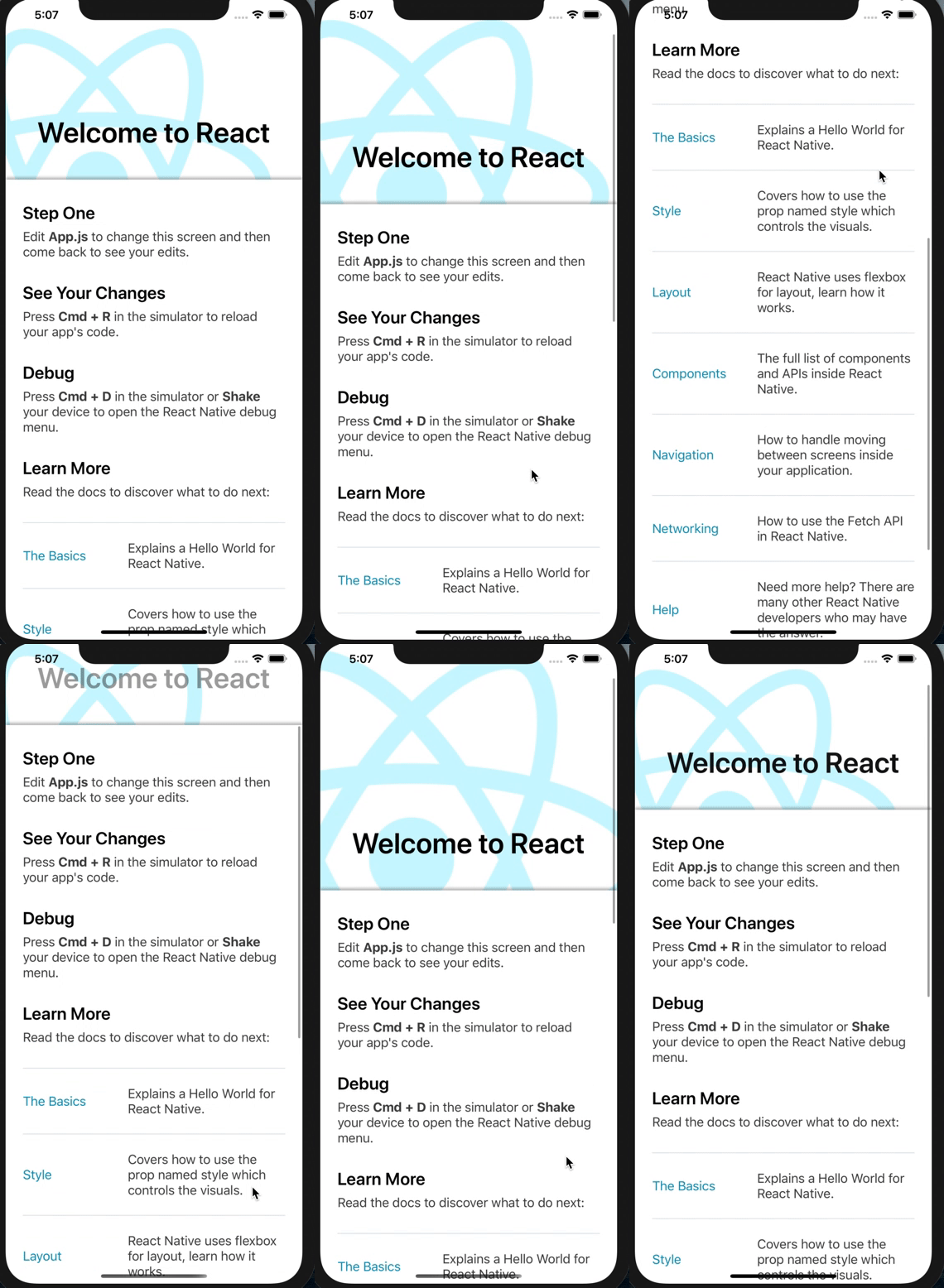
NOTE:
- this package requires React > 15.5.0.If you want to use a lower version, please use this original repository
Example
import React from 'react';
import ParallaxView from 'react-native-parallax-header-view';
import {StyleSheet, ScrollView, View, Text} from 'react-native';

import {
  LearnMoreLinks,
  Colors,
  DebugInstructions,
  ReloadInstructions,
} from 'react-native/Libraries/NewAppScreen';

const App: () => React$Node = () => {
  const backgroundStyle = {
    opacity: 0.2,
    overflow: 'visible',
    resizeMode: 'cover',
    marginLeft: -128,
    marginBottom: -192,
  };

  const headerStyle = {
    fontSize: 40,
    fontWeight: '600',
    textAlign: 'center',
    paddingTop: 80,
    color: Colors.black,
  };

  return (
    <ParallaxView
      backgroundSource={require('./logo.png')}
      windowHeight={250}
      backgroundStyle={backgroundStyle}
      headerStyle={headerStyle}
      header={<Text style={headerStyle}>Welcome to React</Text>}>
      <View>
        <ScrollView
          contentInsetAdjustmentBehavior="automatic"
          style={styles.scrollView}>
          <View style={styles.body}>
            <View style={styles.sectionContainer}>
              <Text style={styles.sectionTitle}>Step One</Text>
              <Text style={styles.sectionDescription}>
                Edit <Text style={styles.highlight}>App.js</Text> to change this
                screen and then come back to see your edits.
              </Text>
            </View>
            <View style={styles.sectionContainer}>
              <Text style={styles.sectionTitle}>See Your Changes</Text>
              <Text style={styles.sectionDescription}>
                <ReloadInstructions />
              </Text>
            </View>
            <View style={styles.sectionContainer}>
              <Text style={styles.sectionTitle}>Debug</Text>
              <Text style={styles.sectionDescription}>
                <DebugInstructions />
              </Text>
            </View>
            <View style={styles.sectionContainer}>
              <Text style={styles.sectionTitle}>Learn More</Text>
              <Text style={styles.sectionDescription}>
                Read the docs to discover what to do next:
              </Text>
            </View>
            <LearnMoreLinks />
          </View>
        </ScrollView>
      </View>
    </ParallaxView>
  );
};

const styles = StyleSheet.create({
  scrollView: {
    backgroundColor: Colors.lighter,
  },
  body: {
    backgroundColor: Colors.white,
  },
  sectionContainer: {
    marginTop: 32,
    paddingHorizontal: 24,
  },
  sectionTitle: {
    fontSize: 24,
    fontWeight: '600',
    color: Colors.black,
  },
  sectionDescription: {
    marginTop: 8,
    fontSize: 18,
    fontWeight: '400',
    color: Colors.dark,
  },
  highlight: {
    fontWeight: '700',
  },
});

export default App;
Props
| Prop | Required | Default | Type | Description |
|---|---|---|---|---|
| backgroundSource | YES | null |
object |
this style defines background image style |
| backgroundStyle | NO | null |
object |
the source prop that get's passed to the background <Image> component. If left blank, no background is rendered |
| header | NO | null |
renderable |
any content you want to render on top of the image. This content's opacity get's animated down as the scrollview scrolls up. (optional) |
| windowHeight | NO | 300 |
number |
the resting height of the header image. If 0 is passed in, the background is not rendered. |
| scrollableViewStyle | NO | null |
object |
this style will be mixed (overriding existing fields) with scrollable view style (view which is scrolled over the background) |
| ... | NO | ...ScrollViewProps |
{...this.props} is applied on the internal ScrollView (excluding the style prop which is passed on to the outer container) |