| cli | ||
| docs | ||
| external | ||
| graphics | ||
| hardware | ||
| misc | ||
| releases | ||
| shared | ||
| stm32 | ||
| testing | ||
| unix | ||
| .gitignore | ||
| .gitmodules | ||
| CONTRIBUTING.md | ||
| COPYING-CC | ||
| LICENSE | ||
| pull_request_template.md | ||
| README.md | ||
| requirements.txt | ||

Coldcard Wallet
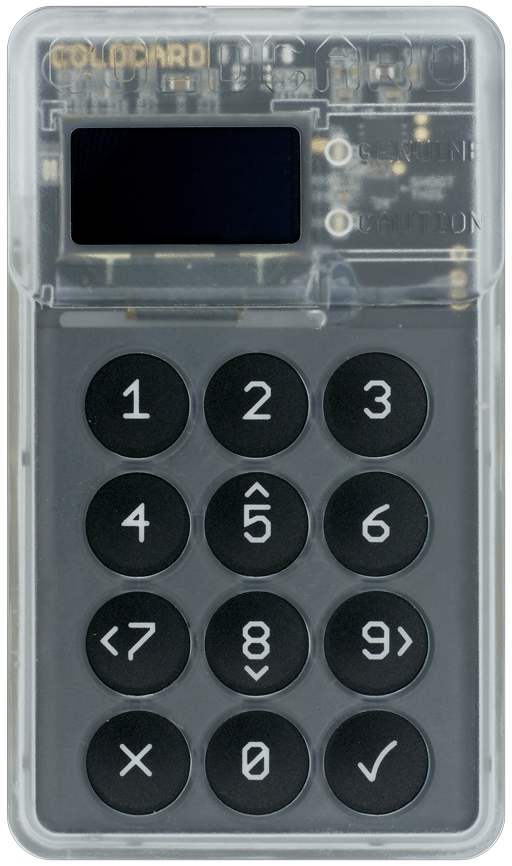
Coldcard is a Cheap, Ultra-secure & Opensource Hardware Wallet for Bitcoin. Get yours at ColdcardWallet.com
Follow @COLDCARDwallet on Twitter to keep up with the latest updates and security alerts.


Reproducible Builds
To have confidence this source code tree is the same as the binary on your device, you can rebuild it from source and get exactly the same bytes. This process has been automated using Docker. Steps are as follows:
-
Install Docker and start it.
-
Install make (GNUMake) if you don't already have it.
-
Checkout the code, and start the process.
git clone https://github.com/Coldcard/firmware.git cd firmware/stm32 make repro
-
At the end of the process a clear confirmation message is shown, or the differences.
-
Build products can be found
firmware/stm32/built.
Check-out and Setup
Do a checkout, recursively to get all the submodules:
git clone --recursive https://github.com/Coldcard/firmware.git
Already checked-out and getting git errors? Do this:
git fetch
git reset --hard origin/master
Then:
cd firmwaregit submodule update --init(if needed?)brew install autogen virtualenvvirtualenv -p python3 ENV(Python > 3.5 is required)source ENV/bin/activate(orsource ENV/bin/activate.cshbased on shell preference)pip install -r requirements.txt
Setup and Run the Desktop-based Coldcard simulator:
cd unix; make setup && make; ./simulator.py
Building the firmware:
cd ../cli; pip install --editable .cd ../stm32; make setup && make; make firmware-signed.dfu- The resulting file,
firmware-signed.dfucan be loaded directly onto a Coldcard, using this command (already installed based on above) ckcc upgrade firmware-signed.dfu
Which looks like this:
[ENV] [firmware/stm32 42] ckcc upgrade firmware-signed.dfu
675328 bytes (start @ 293) to send from 'firmware-signed.dfu'
Uploading  [##########--------------------------]   29%  0d 00:01:04
MacOS
You'll probably need to install at least these packages:
brew install --cask xquartz
brew install sdl2 xterm
brew install --cask gcc-arm-embedded
Used to be these were needed as well:
brew tap PX4/px4
brew search px4
brew install px4/px4/gcc-arm-none-eabi-80 (latest gcc-arm-none-eabi-XX, currently 80)
You may need to reboot to avoid a DISPLAY is not set error.
Big Sur Issues
defaults write org.python.python ApplePersistenceIgnoreState NOwill supress a warning aboutPython[22580:10101559] ApplePersistenceIgnoreState: Existing state will not be touched. New state will be written to...see https://bugs.python.org/issue32909
Linux
You'll probably need to install these (Ubuntu 16):
apt install libudev-dev python-sdl2 gcc-arm-none-eabi
If you get stuck on the "Skip PIN" screen after the startup, edit the pyb.py file located under /unix/frozen-modules/ and follow the instructions from line 27 to line 31:
# If on linux, try commenting the following line
addr = bytes([len(fn)+2, socket.AF_UNIX] + list(fn))
# If on linux, try uncommenting the following two lines
#import struct
#addr = struct.pack('H108s', socket.AF_UNIX, fn)
Code Organization
Top-level dirs:
shared
- shared code between desktop test version and real-deal
- expected to be largely in python, and higher-level
unix
- unix (MacOS) version for testing/rapid dev
- this is a simulator for the product
testing
- test cases and associated data
stm32
- embedded micro version, for actual product
- final target is a binary file for loading onto hardware
external
- code from other projects, ie. the dreaded submodules
stm32/bootloader
- 32k of factory-set code that you cannot change
- however, you can inspect what code is on your coldcard and compare to this.
hardware
- schematic and bill of materials for the Coldcard
unix/work/MicroSD
- files on "simulated" microSD card
Support
Found a bug? Email: support@coinkite.com