Compare commits
No commits in common. "main" and "BTCPayServer/5.0.5.1" have entirely different histories.
main
...
BTCPayServ
11
README.md
11
README.md
@ -1,7 +1,7 @@
|
||||
**NOTE: This fork of Smartstore hosts the plugin source code for the BTCPay Server integration. You can view its README at [src/Smartstore.Modules/Smartstore.BTCPayServer/README.md](src/Smartstore.Modules/Smartstore.BTCPayServer/README.md).**
|
||||
NOTE: THis fork of Smartstore hosts the plugin source code for the BTCPay Server integration. You can view its README at [src/Smartstore.Plugins.Payment.BTCPayServer/README.md](src/Smartstore.Plugins.Payment.BTCPayServer/README.md).
|
||||
|
||||
## Building the plugin
|
||||
Running `build-btcpayplugin.ps1` or `build-btcpayplugin.sh` will build the plugin and place the resulting zip file in `build/packages` which you can then use to install.
|
||||
Running `build-btcpayplugin.ps1` or `build-btcpayplugin.sh` will build the plugin and place the resulting zip file in `build/packaghes`.
|
||||
|
||||
## Releasing the plugin
|
||||
A github actions workflow is configured to automatically build and release the plugin when a new tag is pushed to the repository.
|
||||
@ -9,12 +9,7 @@ The workflow will build the plugin and upload it to the [releases page](https://
|
||||
The tag name must be in the format `BTCPayServer/{version}`, where `{version}` is the version of the plugin as defined in `src\Smartstore.Modules\Smartstore.BTCPayServer\module.json`.
|
||||
|
||||
## Testing without debugging
|
||||
Simply run `docker compose up` in this directory and the latest version of SmartStore will be run on `http://localhost`. Just use the SQLite db option and you're good to go.
|
||||
|
||||
|
||||
---
|
||||
|
||||
---
|
||||
Simply run `docker compose up` in this directory and the latest version of SmartStore will be run on `localhost`. Just use the SQLite db option and you're good to go.
|
||||
|
||||
<p align="center">
|
||||
<a href="https://www.smartstore.com" target="_blank" rel="noopener noreferrer">
|
||||
|
||||
0
build-btcpayplugin.sh
Executable file → Normal file
0
build-btcpayplugin.sh
Executable file → Normal file
@ -2,7 +2,7 @@ version: "3.4"
|
||||
services:
|
||||
web:
|
||||
image: ghcr.io/smartstore/smartstore-linux
|
||||
container_name: smartstore_btcpay
|
||||
container_name: web
|
||||
ports:
|
||||
- "80:80"
|
||||
restart: unless-stopped
|
||||
|
||||
@ -1,42 +1,34 @@
|
||||
# BTCPay plugin for SmartStore - accept Bitcoin payments
|
||||
# BTCPay Plugin for SmartStore
|
||||
|
||||
|
||||

|
||||
|
||||
## Plugin Overview
|
||||
|
||||
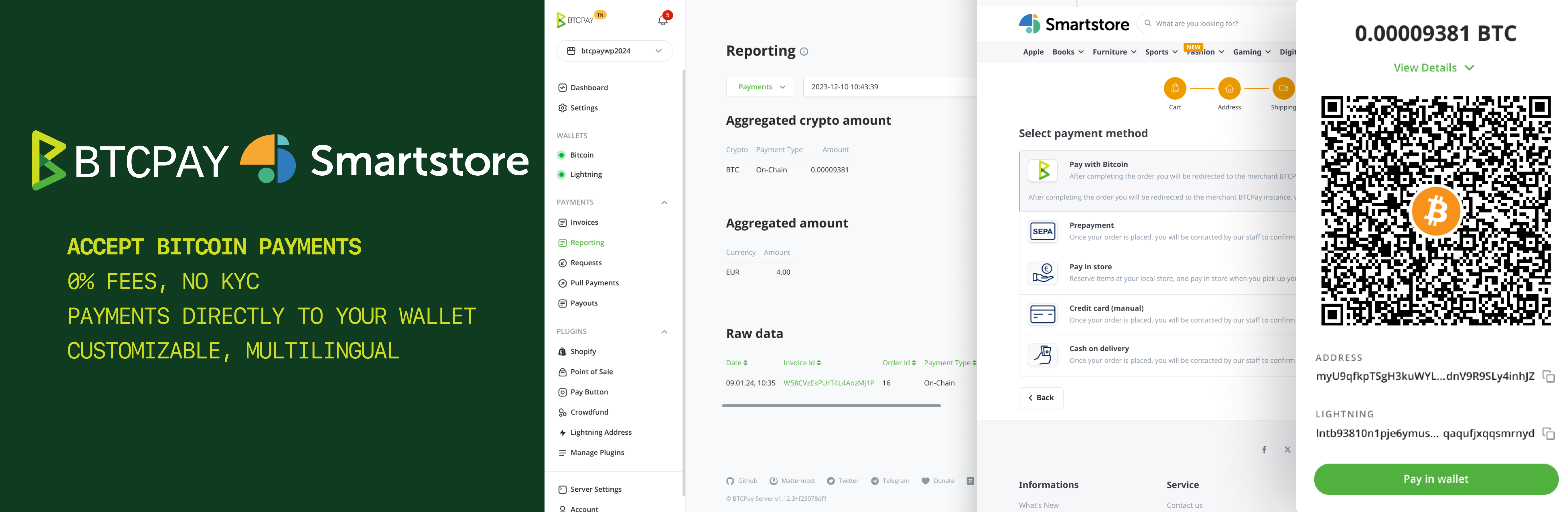
This plugin allows you to easily integrate Bitcoin payments into your SmartStore website using BTCPay Server — a free, self-hosted and open-source payment gateway solution designed to revolutionize Bitcoin payments. Our seamless integration with SmartStore ensures a hassle-free connection to your self-hosted BTCPay Server.
|
||||
|
||||
Experience the simplicity of accepting Bitcoin payments with just a few straightforward steps. You can configure the plugin either automatically or manually, depending on your preferences and requirements.
|
||||
This plugin allows you to easily integrate Bitcoin payments into your SmartStore website using BTCPay Server. You can configure the plugin either automatically or manually, depending on your preferences and requirements.
|
||||
|
||||
## Automatic Configuration
|
||||
|
||||
1. Enter Url to your BTCPay Server into "BTCPay Url" field. (e.g. https://mainnet.demo.btcpayserver.org)
|
||||
2. Click on the "Configure automatically" button to be redirected to the API authorization page on your BTCPay server
|
||||
3. On BTCPay authorization page: Select the store you want to connect to your Smartstore (you might need to login first)
|
||||
4. Click on "Authorize App" button and you will be redirected back to your Smartstore
|
||||
3. The "API Key", "BTCPay Store ID" and "Webhook Secret" fields will be automatically filled and a webhook created
|
||||
4. Click "Save" button at the top right to persist the configuration
|
||||
5. Congrats, the configuration is now done.
|
||||
1. Enter the "BTCPay Url" parameter and save.2. Click on the "Create API Key Automatically" link to be redirected to the key creation page on your BTCPay server.
|
||||
3. The "API Key" and "BTCPay Store ID" parameters will be automatically filled and a webhook will be automatically created. Save.
|
||||
|
||||
|
||||
## Manual Configuration
|
||||
|
||||
Ensure that the following fields are filled out: "BTCPay Url," "API Key," "BTCPay Store ID," and "WebHook Secret."
|
||||
|
||||
To create the BTCPay API key, [read this](https://docs.btcpayserver.org/VirtueMart/#22-create-an-api-key-and-configure-permissions).
|
||||
- Note: If you want to use the Refund feature, you must also add the "Create non-approved pull payments" permission. After a refund, an order note is created where you can copy the pull payments link and send to your customer. The customer can request the refund on that page.
|
||||
- Note: If you want to use the Refund feature, you must also add the "Modify your stores" permission. After a refund, an order note is created, indicating the BTCPay link where the customer can request a refund.
|
||||
|
||||
To create the BTCPay WebHook, [read this](https://docs.btcpayserver.org/VirtueMart/#23-create-a-webhook-on-btcpay-server) and use the default secret code generated by BTCPay.
|
||||
- Note: Other than in the guide you need to copy the Url shown in field "Webhook Url" from your configuration screen on Smartstore.
|
||||
|
||||
## Support
|
||||
## Support and Documentation
|
||||
|
||||
Feel free to join our support channel over at [Mattermost Chat](https://chat.btcpayserver.org/) if you need help or have any further questions.
|
||||
|
||||
If experience a bug please open an issue in our repository [here](https://github.com/btcpayserver/Smartstore.BTCPayServer/issues)
|
||||
For more information and detailed instructions, please visit the [official documentation](https://docs.btcpayserver.org/).
|
||||
|
||||
## License
|
||||
|
||||
This plugin is released under the [MIT License](LICENSE).
|
||||
|
||||
---
|
||||
Find our latest releases on the [Smartstore marketplace](https://community.smartstore.com/index.php?/files/file/246-btcpay-server-for-smartstore/) or on our [release page](https://github.com/btcpayserver/Smartstore.BTCPayServer/releases)
|
||||
For more information and updates, visit our [GitHub repository](https://github.com/Nisaba/btcpay-smartstore-plugin).
|
||||
|
||||
|
||||

Binary file not shown.
|
Before Width: | Height: | Size: 1.1 MiB |
Loading…
Reference in New Issue
Block a user